Hi, I tried the blueprint for roadmap planning including the OKR tracker. How can I rename the OKRs in it? Just numbering them seems disappointing…
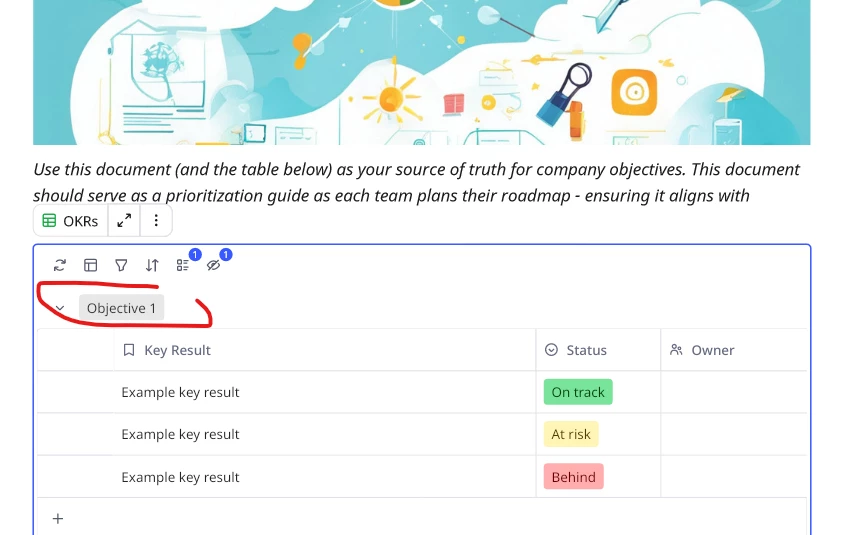

Hi, I tried the blueprint for roadmap planning including the OKR tracker. How can I rename the OKRs in it? Just numbering them seems disappointing…
Best answer by Eca
hi
The reason you couldn't edit the Objective name directly is because the table was grouped by Objective, which locks the field for editing.
To fix this:
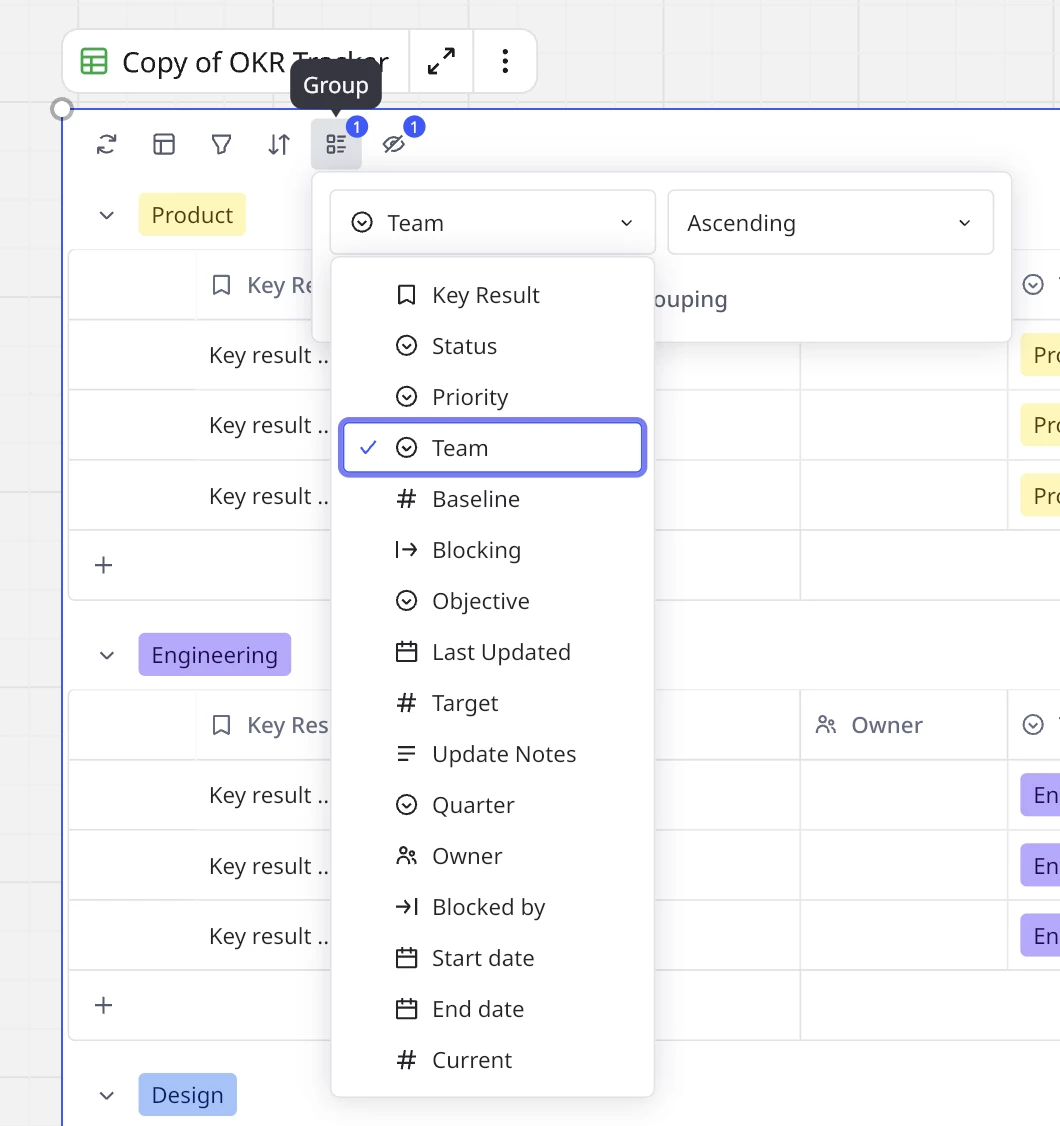
Change the grouping (e.g., to Team) by clicking the grouping dropdown at the top.
Click Edit field then you can change the names under “Options” field.
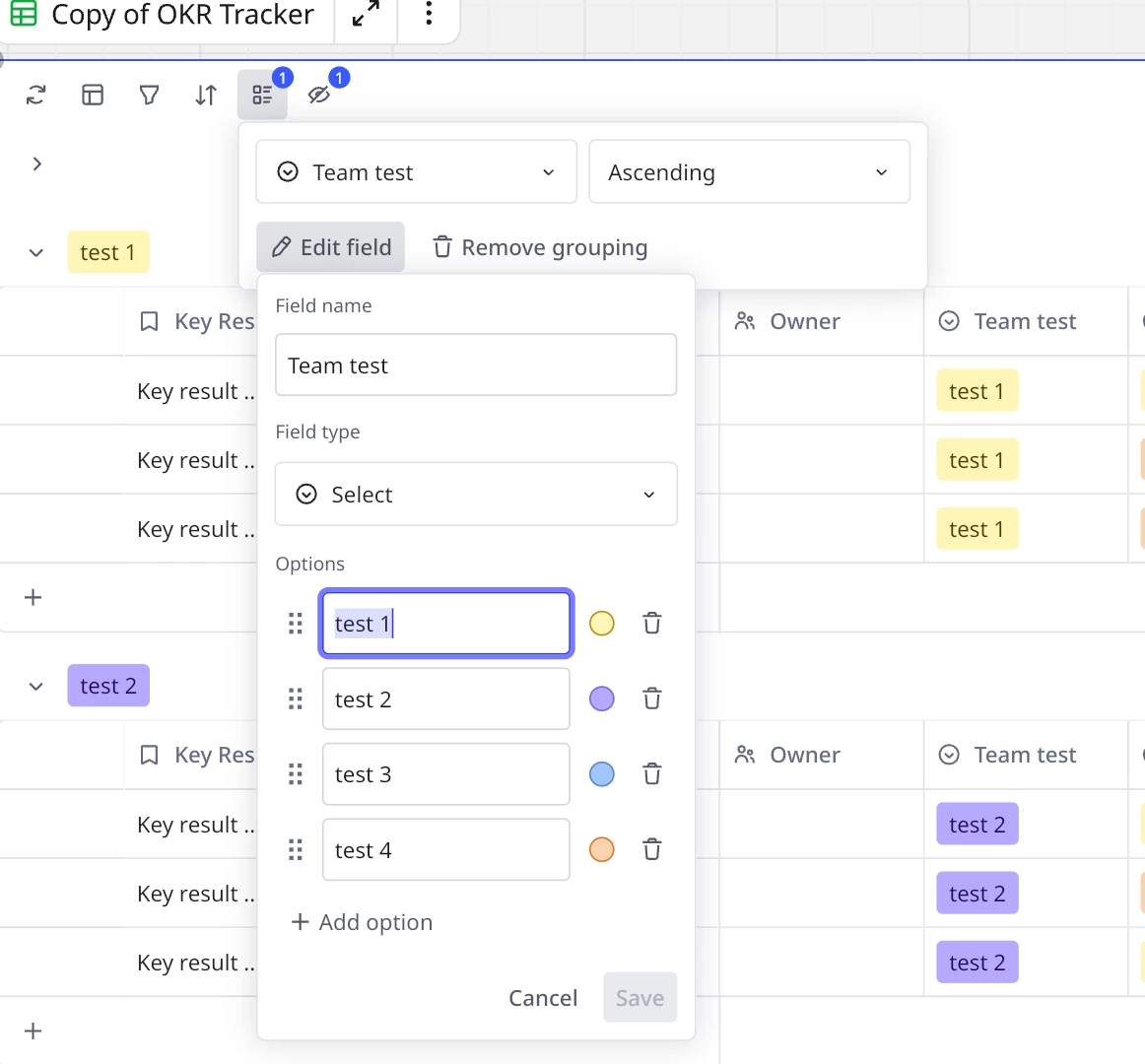
Now you'll be able to rename each objective label freely.
Hope this helps!

Enter your E-mail address. We'll send you an e-mail with instructions to reset your password.