Question for Miro staff - concerns about "free while in beta" activities for Education / university user...

  • June 11, 2026
  • 2 replies
  • 23 views

Hi there Miro team, 

I'm a learning designer in an Australian university, planning to use Miro quite extensively in at least two courses. 

I have three simple questions which we hope can be answered. 

I created my Miro account using a @domain.edu.au account in the way a colleague instructed. 

When in Miro itself, I find that I'm in an "organisation" with an "Education" subtitle - actually, I'm in two organisations, which I think is an administrative quirk, but the important bit is that both have an "Education" subtitle. 

When I look at my Profile, I'm told I have a "Full" licence. However, my colleagues tell me we have an Education license - I'd be grateful if you could please offer any clarification around that apparent discrepancy. 

That query aside, I've started experimenting with the new "Activities" present - multiple-choice, open-ended, word cloud, scales, ranking and 2x2 matrix. 

When creating / adding these, I now notice a note for each and all of them: "Free while in beta". 

So my second query, and probably the most important, is: will these activities remain useable / editable, both by myself and teachers in our organisation, and also by students, after these features exit the "beta" stage? 

A third question is: should the teacher instruct their students to create accounts using their @domain.edu.au address, or a personal email address? Would there be any difference? 

To be clear, I want to build one Miro board for every unit in a single course. Any one of these Miro unit boards would replace as many as a dozen Padlets, and also replace several occasions in which Menti is used. I don't plan to build learning content in Miro, but rather use Miro to facilitate / capture interactions using the new activities - gathering student thoughts, for example. 

Cheers, Rob. 

June 11, 2026

Hi ​@Rob P, thanks for reaching out! Happy to help clarify.

For your first question, the "Full" license shown in your profile means you're currently a team member with full access rights within the Education team(s) you've joined. As long as the team admin keeps you as a member, you should continue to have access to the boards and features available within those teams. The "Education" label refers to the team's subscription plan, while "Full" refers to your role/access level within that team.


Regarding Activities, the "Free while in beta" label indicates that these features are currently available at no additional cost during the beta period. At this stage, there isn't any public information about pricing, availability, or access requirements once the beta ends. If anything changes before general release, we would communicate that in advance.


For student accounts, using university email addresses is generally a good idea, especially if your institution manages access through an Education plan or organizational setup. That said, students collaborating on boards within your Education team can also use personal email addresses without issue. Access to the Education plan itself is managed by the team's admins rather than being determined solely by the email domain.


One additional note: since you mentioned being part of two Education organizations, you can also apply for your own Education team if you meet the eligibility requirements and would like to manage it yourself as the admin. More information is available here:

Education Plan eligibility and application guide

Hope this helps!

2 replies

Eca
Mironeer
Forum|alt.badge.img+5
  • Mironeer
  • June 11, 2026

Hi ​@Rob P, thanks for reaching out! Happy to help clarify.

For your first question, the "Full" license shown in your profile means you're currently a team member with full access rights within the Education team(s) you've joined. As long as the team admin keeps you as a member, you should continue to have access to the boards and features available within those teams. The "Education" label refers to the team's subscription plan, while "Full" refers to your role/access level within that team.


Regarding Activities, the "Free while in beta" label indicates that these features are currently available at no additional cost during the beta period. At this stage, there isn't any public information about pricing, availability, or access requirements once the beta ends. If anything changes before general release, we would communicate that in advance.


For student accounts, using university email addresses is generally a good idea, especially if your institution manages access through an Education plan or organizational setup. That said, students collaborating on boards within your Education team can also use personal email addresses without issue. Access to the Education plan itself is managed by the team's admins rather than being determined solely by the email domain.


One additional note: since you mentioned being part of two Education organizations, you can also apply for your own Education team if you meet the eligibility requirements and would like to manage it yourself as the admin. More information is available here:

Education Plan eligibility and application guide

Hope this helps!


Robert Johnson
Forum|alt.badge.img+13
  • Volunteer Community Moderator
  • June 11, 2026

@Rob P Re:

So my second query, and probably the most important, is: will these activities remain useable / editable, both by myself and teachers in our organisation, and also by students, after these features exit the "beta" stage? 

I’ll share what I have seen happen historically from my own person experience and understanding of how Miro subscriptions work.

Once a feature is out of beta, it would either:

  1. become a paid add-on (or is only available with a higher tier subscription, e.g., Business vs. Starter).
  2. remains free for all users.

If the feature becomes paid, it cannot be available on a Free or Education Plan as there is no billing profile/capabilities associated with those plans.

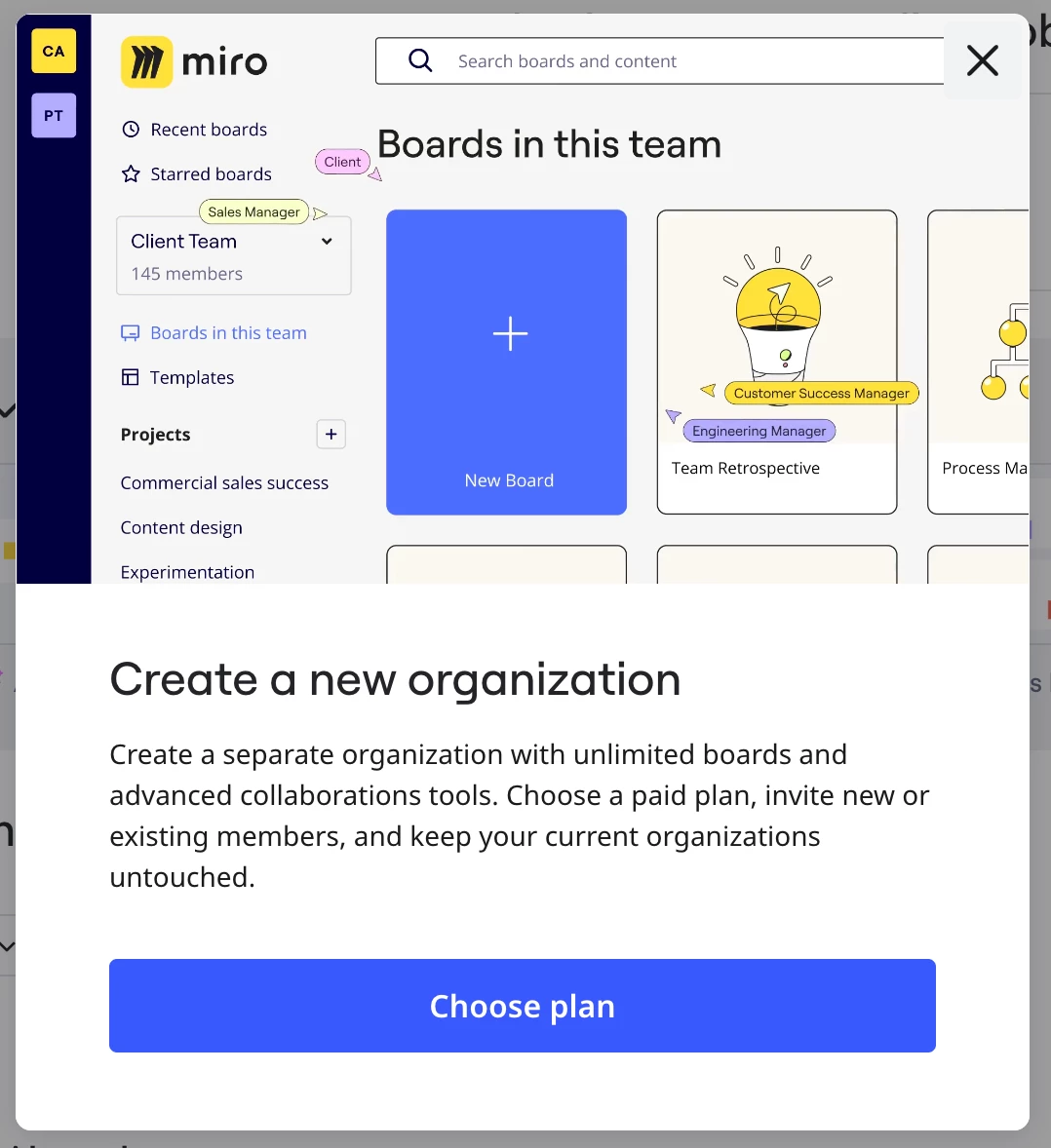
Now we’ll have to wait and see what happens when the Free Beta ends. If it is a feature that you really want to use, be prepared to subscribe to a paid plan. If you end up going that route, you can create a new subscription for just yourself while remaining a member of all other teams. You could create a new subscription/team workspace by:

  1. going to www.miro.com/pricing
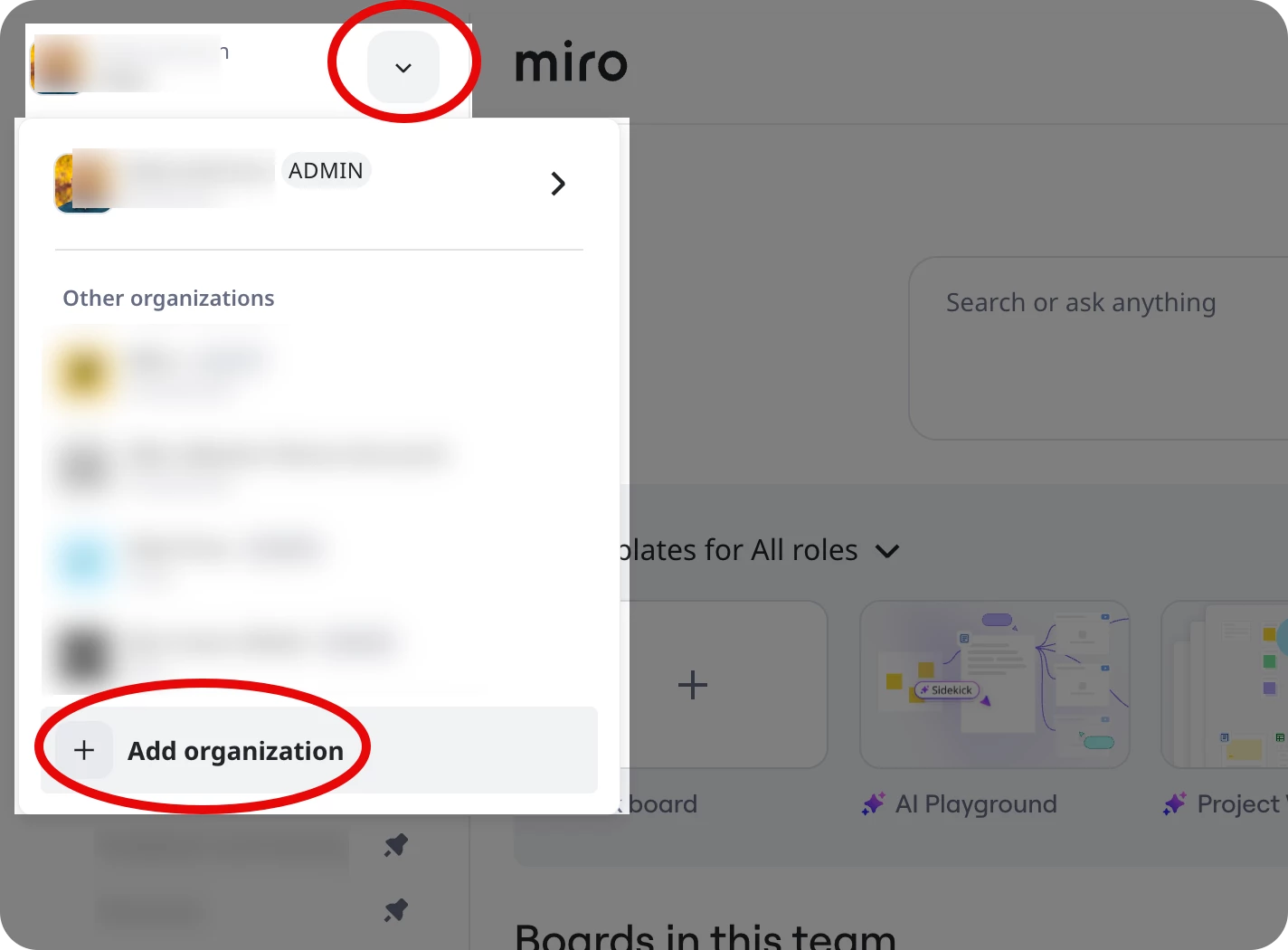
  2. or using the Add organization action:

followed by: