Question

Problem: missing connection lines in synched copy

  • April 7, 2026
  • 3 replies
  • 12 views

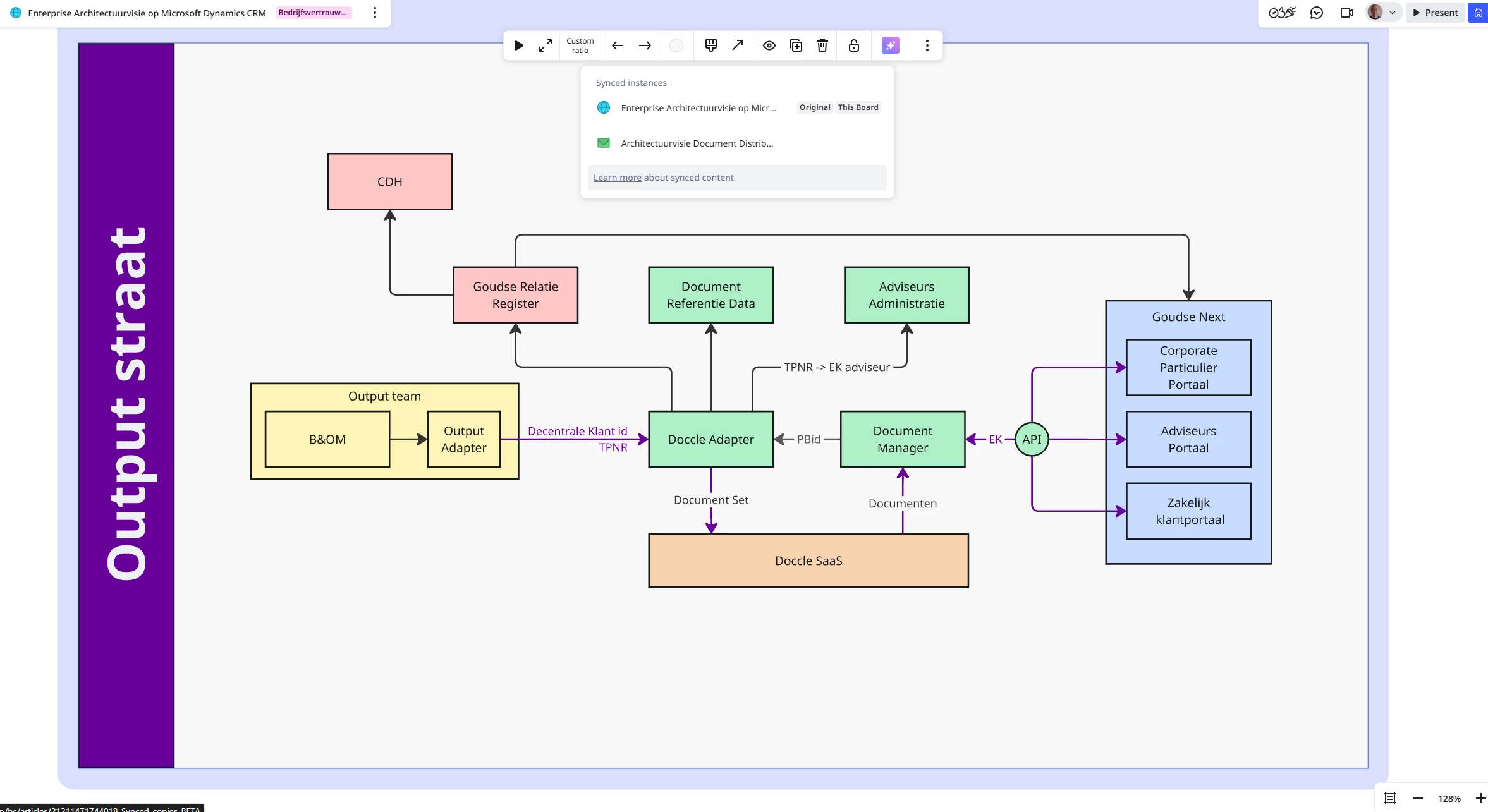
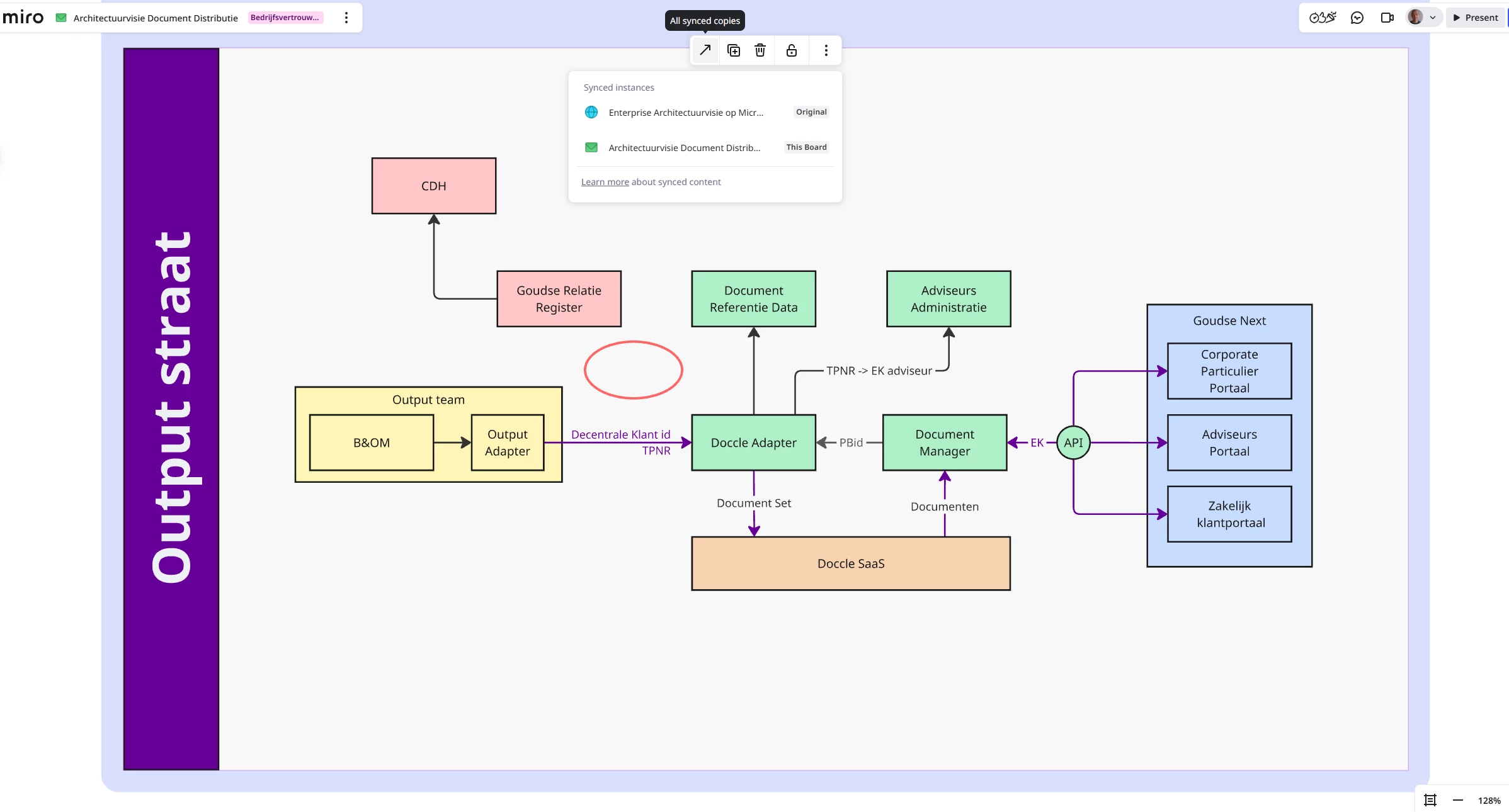
When I create a synched copy of a frame, some of the connection lines are missing. The are there in the original copy.

3 replies

Kenneth Ritley
Forum|alt.badge.img+2

Hi ​@Warry van Arkel 

Sorry to hear that. First, sadly, I don’t know. But I do a lot with connection lines and there is at least 1 or 2 bugs in Miro, particularly regarding connection lines that are not terminated to objects. So the first thing I would check is whether you have “dangling” connection lines or whether both ends are attached.

In my own case in order to overcome the bugs, if I need a dangling connection line - such as an arrow. I just connect it to an invisible diamond.

Hope this helps!

Cheers, Ken


Eca
Mironeer
Forum|alt.badge.img+5
  • Mironeer
  • April 7, 2026

HI ​@Warry van Arkel 

Thanks for reporting this. Connection lines should normally carry over with synced copies.

Could you share a quick screen recording or screenshot showing:

  • The original frame
  • The synced frame
  • What’s missing afterward

That will help me better understand what’s happening and try to reproduce it on my end.


Find the two differences 😉