Question

Poll: Getting results without voting

  • August 20, 2026
  • 4 replies
  • 13 views

I tried out the poll feature for the first time this week but can’t seem to close the poll and get the results without voting myself. I’m a facilitator, not a participant, so I don’t want to skew the results by voting. Is there a way to close the poll just as a facilitator?

4 replies

Eca
Mironeer
Forum|alt.badge.img+5
  • Mironeer
  • August 20, 2026

HI ​@bethns 

Thanks for reaching out!


Could you share a screenshot or a short video demonstrating what happens when you try to close the poll? This would help us understand what controls and options are available to you.

Also, could you clarify:

  • Are you the board owner or an editor?
  • When you say you can't close the poll, what happens when you try to do so?
  • Do you see an option to finish/close the poll, but it requires you to vote first, or is there no option to close it at all?

This will help us determine whether the behavior you're seeing is expected or if there may be an issue.


  • Author
  • Beginner
  • August 20, 2026

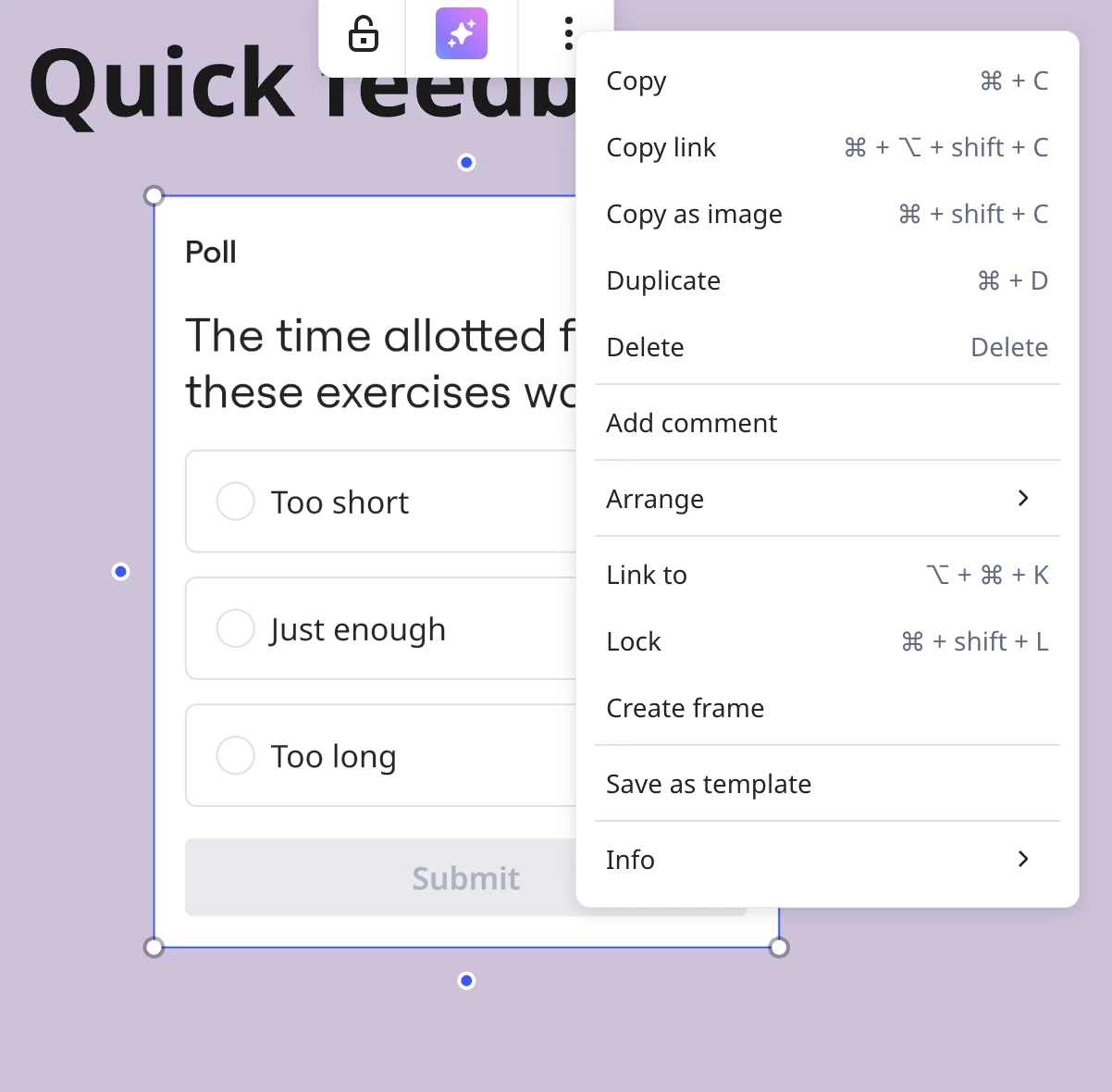
Sure. I’m the board owner. As you can see from screen grab below, there is no button at all to close the poll (the tutorials I’ve looked at online all show someone voting first, then the button at the bottom gives you the option of closing the poll thereafter). I thought the capability might be up in the “three dot” menu when I right click on the poll, but that also doesn’t give me the option. 


  • Author
  • Beginner
  • August 20, 2026

(PS There are votes already in this poll, so the poll worked for my participants. I’m just trying to figure out what the results are...)


Eca
Mironeer
Forum|alt.badge.img+5
  • Mironeer
  • August 20, 2026

HI ​@bethns thanks for the screenshot and for the additional details! I have your case converted to a support team for further investigation.