NAVIGATION : navigate between spaces

  • September 18, 2026
  • 1 reply
  • 22 views

Hi! 

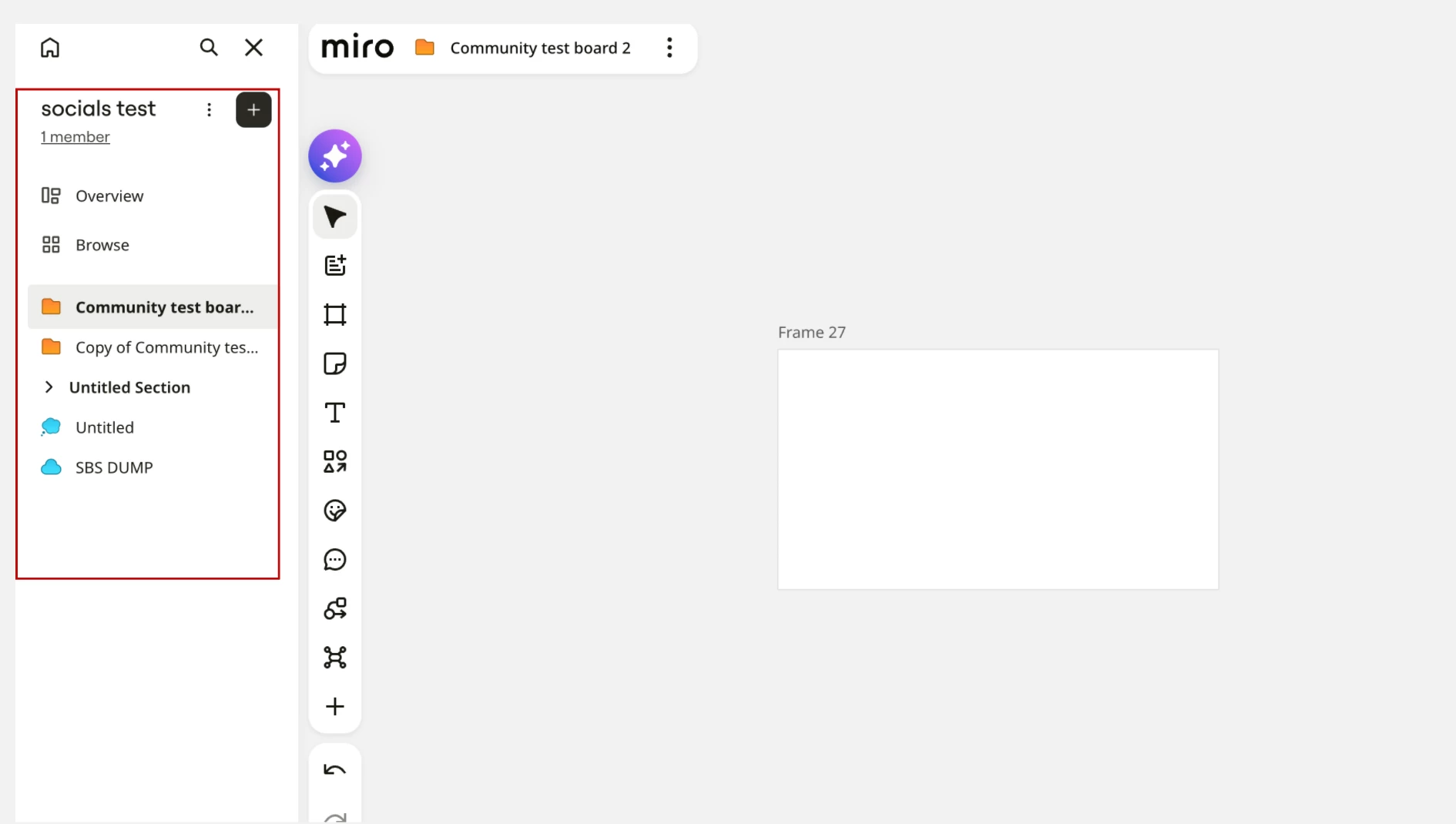
I navigate between spaces daily. I work on board Y in space A and have to go to board X in space B, which I know can only be done by pressing the home button on the lateral bar, finding the other space and clicking on it. 

Does anyone know of a better or quicker way to navigate? 
I generally find navigating between boards very impractical in Miro. 

I would also like to add a little note to the Miro team: I wish you would focus more on navigation and the home page than on AI. 

1 reply

Eca
Mironeer
Forum|alt.badge.img+5
  • Mironeer
  • September 21, 2026

Hi ​@Chitchou, thanks for reaching out!

I tested this on my end, and if the boards you’re navigating between are in the same Space, you can quickly switch between them using the boards list in the left sidebar. The boards within that Space are listed there, so you can jump from one board to another without going back to Home.

For boards in different Spaces, you would still need to switch Spaces first. One possible workaround would be to duplicate the boards into the same Space while you’re working on them, then transfer the changes back to the original boards afterward. However, I understand that this could involve quite a bit of extra work, especially when working with multiple boards.


Thanks as well for sharing your feedback about navigation. If you’d like to see a more streamlined way to move between boards, I’d recommend sharing the idea in our Wishlist, where you can also see and vote on similar requests.