Hi Everyone,
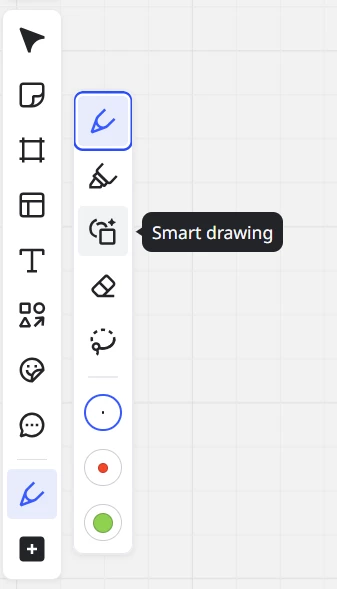
Till, yesterday, I could write with my pen on my surface and things nicely appear on my board and now suddenly when I choose my pen to write , I can only draw straight line!!!!
How can I resolve this issue please.

 +1
+1Hi Everyone,
Till, yesterday, I could write with my pen on my surface and things nicely appear on my board and now suddenly when I choose my pen to write , I can only draw straight line!!!!
How can I resolve this issue please.
Enter your E-mail address. We'll send you an e-mail with instructions to reset your password.