I am brand new to Miro. I am a teacher, and I want to have all my boards for each class in a folder. It seems like they call them spaces, not folders in Miro. I cannot figure out how to move an existing board into a folder/space. Any help would be much appreciated.
Best answer by Eca
Hi @Michelle Armbrust,
Thanks for reaching out!
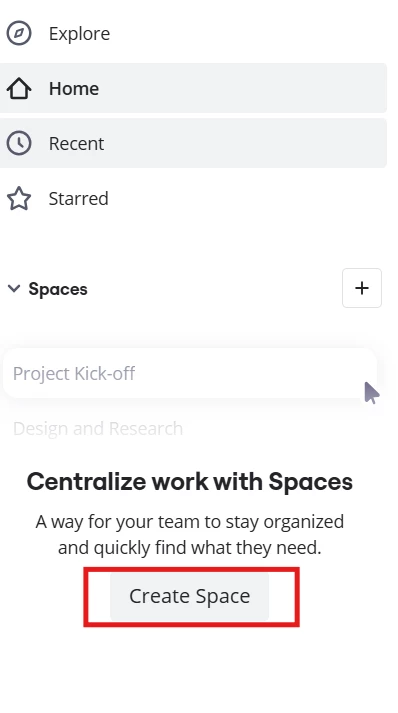
Firstly, you need to create your space. Under Starred tab, you should be able to create your Space by clicking the create space button.
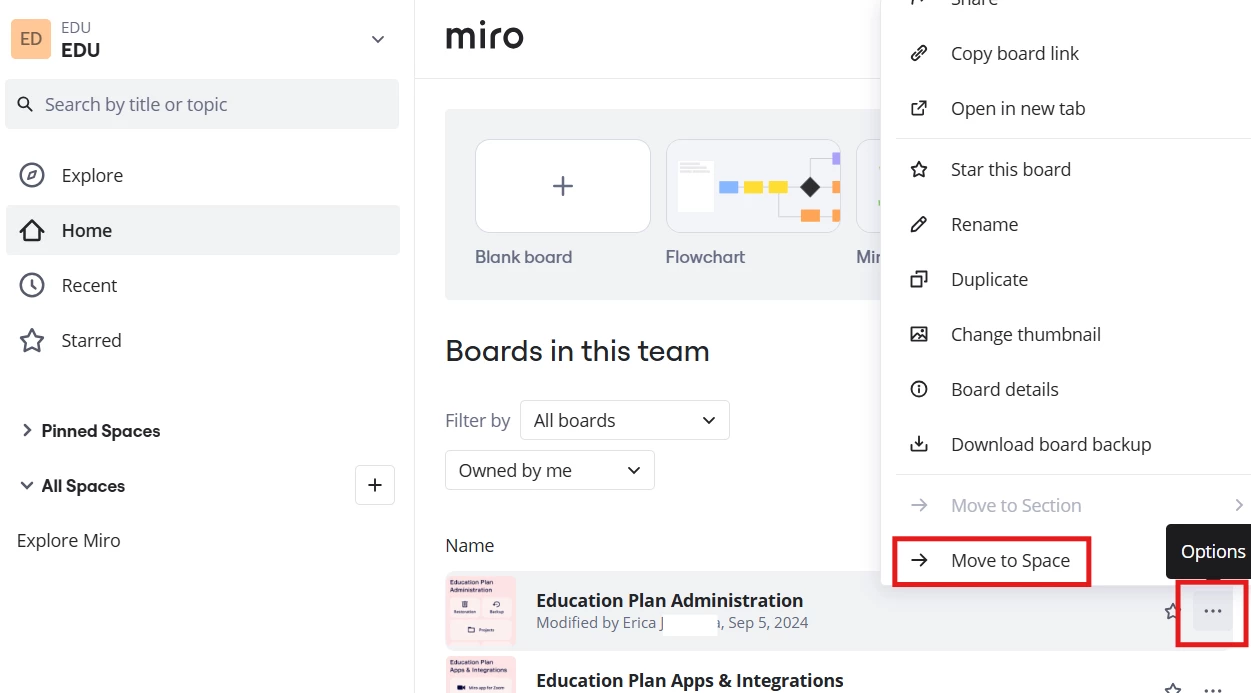
Then, you can move boards to space(s) by clicking 3 dots > Move to Space