Question

Miro Desktop App going completely blank after not being used for an hour.

  • August 14, 2026
  • 4 replies
  • 65 views

if I dont use the miro desktop app it will sometimes go completely blank and I have to restart the entire app.

is this a known bug and if so is it being worked on?

i can restart the app and have it work fine but its annoying to do so.



4 replies

Eca
Mironeer
Forum|alt.badge.img+5
  • Mironeer
  • August 17, 2026

Hi ​@FernandoMM1 

Thanks for reporting this and for trying to troubleshoot the issue by restarting the app.


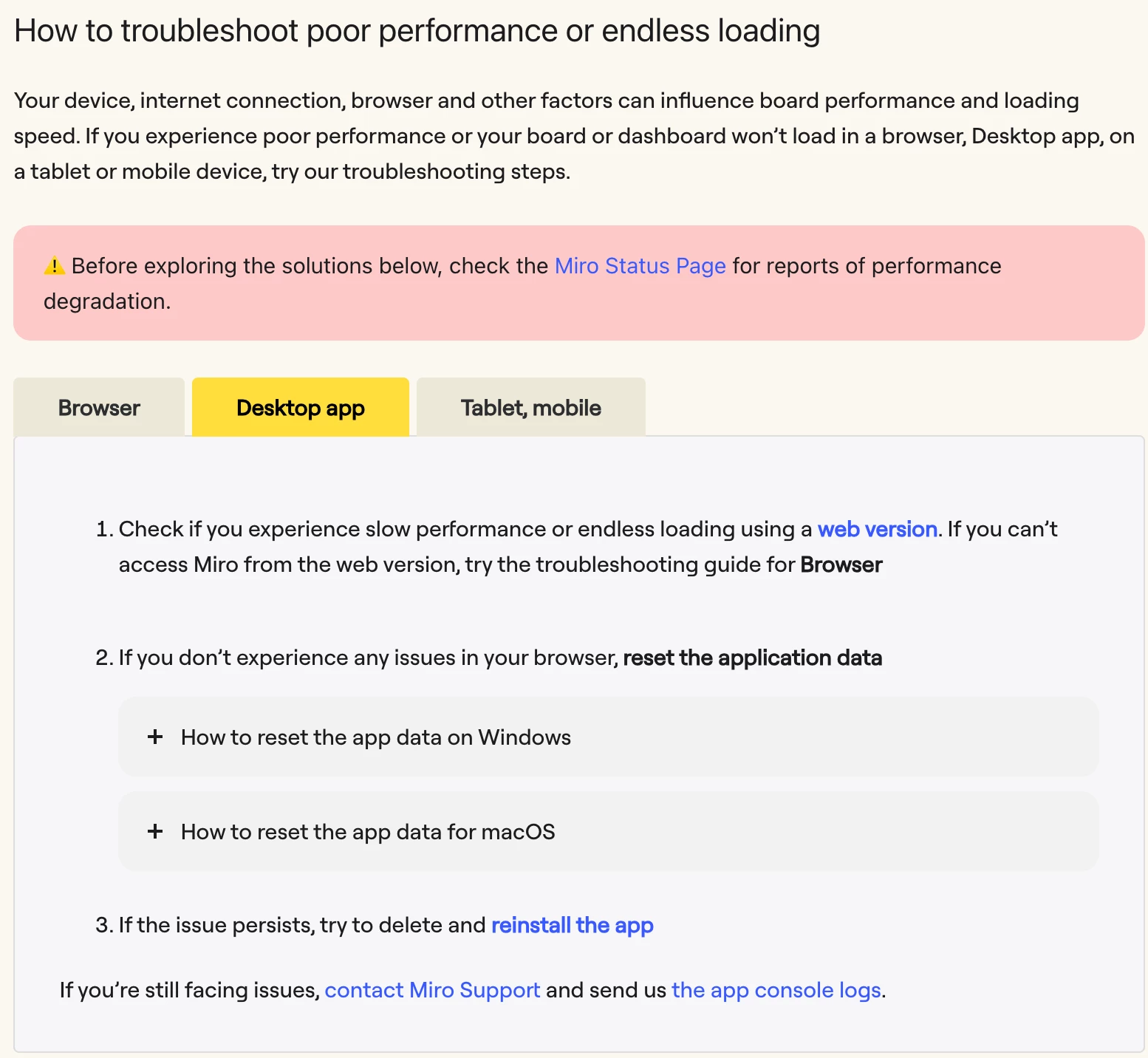
At the moment, there’s no confirmed or known issue specifically matching the Desktop app going blank after a period of inactivity. In the meantime, we have a recommendation to reset the Desktop app data for loading/display issues. Kindly try the steps from the Help center: https://help.miro.com/hc/en-us/articles/360013588560-Board-performance-and-loading-issues#h_01JNDQT500BA6JBN3BPBYHC5WF

If it continues after that, please let me know and I can help connect you with the Support team!


  • Author
  • Beginner
  • August 17, 2026

@Eca 


one of the images is broken on the guide.


Eca
Mironeer
Forum|alt.badge.img+5
  • Mironeer
  • August 18, 2026

Hi ​@FernandoMM1 thanks for flagging this! I have this reported internally for the team to fix. 

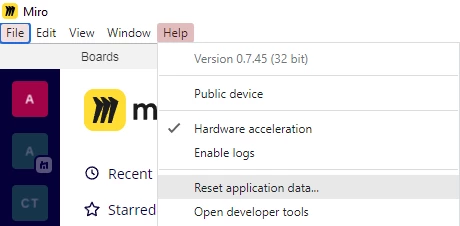
This should be the steps for resetting app data on Windows:

To troubleshoot the issue, open the Miro Desktop app, and upon loading the dashboard, press Alt, then select Help and click Reset application data as shown in the screenshot below:


If you cannot find the menu, you're probably using the app downloaded from the Microsoft Store. In this case, to reset the app data, open Windows SettingsApps > Apps and Features > find Miro on the list > Advanced options Reset.


  • Author
  • Beginner
  • August 19, 2026

@Eca 


i tried it and i still have the same problem. thank you regardless.