Question

Link logos suddenly disappeared on all boards

  • Oct 26, 2026 10:11 AM UTC
  • 2 replies
  • 32 views

Forum|alt.badge.img+1

I  can’t ask the support because I’m free plan so I’m asking here...

I'm having an issue with Miro where the small website logos/icons (like Google Drive, Notion, etc.) that used to appear on my linked shapes have completely disappeared.

  • I have multiple shapes (rectangular boxes) with external hyperlinks attached.

  • Previously, Miro displayed a small icon/logo on each linked shape, making it obvious that the shape was clickable.

  • Now, none of the linked shapes show those icons anymore.

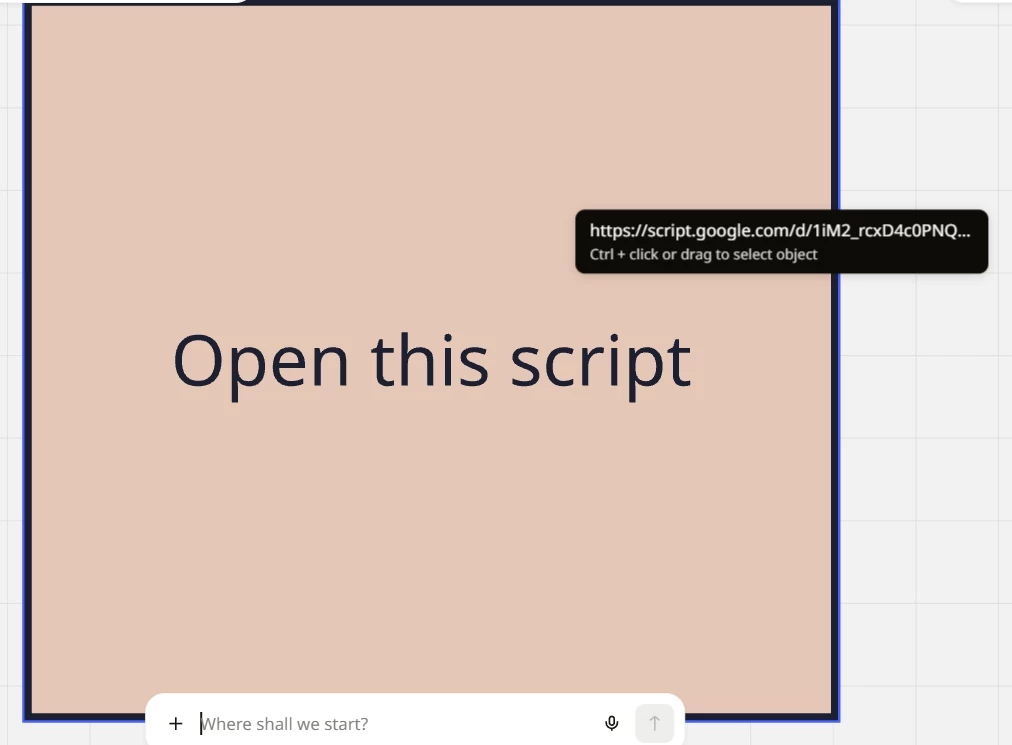
  • When I hover over a shape, Miro displays a tooltip with the URL and the message "Ctrl + click or drag to select object" (see attached screenshot).

  • When I click the shape, the external link opens immediately, so the hyperlinks themselves still work.

  • When I click on an empty area of the board, Miro briefly highlights the linked shapes.

  • I’ve tried multiple boards - none work.

  • I've already refreshed the board, but the icons are still missing.

Has Miro recently changed how hyperlink icons/favicons are displayed on shapes, or is this a bug?

Is there a setting or workaround to restore the small website logos on linked shapes without manually adding icons or recreating all my links?

 

2 replies

Forum|alt.badge.img+1
  • Author
  • New Here
  • Oct 28, 2026 10:18 AM UTC

anyone?


Robert Johnson
Forum|alt.badge.img+13
  • Volunteer Community Moderator
  • Oct 28, 2026 6:19 PM UTC

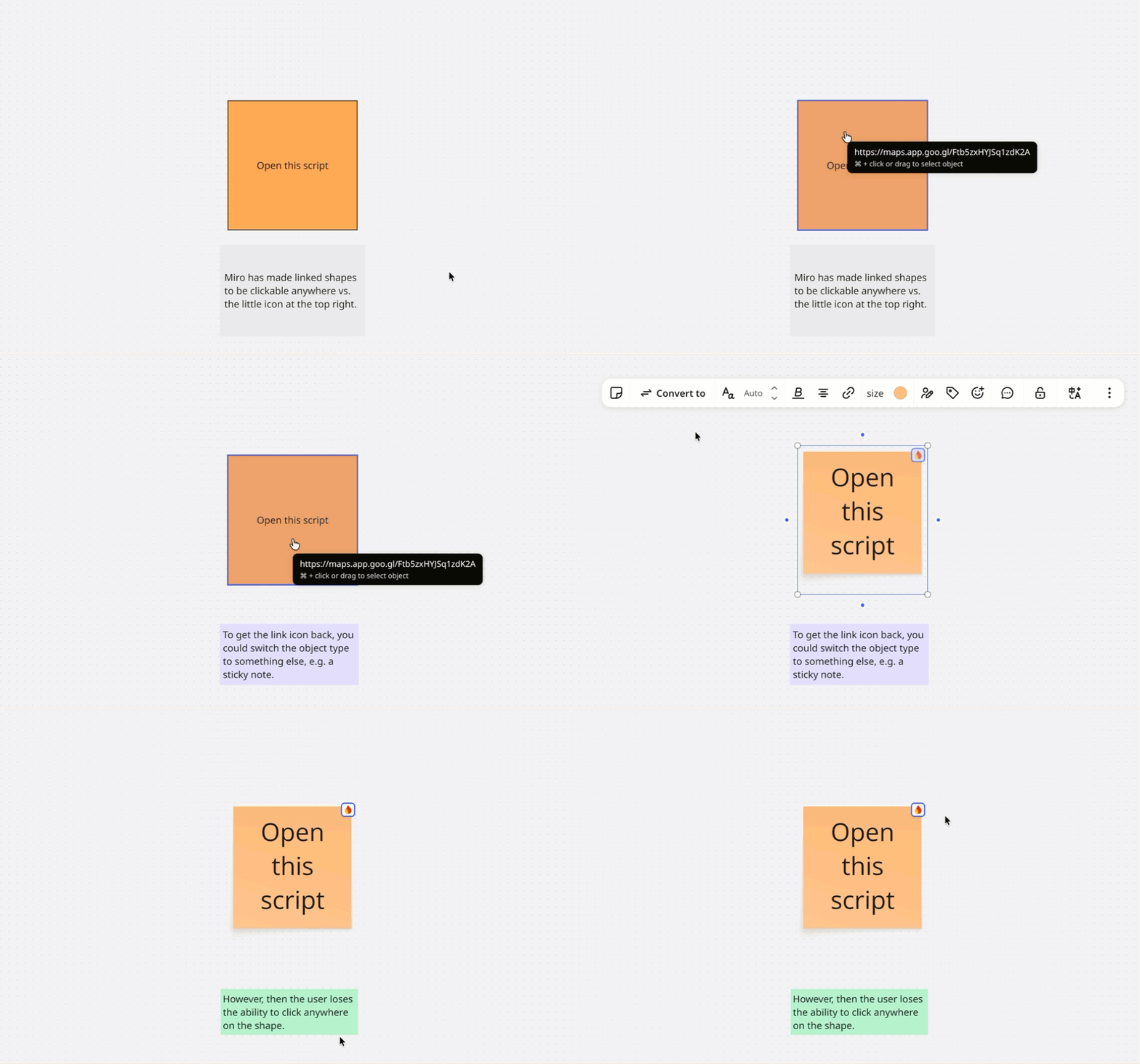
​@Misho N The change you’re seeing is intentional. I’m a volunteer moderator, not a Mironeer, but I know this from early testing. Miro made some objects fully clickable when linked to other objects or external sites, in response to a wish list post (which happens to be my idea from six years ago):

The first version made every linked object clickable on hover, including sticky notes, docs, and tables. That created too much friction when people wanted to click and start typing, so for now it’s limited to basic shapes.

My guess at the reasoning: shapes like arrows and rectangles are often used as navigation entry points, and they usually say so (“click here,” “open”), so the corner icon became redundant. As you’ve noticed, clicking the canvas now highlights all linked objects as feedback.

That said, I wonder whether the icon still makes sense for external links, since it signals that the link leaves the board. For internal navigation, I get that it could be visual clutter. I can see both sides.

​@Misho N 

How would you feel about hiding the icon for internal links but keeping it for external ones?

I’d suggest leaving feedback here and on the wish list post. The product team monitors the community forum.

Workaround: If you want the top-right icon back, use the switch type action to change the shape to a sticky note (or another object type). The tradeoff is that users will need to click the small icon rather than anywhere on the object.

Here’s a demo: