
Answered

Как быстро добавить новый блок?

  • April 21, 2021
  • 1 reply
  • 492 views

Добрый день!

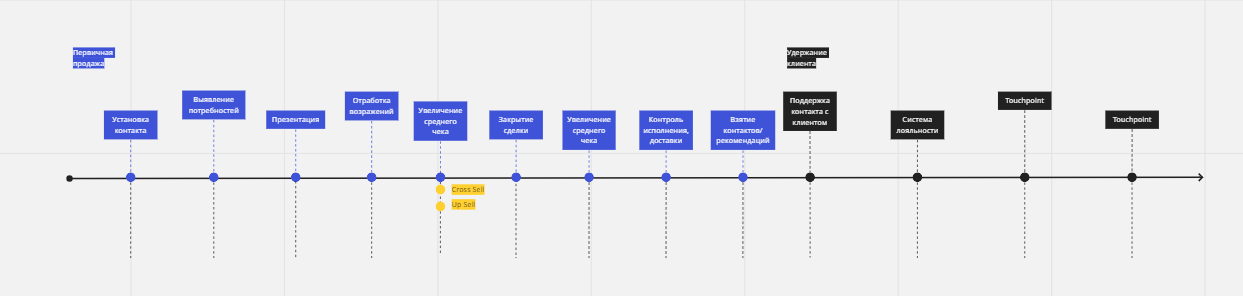
В процессе проработки любого типа MindMap требуется добавлять блоки. Иногда один-два, а иногда несколько. Я может не понимаю функционала, но не нашла нигде кнопочку “Добавить блок”. На примере: как добавить промежуточное звено здесь в ряду синих, без копипасты и нудного перетаскивания имеющихся?
 

Best answer by Robert Johnson

@Elisaveta - The template you are showing in your screenshot is simply a collections of shapes and connection lines. To create new objects, you will need to copy and paste them.

This is very different compared to some of Miro’s more dynamic, “framework”, e.g.:

This topic has been closed for replies.

1 reply

Robert Johnson
Forum|alt.badge.img+13
  • Volunteer Community Moderator
  • Answer
  • April 21, 2021

@Elisaveta - The template you are showing in your screenshot is simply a collections of shapes and connection lines. To create new objects, you will need to copy and paste them.

This is very different compared to some of Miro’s more dynamic, “framework”, e.g.:

