Question

Is it possible to link table data to a custom card layout?

  • May 26, 2026
  • 4 replies
  • 23 views

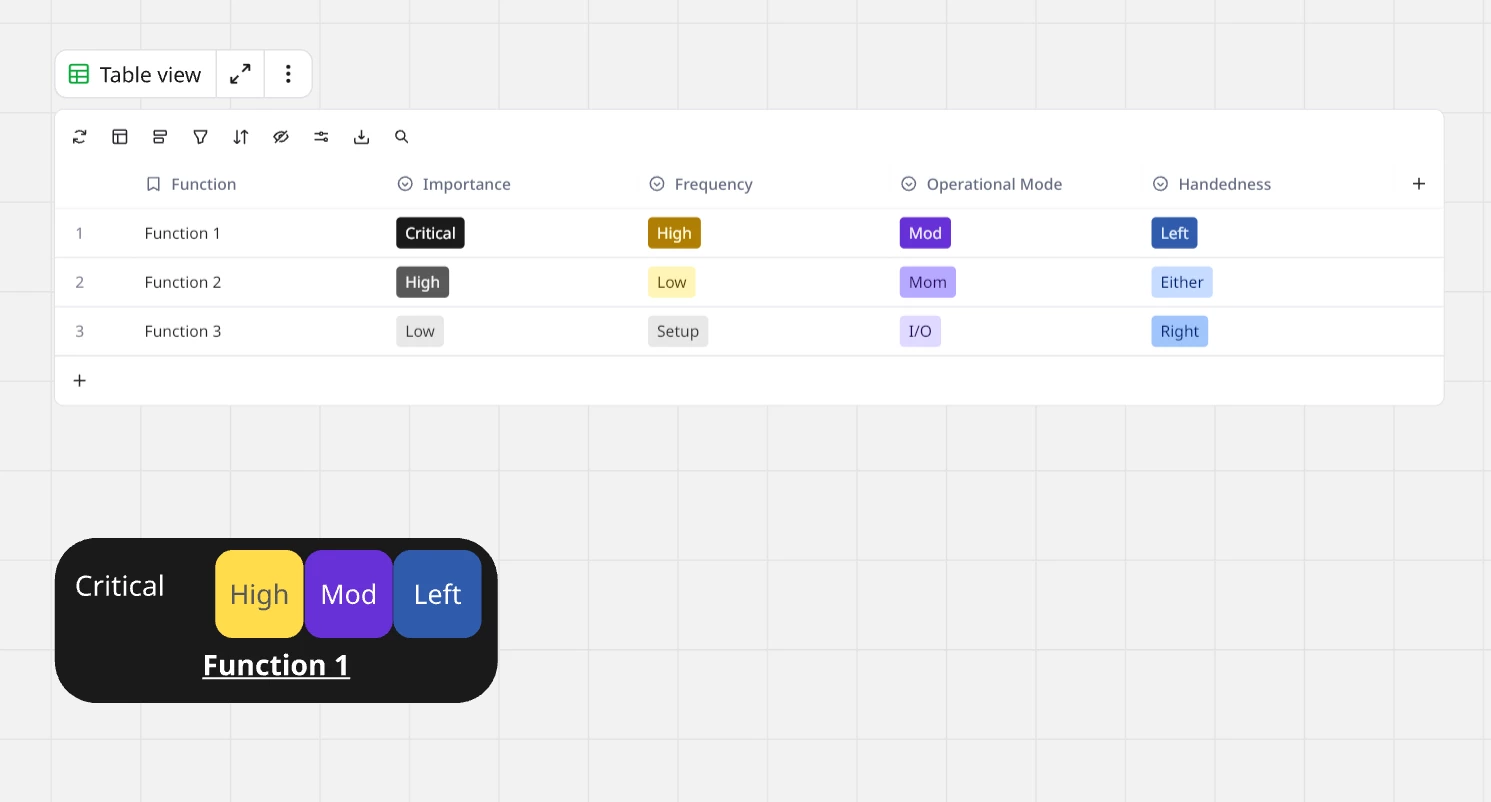
Our specific HMI workflow entails creating “function cards” when we are mapping out the task analysis of using a piece of equipment. Essentially every task and function within both the physical and digital interfaces.  Then using those cards to card sort priorities with the users and then use the cards to visually layout the control placements and groupings when doing the ergonomic and human factors recommendation layouts.  Having the ability to create a table template with a corresponding custom (infographic styled) card layout would greatly save time by allowing the custom card to be assigned to the table.  

Does something similar exist? 

4 replies

Eca
Mironeer
Forum|alt.badge.img+5
  • Mironeer
  • May 26, 2026

HI ​@Josh Leedle 

Thanks for explaining the workflow! I think I understand the general idea, but I’d love to see a visual example of: what your “function cards” currently look like, how they connect to the table/template structure, and what kind of infographic/custom card styling you’re hoping to achieve.


Would you mind sharing: a screenshot or short screen recording of the workflow and desired setup? That would help me better check whether a similar feature/workflow already exists in Miro, there’s a workaround using existing tools (Tables, Cards, etc.), or if this would currently require a more custom setup.


  • Author
  • Beginner
  • May 26, 2026

Something like this.  In an ideal workflow for a smart table, you would be able to link the columns to any element of a created graphic and have the data in the table control it.  While having a convert “Create Cards” button on the table's menu since we can have over 100 rows.  

An MVP of this would be the ability to use the current feature of dragging the rows off the table and having it create an editable card format. Drag the first row off and edit the format/layout of the card by editing the blocks size, location and linking fill colors of each block back to column data.  Then save it as the card template for that table. 


Eca
Mironeer
Forum|alt.badge.img+5
  • Mironeer
  • June 3, 2026

Hi ​@Josh Leedle, Thanks for sharing the example—it helps clarify the workflow!

As far as I know, Miro doesn't currently support custom card templates that are dynamically linked to table columns, where table data controls the card layout, styling, colors, and content. One question: would you expect changes in the table to automatically sync to the cards (and vice versa), or would the cards only be generated once and then edited separately?


Since this appears to be a feature request rather than existing functionality, I'd recommend posting it in the Wish List section. Your example provides great context and would help others vote and share similar use cases.


  • Author
  • Beginner
  • June 3, 2026

For a MVP, single time would be acceptable.  But ideally, they would be live updating.