[INVESTIGATING] Visitor access to board without creating an account?

  • Apr 19, 2024 8:57 AM UTC
  • 12 replies
  • 3587 views

Forum|alt.badge.img

Hello

We have recently purchased a Starter license for our business, we regularly run virtual webinars with participants outside of our organisation and I wondered if there is a way guests can access and edit/contribute to boards we provide a link for without having to sign-up for a Miro account?

If so, would we need an upgraded license to be able to do this?

Thanks

Courtney

 

Nov 26, 2026 7:14 PM UTC

​@Betti Once back on on my desktop, I tested this myself and am experiencing the same issue. I have opened a support ticket and will update this post with what I learn.

For any paid subscribers experiencing issues using the Visitors/public access feature:

Contacting Miro support 

I suggest you to open a Mironeer support ticket by following these steps:

https://help.miro.com/hc/en-us/articles/360020185799-Contacting-Miro-Support#how-to-contact-miro-support

12 replies

Robert Johnson
Forum|alt.badge.img+13
  • Volunteer Community Moderator
  • Apr 19, 2024 3:56 PM UTC

@EFG Jamboards - First, to clarify, and excluding Free Plans, there are three core types of board participants:

  1. Members – Those with paid seats/licenses. Members can create boards and projects.
  2. Visitors – These are anyone – registered Miro account users or unregistered/anonymous users – who are accessing the board. Basically, anyone who has the board link and an Internet connection. The Visitors feature is available for all paid/Education plans.
  3. Guests – Anyone with a Miro account profile (Free Plan users included) whom you have either added to the board, i.e., in the share settings, or shared the “Guest link” with (again, int the share settings). Benefits of this feature:
    1. You can review who has access to the board, and assign them different permissions, e.g., Jim can Edit, but Ted can only view.
    2. These users will see your team space listed in their own Miro dashboard, along with any boards you have added them to as a Guest. But, they cannot see/create other boards or projects.
      Note: The Guests feature is only available on the Business and Enterprise plans.

More on Visitors, Guests, and members here: https://help.miro.com/hc/en-us/articles/7045408248594-Visitors-guests-and-members

And you can compare all plans here: https://help.miro.com/hc/en-us/articles/360017730233-Plans-and-features-available

Note: The Business Plan also allows for creating unlimited team spaces, and offers SSO (plus other features).


And now to answer your question:

if there is a way guests can access and edit/contribute to boards we provide a link for without having to sign-up for a Miro account?

Yes, as a Starter Plan subscriber, you can use the Visitors feature for users with no Miro account.


Forum|alt.badge.img

Hi Robert

Thank you for your answer, it’s really helpful! I had a play around with it before your response and found the answers I was looking for but I really appreciate the detail.

As I’m continuing to trial things and getting colleagues involved without a Miro account to test things, there are a couple of different points I’d like some assistance with. We’ve noticed that visitors to boards without Miro accounts have limited access to the toolbar e.g. uploads, Google images etc and cannot copy and paste content across a board.

If we upgraded our subscription, would this solve the problem or would visitors need to sign-up to a Miro plan regardless? It could become a problem for our participants having to create a Miro account to access these features on boards.

Many thanks

Courtney


Robert Johnson
Forum|alt.badge.img+13
  • Volunteer Community Moderator
  • Apr 22, 2024 5:22 PM UTC

@EFG Jamboards 

Thank you for your answer, it’s really helpful! I had a play around with it before your response and found the answers I was looking for but I really appreciate the detail.

You’re welcome!


We’ve noticed that visitors to boards without Miro accounts have limited access to the toolbar e.g. uploads, Google images etc. and cannot copy and paste content across a board.

The limited number of apps/tools is expected. When an anonymous visitor, i.e., unregistered user, is on the board, they will have very limited tool access. However, if they create a Free Miro account, they will have access to some more tools - I have noted the same tools are present regardless if they are on the board as a signed-in Visitor, or a Guest (which requires that you have a Business Plan - again, though, there are other benefits to being a “Guests”, which can be found in a link I previously shared in this post.

More on the limited tools for non-team members → https://help.miro.com/hc/en-us/articles/360012524559-Collaboration-with-Visitors#h_01FHZ57SZWG9ZXSSTGWB0Z0K14

Google Images app

This will only be available for team members: 

More on that here → https://help.miro.com/hc/en-us/articles/6305633855378-Google-Images


Re:

and cannot copy and paste content across a board.

And editor should be able to copy-paste objects, unless they are locked. And then they are locked, they should still be able to select the objects and duplicate them using Ctrl/Cmd-D. Unless, however, the protected locked feature was applied.


If we upgraded our subscription, would this solve the problem or would visitors need to sign-up to a Miro plan regardless? It could become a problem for our participants having to create a Miro account to access these features on boards.

If your participants need need access to more tools, they will need to create a free Miro account prior to the session.


  • New Here
  • Oct 16, 2026 3:01 PM UTC

I have followed the guidance here but two people I have sent the link to to test the access have been asked to set up an account to use the board I’ve shared. I’ve tested it myself using an incognito browser and I am finding the same issue.


I’m a little worried as the workshop I’m running on Monday will involve a lot of external people who will not want to set up an account, and we only have an hour so we can’t spend time doing tech support. I need for attendees to simply be able to access the board with the link, no faffing!


Why might people still be being asked to log in/sign up to access the board? 


Robert Johnson
Forum|alt.badge.img+13
  • Volunteer Community Moderator
  • Oct 16, 2026 3:31 PM UTC

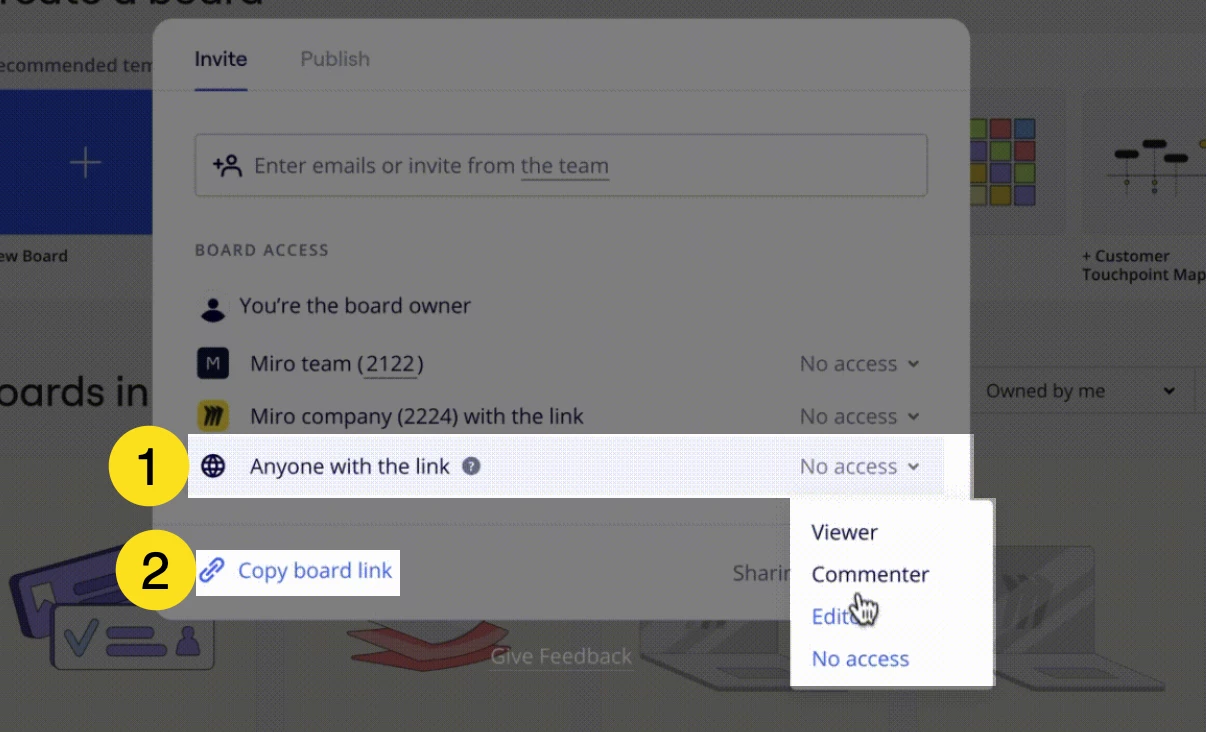
 ​@k.ryan Are you using Anyone with the link to set the board to edit/view/comment and then using the Copy board link action directly below? 


  • Beginner
  • Nov 26, 2026 8:42 AM UTC

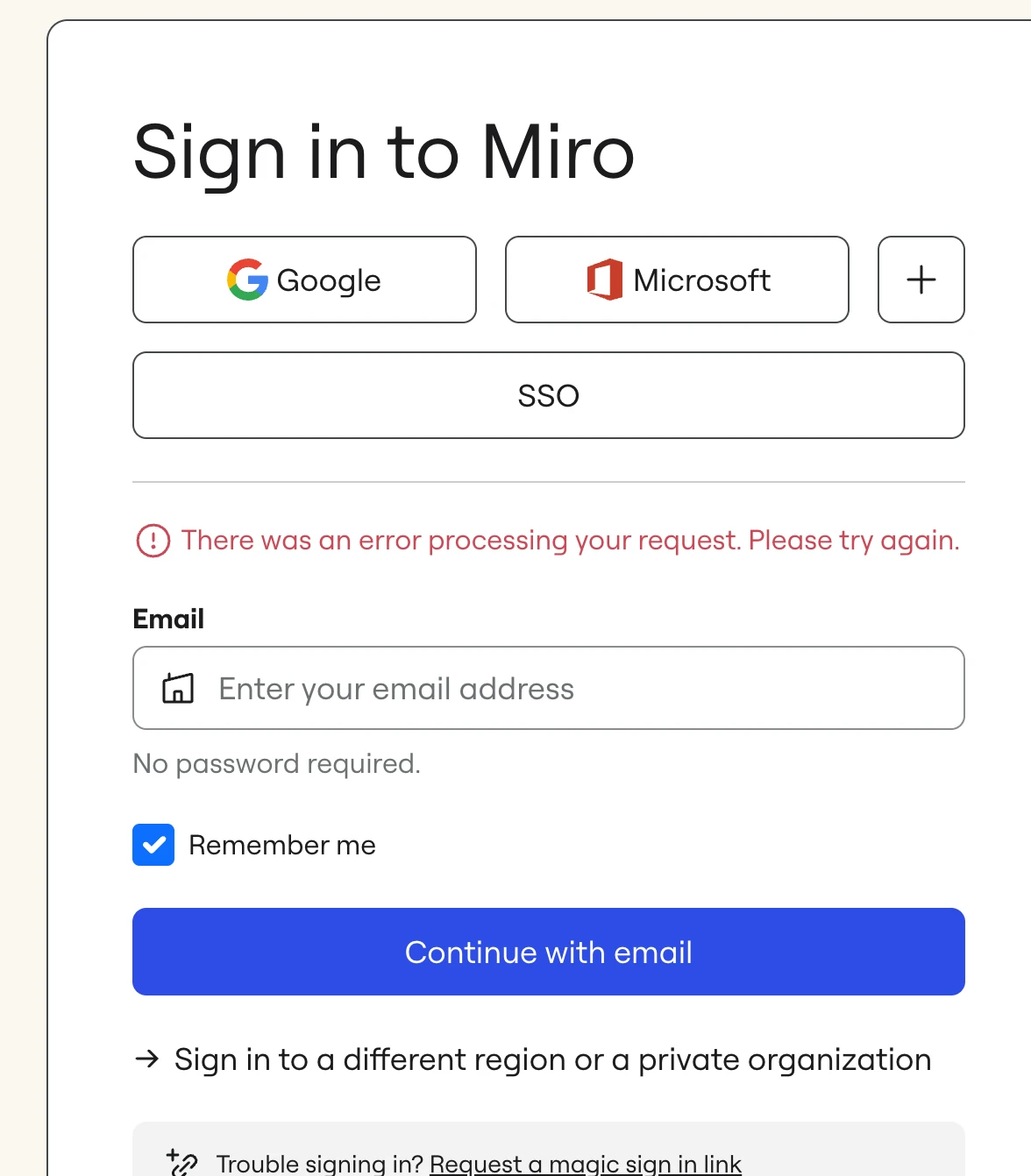
​@Robert Johnson I am running in to the same issue as k.ryan. If i follow the steps as you describe here and i copy the board link into an incognito browser i either have to sign in to Miro or share my email adress and fill in a confromation code that is later send to my email adress. 

Is it possible to share my board with visitors and have them collaborate with just a link and no additional actions? 


Robert Johnson
Forum|alt.badge.img+13
  • Volunteer Community Moderator
  • Nov 26, 2026 12:02 PM UTC

​@Robert Johnson I am running in to the same issue as k.ryan. If i follow the steps as you describe here and i copy the board link into an incognito browser i either have to sign in to Miro or share my email adress and fill in a confromation code that is later send to my email adress. 

Is it possible to share my board with visitors and have them collaborate with just a link and no additional actions? 

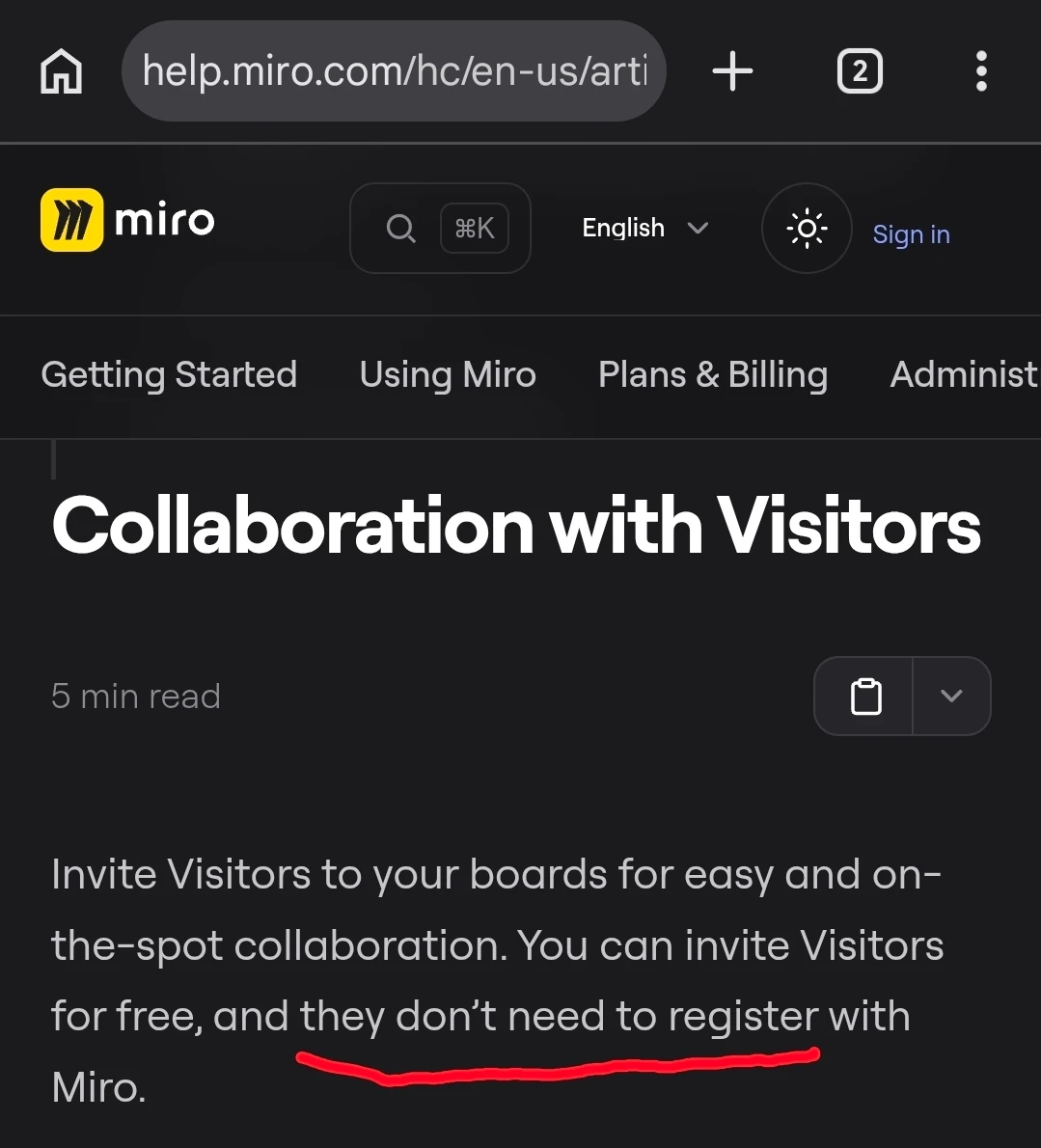
​@Betti according to Miro's own documentation, as of the time of this reply, yes, what you're describing should be the expected result. Set the board so that anyone with the link can access it. Send the board link and they should not have to register for an account or sign in.

Are you able to repeat your test in incognito mode and share a screenshot of the first thing you see when you try to access the board? 

Contacting Miro support 

Assuming you're on a paid subscription and haven't done so already, you can open a Mironeer support ticket by following these steps:

https://help.miro.com/hc/en-us/articles/360020185799-Contacting-Miro-Support#how-to-contact-miro-support


  • Beginner
  • Nov 26, 2026 12:37 PM UTC

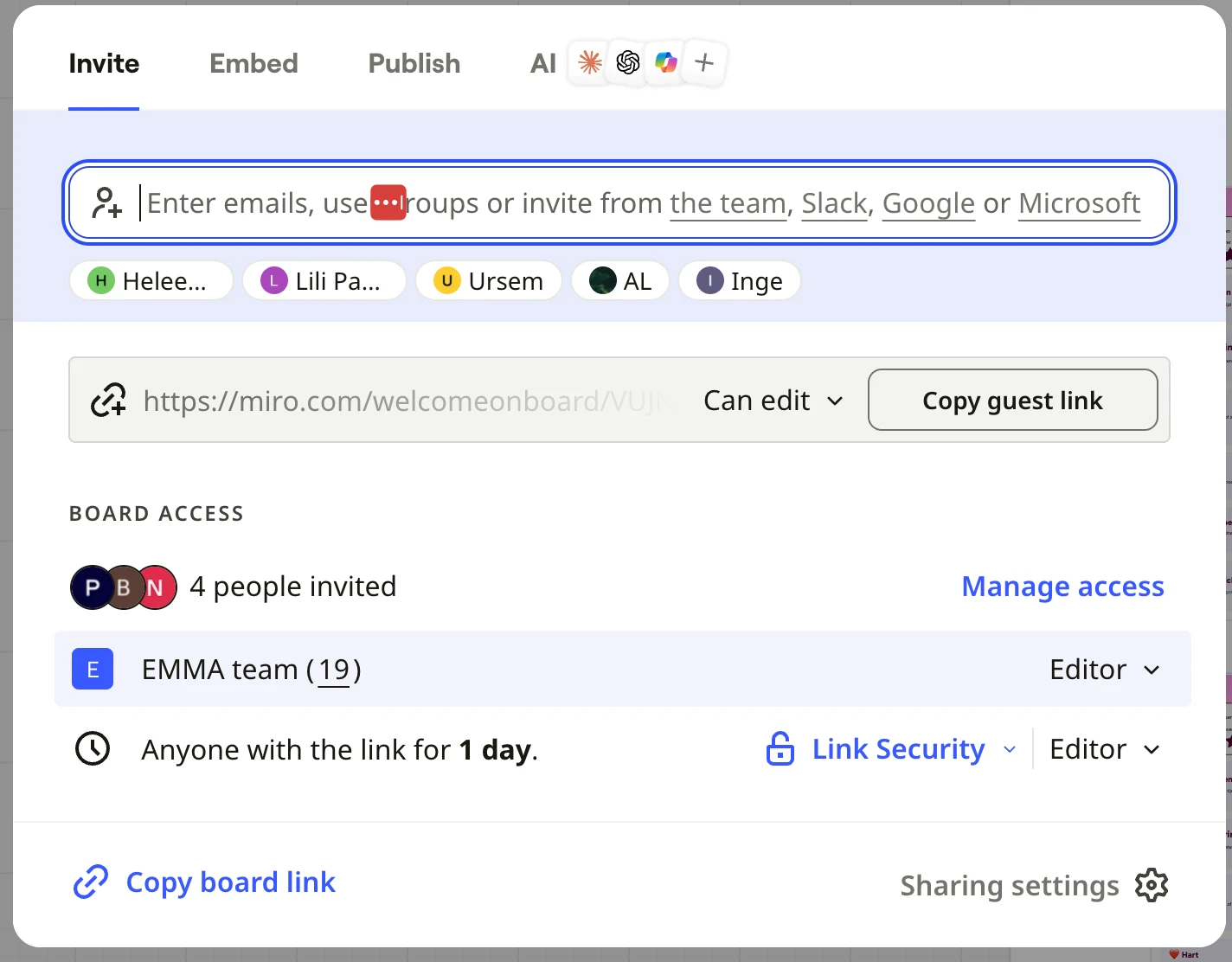
Thank you for your reply ​@Robert Johnson. I have a business account on Miro. When i copy the board link via the button ‘copy board link’ and paste it in an incognito browser I need to sign up in order to get acces to the board. sometimes it gives me acces if i then open a new tab in the same browser and paste the link again, but this does not work every time. 


Robert Johnson
Forum|alt.badge.img+13
  • Volunteer Community Moderator
  • Nov 26, 2026 12:43 PM UTC

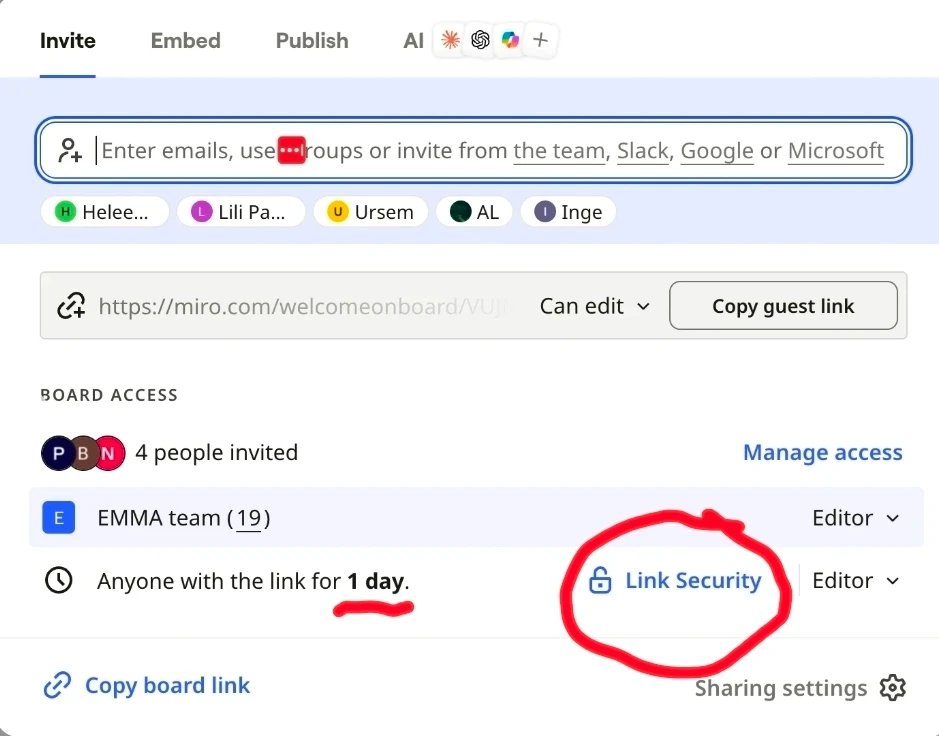
​@Betti thanks for the screenshots. 

Link expiration is normally not on by default - did you intentionally enable it? 

With this feature on, if the link was expired, I can understand people being asked to sign in. While you may have just enabled this and sometimes it works and sometimes it doesn't, perhaps there's a bug with this feature. 


Robert Johnson
Forum|alt.badge.img+13
  • Volunteer Community Moderator
  • Nov 26, 2026 12:53 PM UTC

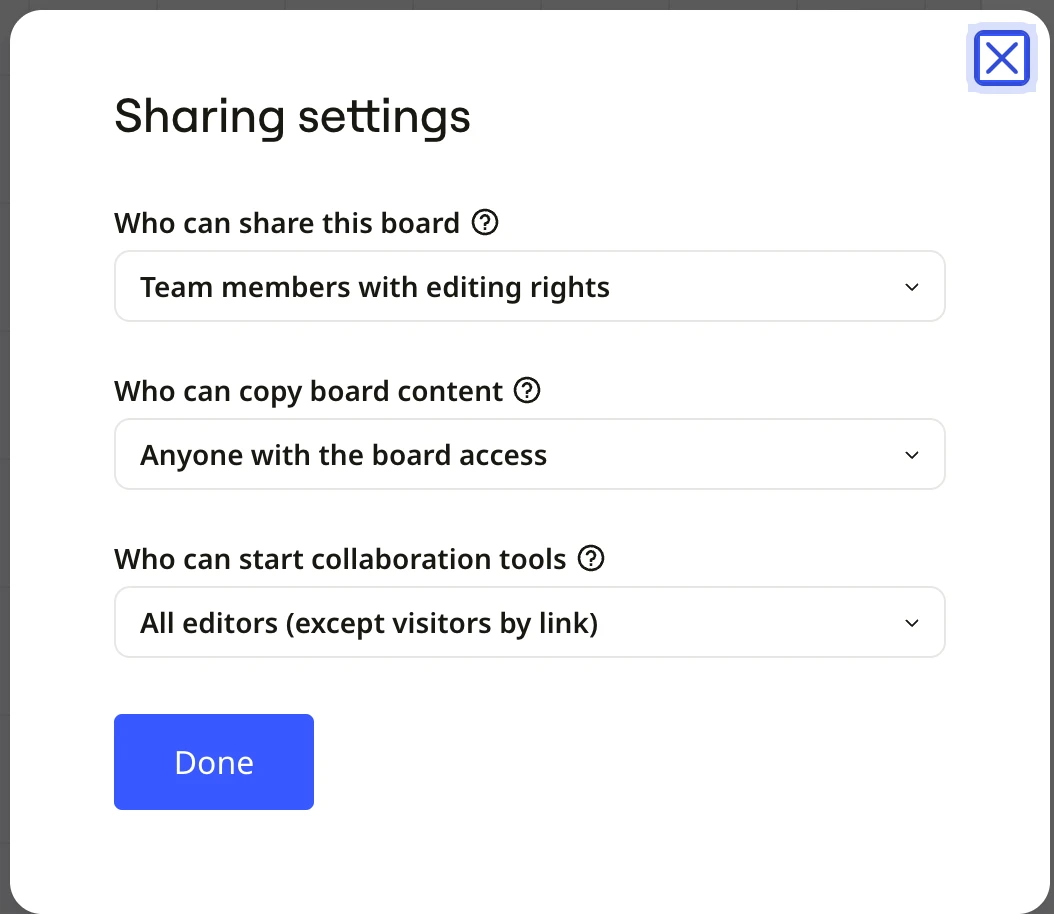
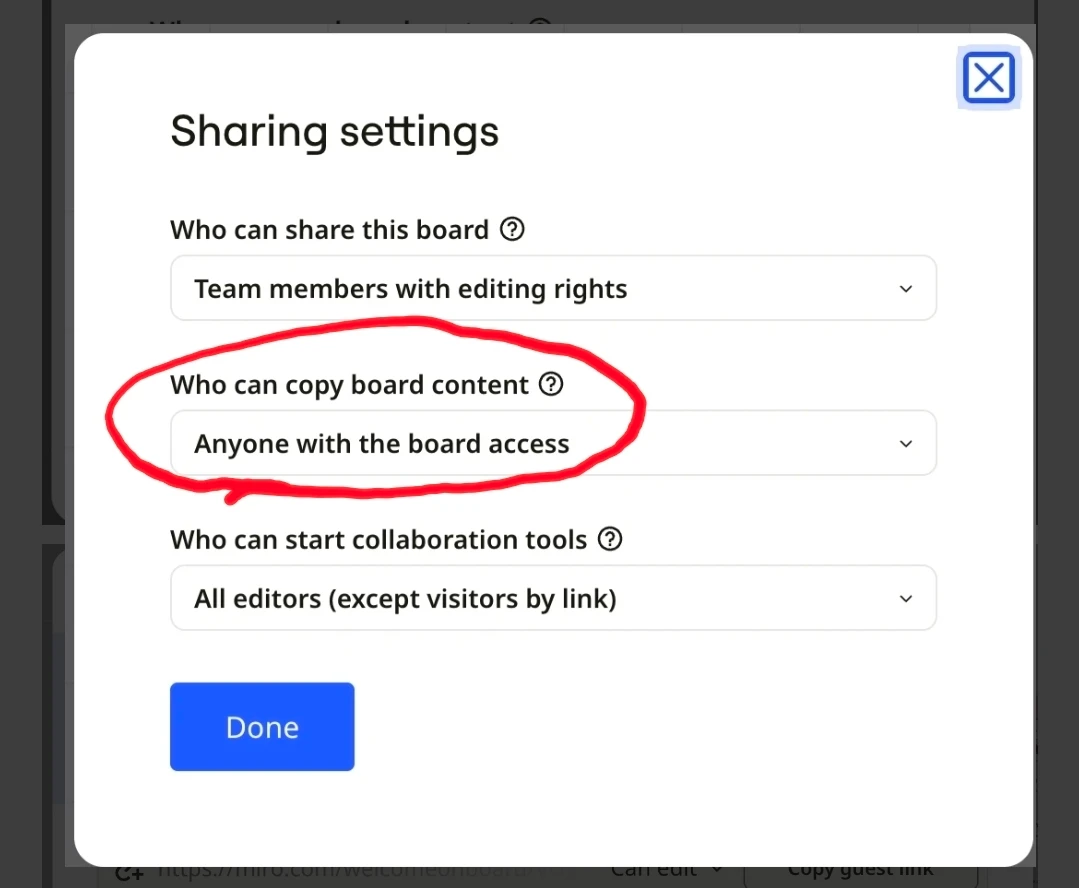
​@Betti BTW, whenever I see the "Who can copy board content" set to "Anyone with the board access," I like to remind people that this means that anybody accessing this board could duplicate it to their own account, even if they were to just create a free account.


  • Beginner
  • Nov 26, 2026 1:30 PM UTC

​@Betti thanks for the screenshots. 

Link expiration is normally not on by default - did you intentionally enable it? 

With this feature on, if the link was expired, I can understand people being asked to sign in. While you may have just enabled this and sometimes it works and sometimes it doesn't, perhaps there's a bug with this feature. 

it doesnt make a difference whether i turn this feature on or off unfortunately..


Robert Johnson
Forum|alt.badge.img+13
  • Volunteer Community Moderator
  • Nov 26, 2026 7:14 PM UTC

​@Betti Once back on on my desktop, I tested this myself and am experiencing the same issue. I have opened a support ticket and will update this post with what I learn.

For any paid subscribers experiencing issues using the Visitors/public access feature:

Contacting Miro support 

I suggest you to open a Mironeer support ticket by following these steps:

https://help.miro.com/hc/en-us/articles/360020185799-Contacting-Miro-Support#how-to-contact-miro-support