
Hello,
I am using Kanban in Table view to list game design ideas. It’s very useful to keep history of everything and fold or unfold content to keep everything readable and organized.
All was working very well since a long time but suddenly one of my Kanban started to stop working correctly.
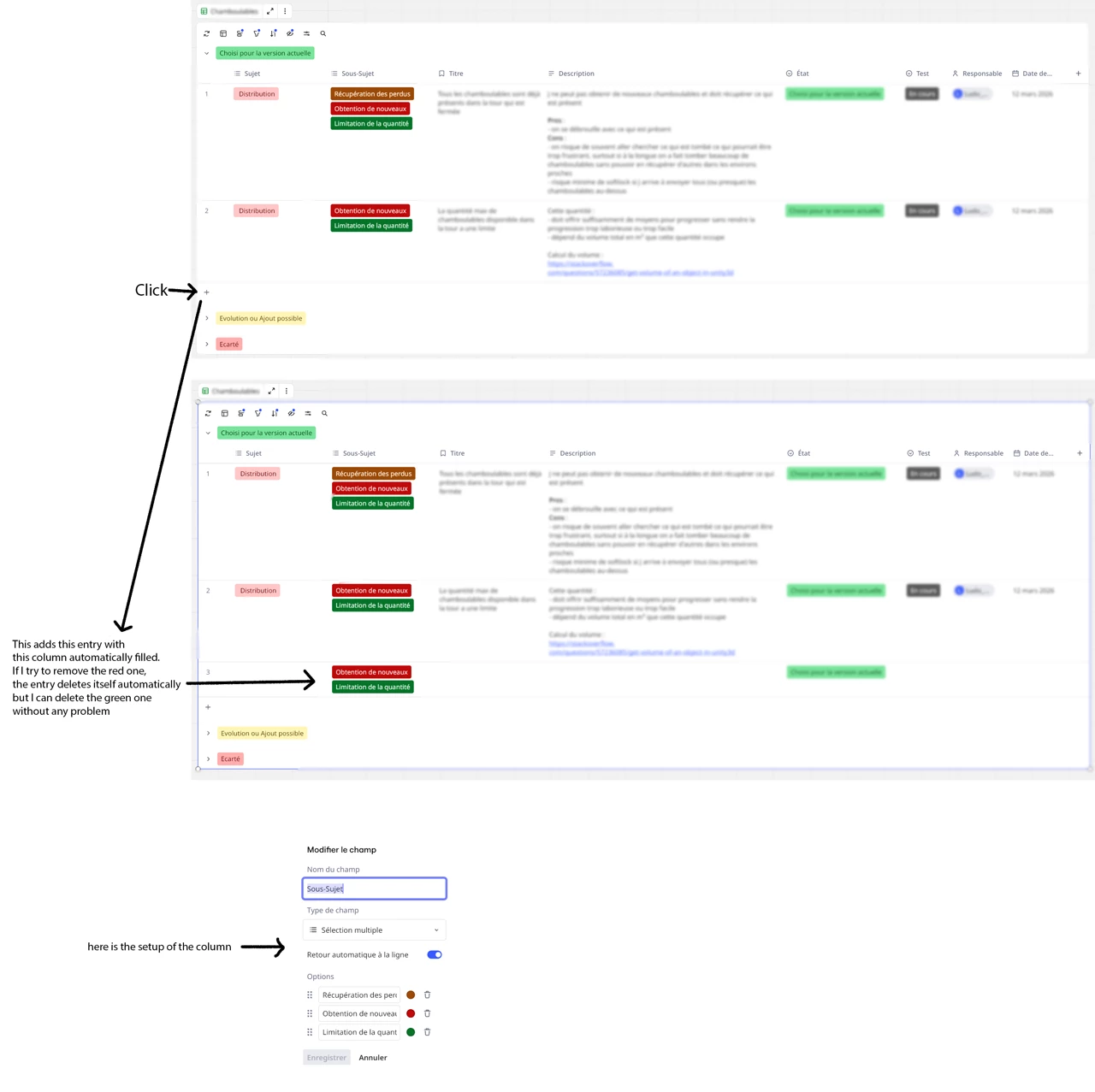
When I hit the (+) sign to add a new entry, that fills automatically one “Mulitple Selection” type colomn with the ones of the previous entry.
I tried to delete the items created in the column to see if it needed to be recreated in order to be repaired but when doing it, all entries of the Kanban disappear. I tried everything said here before asking for help here.
The other Kanbans table on this board are working correctly.
I would like to solve this issue to avoid to have to recreate the full Kanban because it contains a lot of entries and it is supposed to get more entries in the future.
Also I don’t want this problem to happen to any other Kanban.
Here are images showing the problem with a description of what I do (related column is named “Sous-Sujet”):
Thanks for the help.


