I cannot leave teams

  • May 18, 2026
  • 3 replies
  • 28 views

I am part of 2 teams in Miro of which I am not the admin. 

I now want to leave these teams, but I don't find an option to leave anywhere. I cannot seem to acces the team profile and/or I don't see the admin console (since I am not the admin). 

The original admin doesn't work at our company anymore, so his mailadress doesn't excist anymore. 

Can anyone tell me how to leave the teams?

May 18, 2026

Hi ​@Marijke thanks for reaching out!

You should still be able to leave the team even if you are not the admin.

Please try the following:

  1. Go to your Miro dashboard
  2. In the top-left corner, click the team name
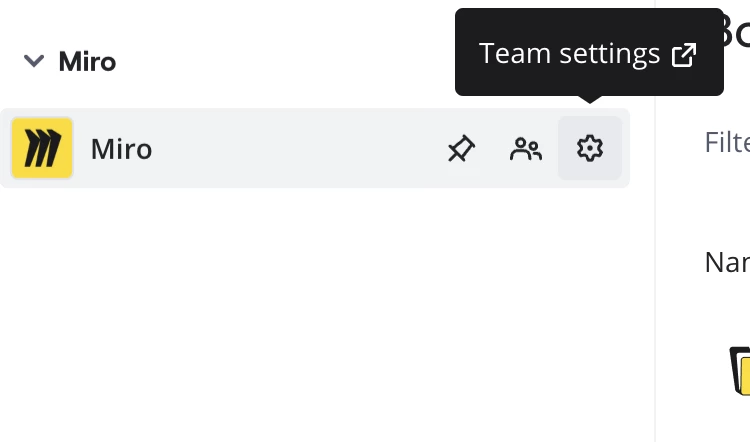
  3. In the sidebar that opens, click the gear icon beside the team name to open Team settings


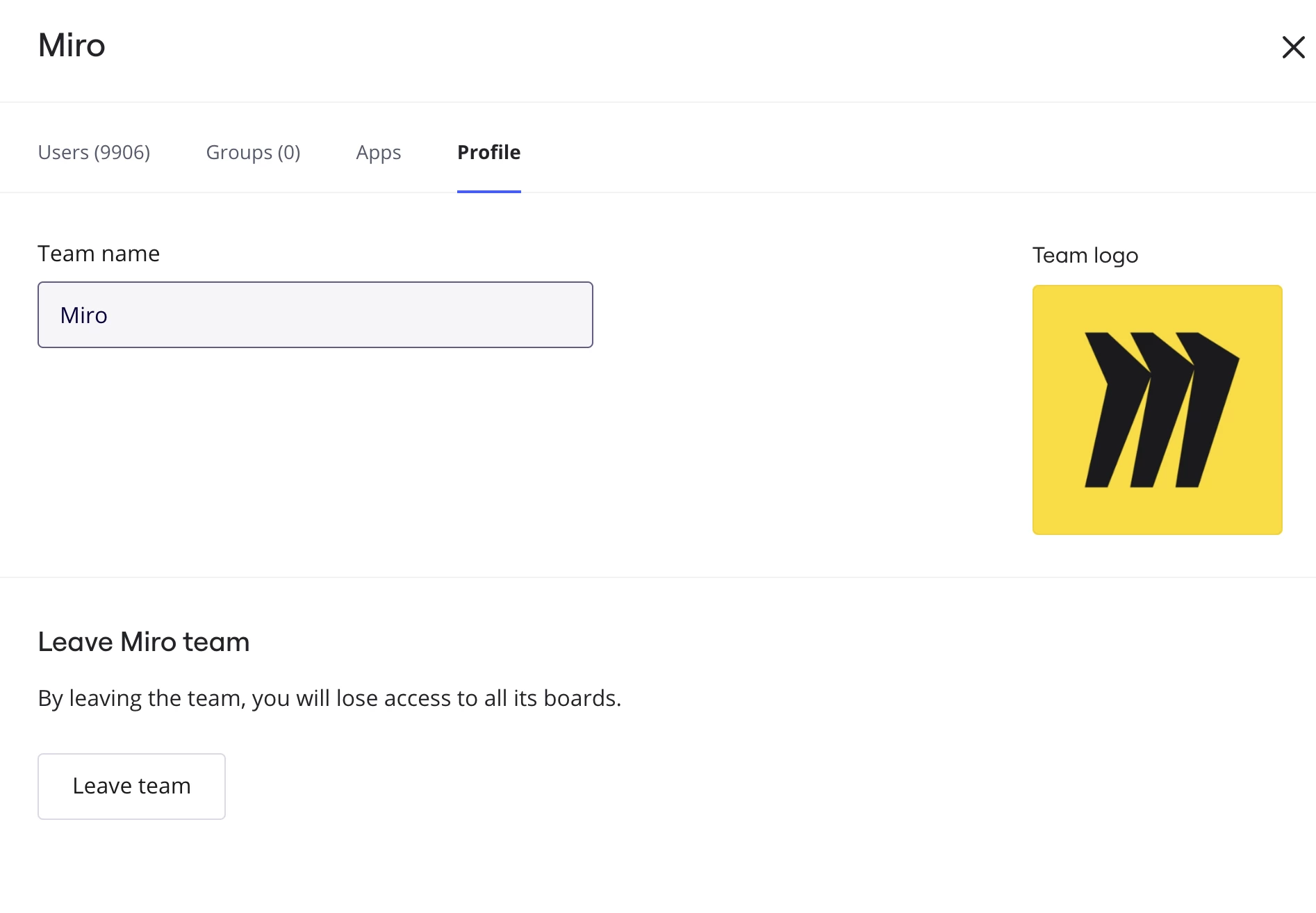
  4. Under “Leave team”, click Leave team


Please note that once you leave the team, you will lose access to all boards within that team, including boards you created there.


You can also check this Help Center article for reference:
How to leave a team

If you’re unable to access Team settings at all, there may be permission or account-related issues involved, in which case it would be best to contact the Miro Support team for further assistance.


3 replies

Eca
Mironeer
Forum|alt.badge.img+5
  • Mironeer
  • May 18, 2026

Hi ​@Marijke thanks for reaching out!

You should still be able to leave the team even if you are not the admin.

Please try the following:

  1. Go to your Miro dashboard
  2. In the top-left corner, click the team name
  3. In the sidebar that opens, click the gear icon beside the team name to open Team settings


  4. Under “Leave team”, click Leave team


Please note that once you leave the team, you will lose access to all boards within that team, including boards you created there.


You can also check this Help Center article for reference:
How to leave a team

If you’re unable to access Team settings at all, there may be permission or account-related issues involved, in which case it would be best to contact the Miro Support team for further assistance.


Robert Johnson
Forum|alt.badge.img+13
  • Volunteer Community Moderator
  • May 18, 2026

@Marijke The new team workspace switcher has created a gap where, if you are are a guest in only one team, you likely won’t see what ​@Eca is showing.

Instead, do this:

  1. Go to your profile → https://miro.com/app/settings/user-profile/
  2. On the left, switch to the team workspace from which you want to leave
  3. Click on Teams on the left sidebar and then select the team from the main (centre) panel
  4. This should get your to the Team profile panel where you’ll see the Leave team action button at the bottom.

Robert Johnson
Forum|alt.badge.img+13
  • Volunteer Community Moderator
  • May 18, 2026

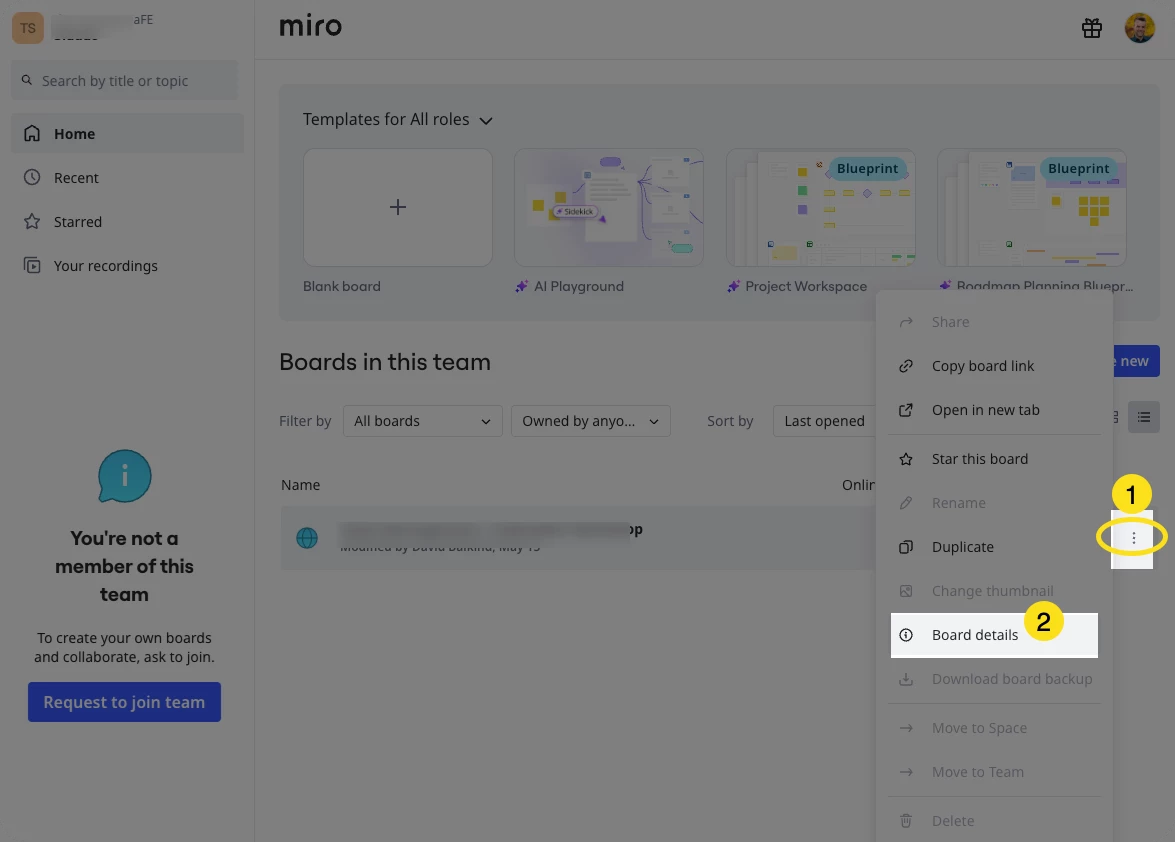
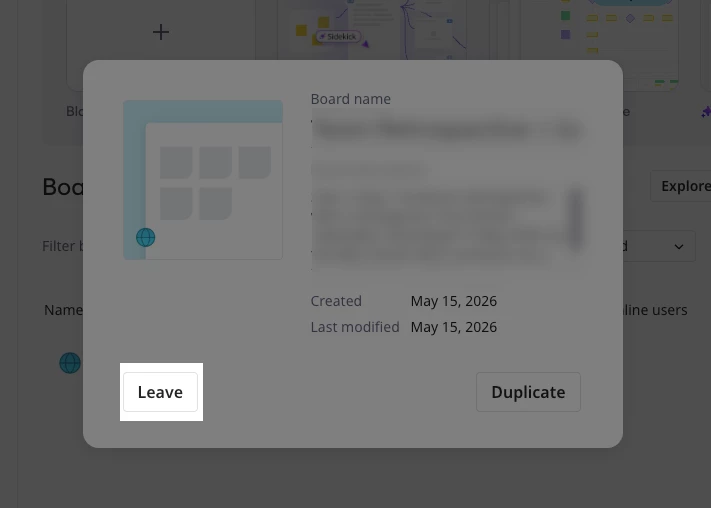
@Marijke The other way I found to do Leave a board/workspace is from the dashboard:


Then you’ll see: