Answered

How to remove the side tool bars

  • Oct 30, 2026 7:42 AM UTC
  • 3 replies
  • 45 views

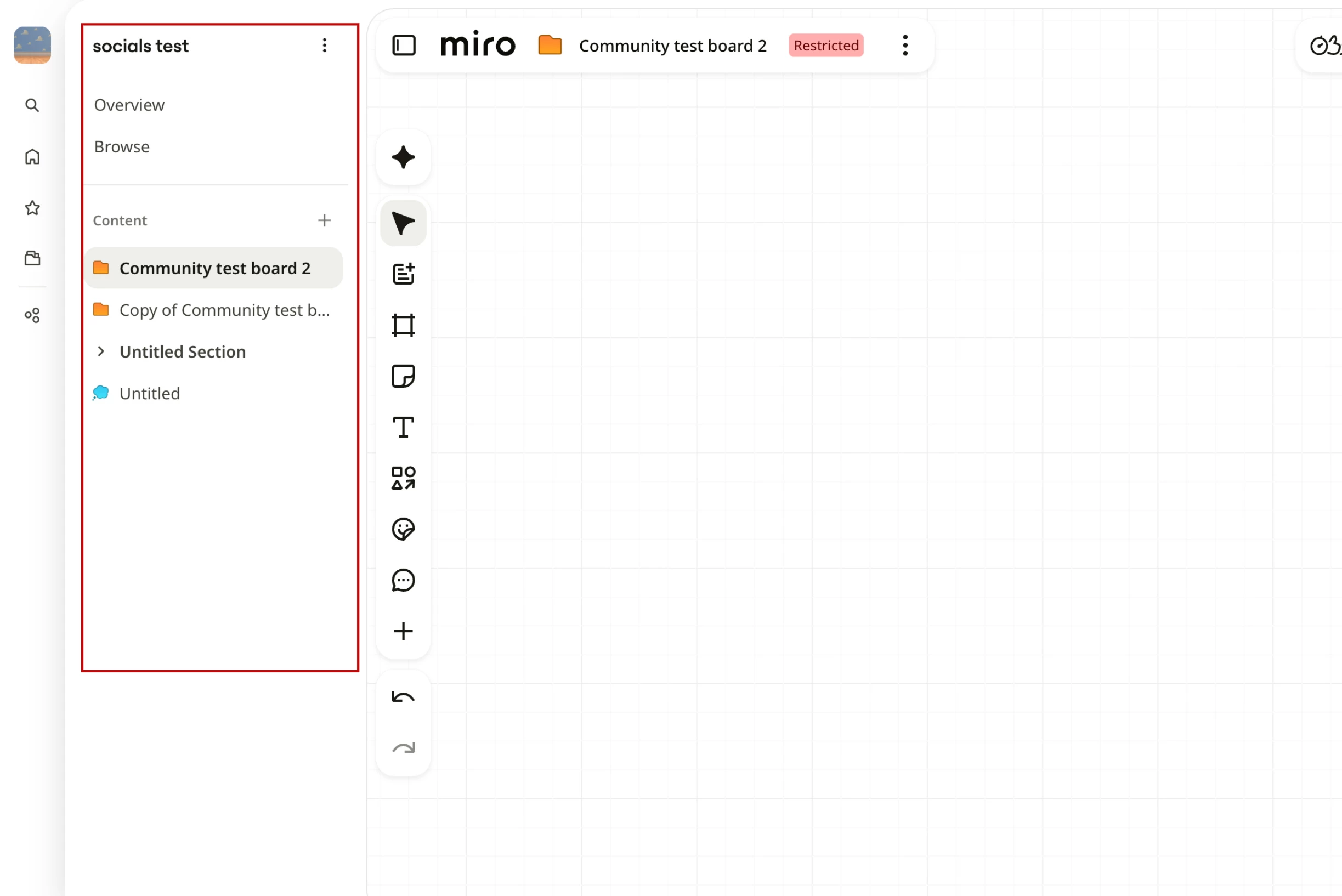
Over the past two years, I have been working comfortably with Miro boards, and suddenly, a new toolbar appeared on the left side of the screen, allowing users to browse through boards.

This new feature has directly impacted board visibility. I now find it much harder to review board content and edits.

I understand this feature might be useful for other users, but it would be great to have the option to hide the toolbar whenever needed.

Please Miro Team enable this feature soon.
Best answer by Eca

Hi ​@Antonio Moreno, thanks for reaching out!


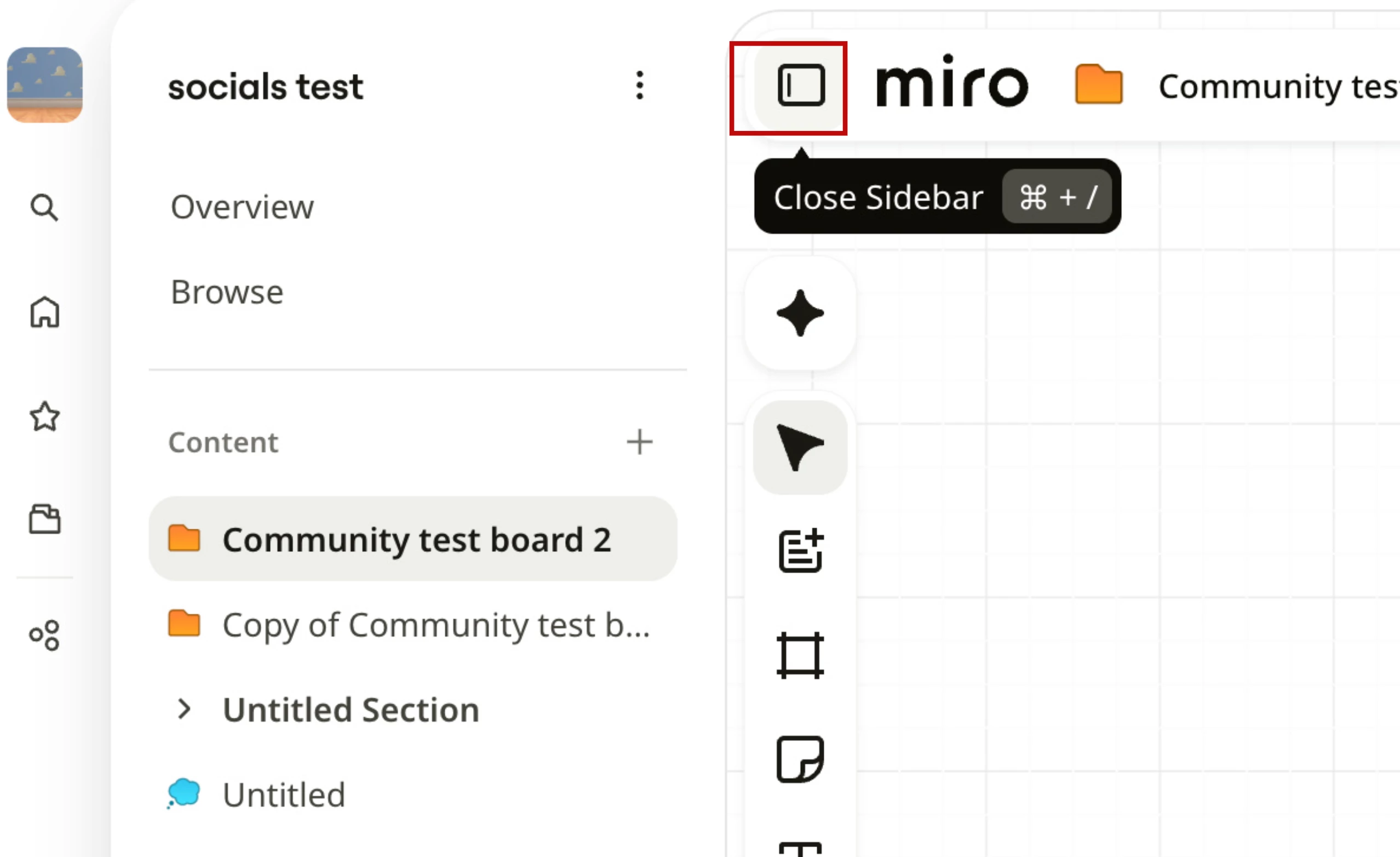
Is this the toolbar you are referring to?

If yes, you can hide this to widen your board’s view by clicking the close sidebar button


View original

3 replies

Eca
Mironeer
Forum|alt.badge.img+5
  • Mironeer
  • Answer
  • Oct 30, 2026 4:29 PM UTC

Hi ​@Antonio Moreno, thanks for reaching out!


Is this the toolbar you are referring to?

If yes, you can hide this to widen your board’s view by clicking the close sidebar button


Thank you so much, I didn’t know that functionality!! 😅


Robert Johnson
Forum|alt.badge.img+13
  • Volunteer Community Moderator
  • Nov 6, 2026 2:59 AM UTC

Tired of closing the Miro Spaces sidebar on every board? I built a free extension for that.

Boards inside a Space reopen the Spaces sidebar every time they load, even if you closed it last time. It's a small annoyance that adds up.

Remember Sidebar fixes it. Close the sidebar once and it stays closed. Open it yourself whenever you want and that works as usual.

  • Free Chrome and Edge extension (other Chromium browsers should work too)
  • One-click on/off switch in the toolbar
  • Runs only on miro.com and collects no data
  • Open source, so you or your IT team can read the code and build it yourself

Miro already remembers your choice on boards outside a Space. Inside a Space, it reopens the sidebar on load regardless. That's the part this fixes.

Known quirk: you may see the sidebar flash open for a moment before it closes. I'm looking into a cleaner fix.

Get it: https://chromewebstore.google.com/detail/remember-sidebar/hgedmmombbglbgbmfbebjanefbpbapgi 

Source: https://github.com/realrobertjohnson/remember-sidebar 

Feedback: https://forms.gle/MdcMbqMqPoieU3Lr7 

Not affiliated with or endorsed by Miro. Use at your own risk.