Answered

How to delete this notifications?

  • May 19, 2021
  • 3 replies
  • 67 views

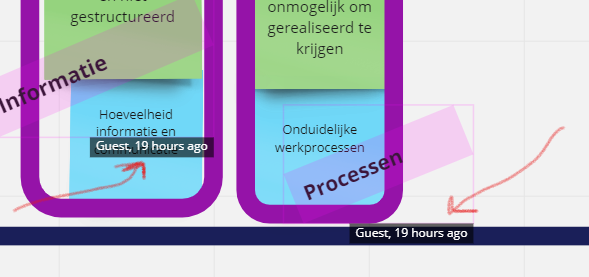
Hi, one of my guests has been editing our board after we closed our session. But here changes are good. But now I see signs of her editing everywhere on the board. And I cannot delete them (see the red signs for what I mean). Does everyone knows how I can delete the “Guest, 19 hours ago” notifications? 
 

Best answer by Robert Johnson

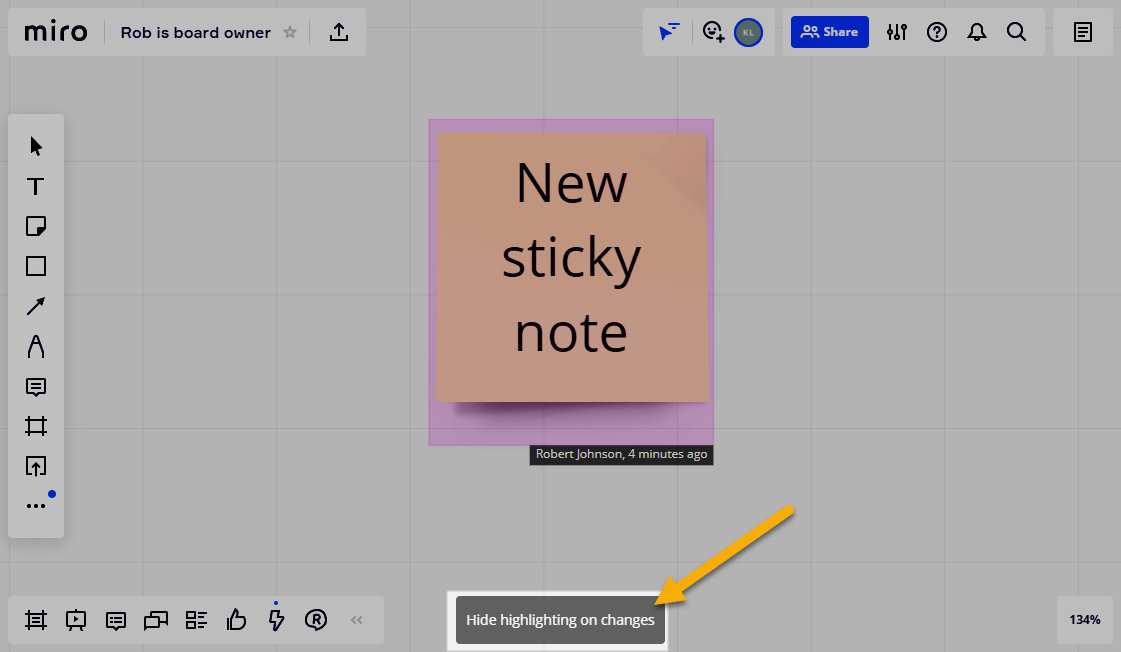
@Inge van de Pol - You should have this button:


If you don’t have that button, a browser extension could be blocking it.

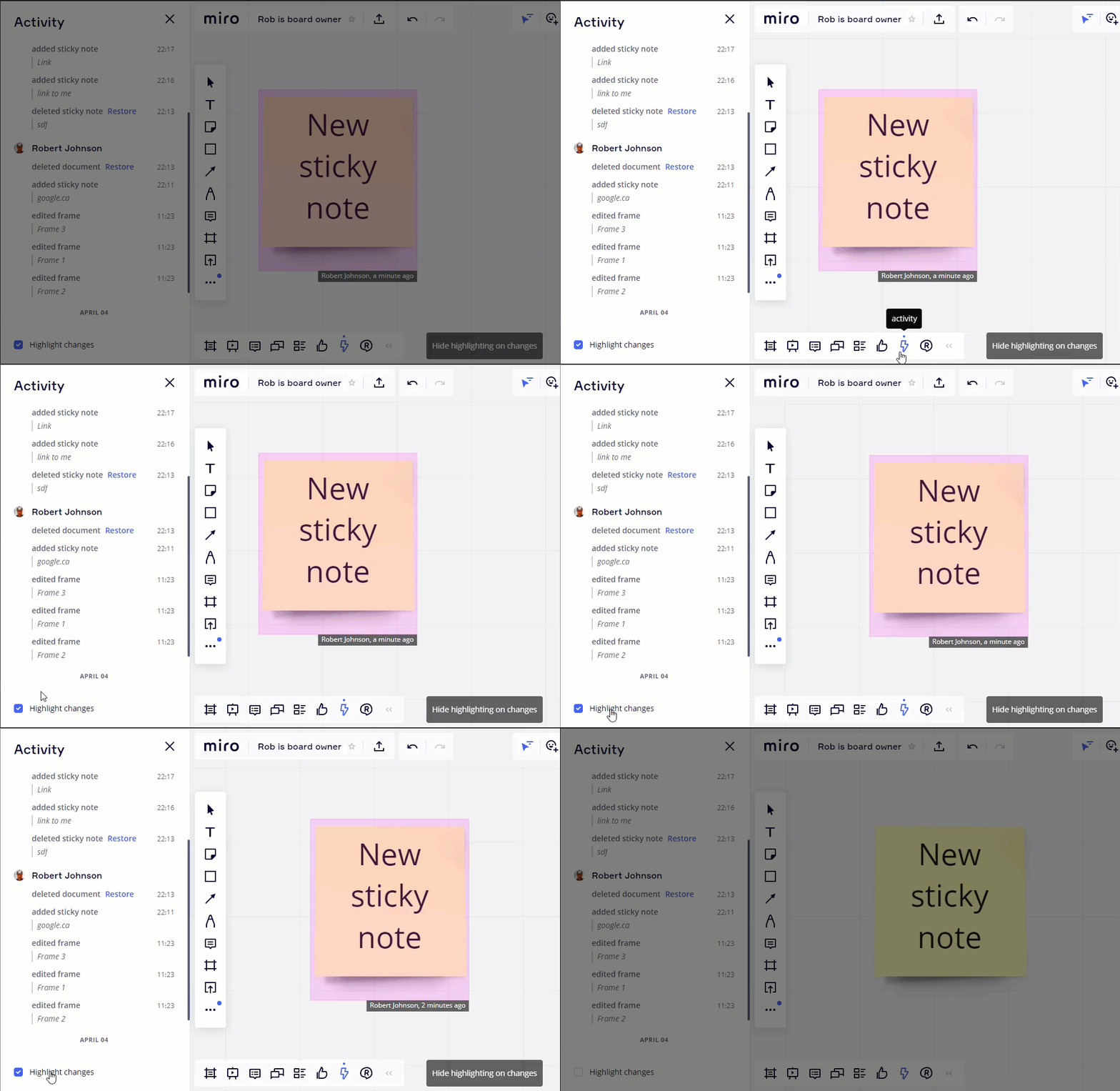
You could also try toggling the the Highlight changes option from the Activity List (or just leave it off altogether):


3 replies

Kiron Bondale
Forum|alt.badge.img+7
  • Volunteer Community Moderator
  • May 19, 2021

@Inge van de Pol -

Are you seeing this after exiting the board and re-entering it? If you are using Miro through a web browser, I’d suggest logging out of Miro, clearing your browser cache, and then logging in again to see if those notifications have disappeared. 

Kiron


Robert Johnson
Forum|alt.badge.img+13
  • Volunteer Community Moderator
  • Answer
  • May 19, 2021

@Inge van de Pol - You should have this button:


If you don’t have that button, a browser extension could be blocking it.

You could also try toggling the the Highlight changes option from the Activity List (or just leave it off altogether):


Thank you @Robert Johnson and @Kiron Bondale for helping me out! They are indeed gone now.