
Answered

How to delete "BETA" watermark from the Doc ?

  • August 25, 2024
  • 3 replies
  • 93 views

Hi Everyone,


How can I delete “Beta” water mark on the top right corner?
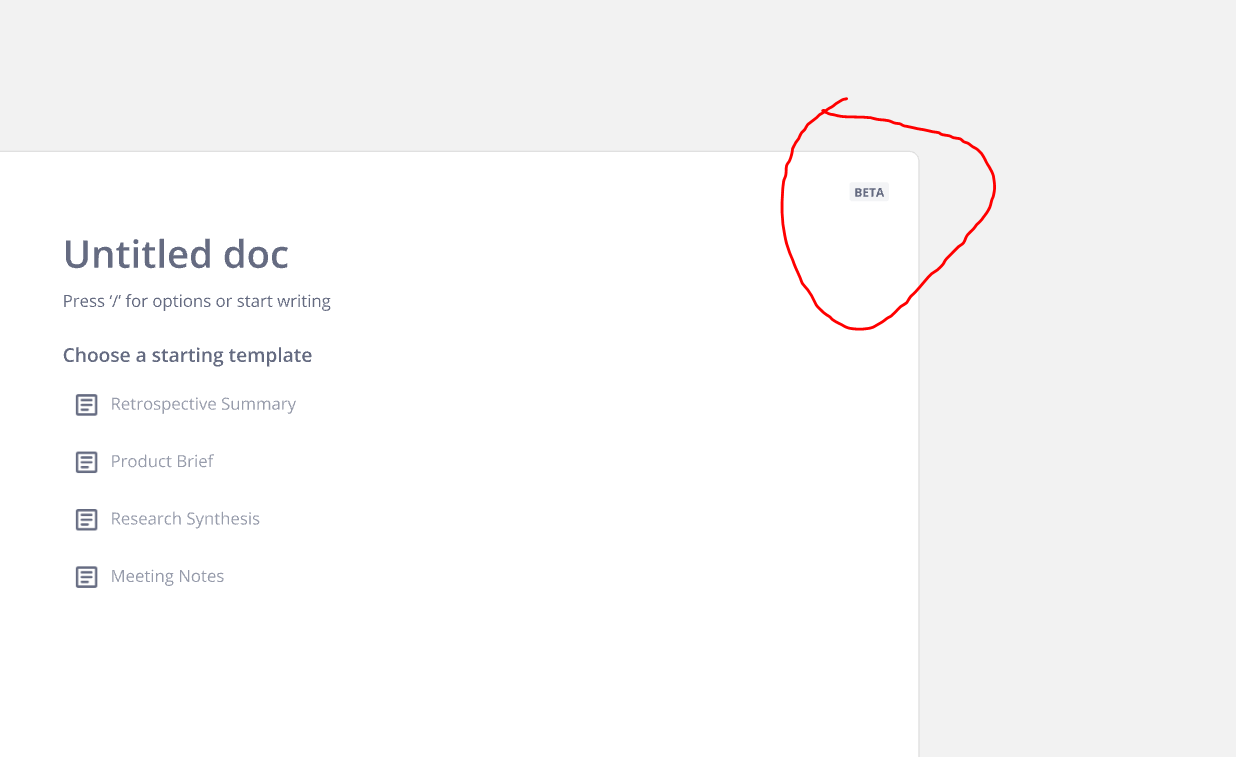
 

Thanks a lot in advance for the help :)

Best answer by Robert Johnson

@Ali Salem 

How can I delete “Beta” water mark on the top right corner?

You can’t. But you could hide it with a white Shape, and even group the Doc and Shape, so the Shape moves with the Doc. As an added bonus with the Doc object, you won’t need to double-click to access it independent of any other objects it is grouped with.

 

3 replies

Robert Johnson
Forum|alt.badge.img+13
  • Volunteer Community Moderator
  • Answer
  • August 25, 2024

@Ali Salem 

How can I delete “Beta” water mark on the top right corner?

You can’t. But you could hide it with a white Shape, and even group the Doc and Shape, so the Shape moves with the Doc. As an added bonus with the Doc object, you won’t need to double-click to access it independent of any other objects it is grouped with.


  • Author
  • New Here
  • August 26, 2024

Thanks a lot, but This “Beta” watermark will last forever? Any plans to remove it in the future? it’s weird XD


Robert Johnson
Forum|alt.badge.img+13
  • Volunteer Community Moderator
  • August 26, 2024

I expect that once the feature is out of beta, the beta watermark will be removed too.

