Answered

How do i transfer template to paid version?

  • April 22, 2021
  • 3 replies
  • 78 views

I am unable to copy a template from my personal account to my paid work account?

I require this board to be moved to my corporate board, (paid) please HELP!

 

Best answer by Robert Johnson
@Hilda Tingle -

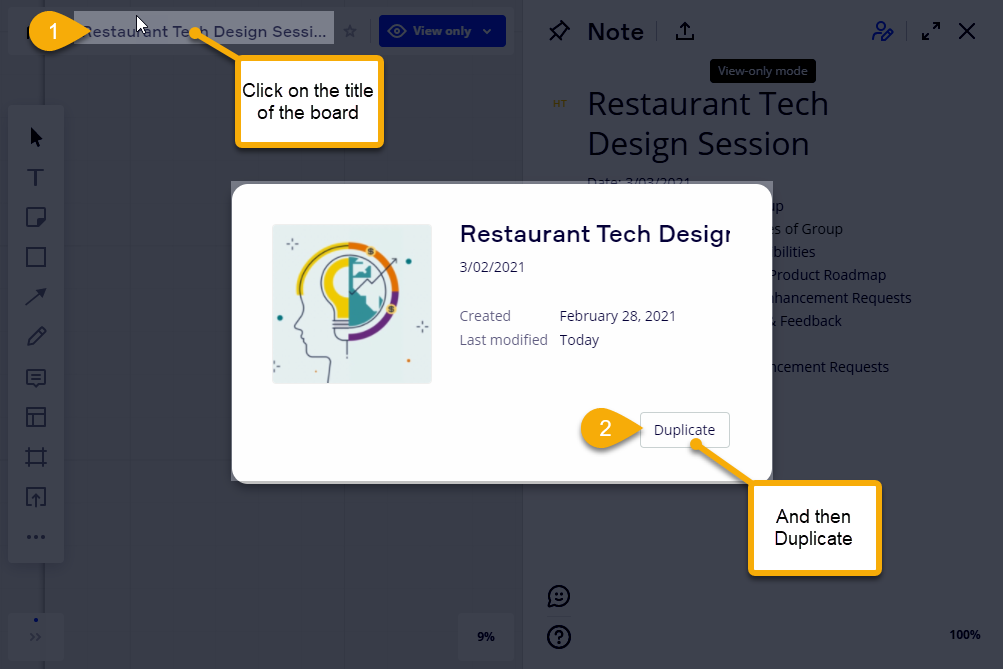
  1. Copy the link of the board into your clipboard
  2. sign in to your work account
  3. open the board
  4. click on the board title
  5. and then use the Duplicate button


This topic has been closed for replies.

3 replies

Robert Johnson
Forum|alt.badge.img+13
  • Volunteer Community Moderator
  • Answer
  • April 22, 2021

@Hilda Tingle -

  1. Copy the link of the board into your clipboard
  2. sign in to your work account
  3. open the board
  4. click on the board title
  5. and then use the Duplicate button


Robert Johnson
Forum|alt.badge.img+13
  • Volunteer Community Moderator
  • April 22, 2021

@Hilda Tingle - This is currently possible the due to the way the board’s Board Content Settings are currently configured, i.e., it is set to Anyone with the board access can copy/duplicate it, so literally anyone with the link to this board and a Miro account and copy it.


Robert Johnson
Forum|alt.badge.img+13
  • Volunteer Community Moderator
  • April 22, 2021

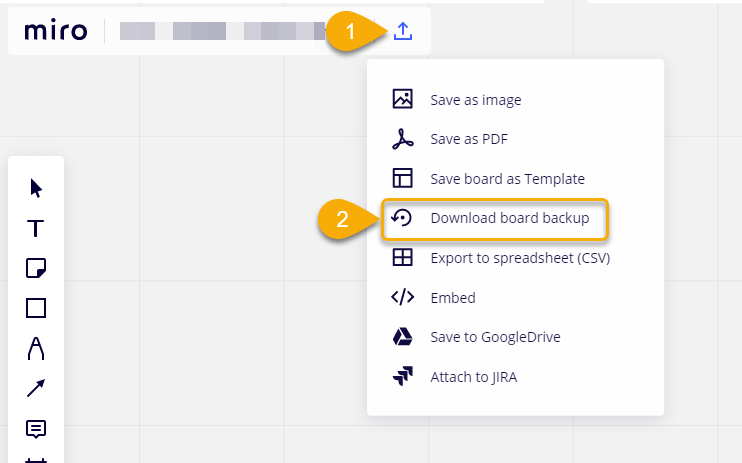
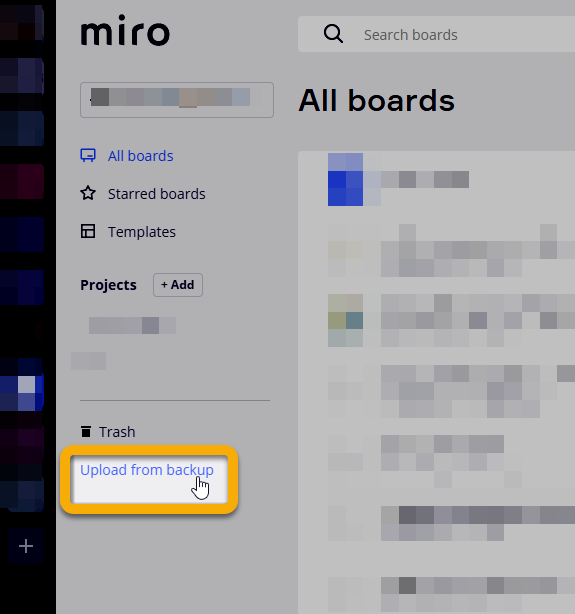
@Hilda Tingle - Seeing as the board is in a paid account, you could use the Download board backup option to download the board as a .rtb file and then the Upload from backup to restore to your work account:


From your work account: