Question

How do I hide the left Miro panel?

  • Nov 5, 2026 2:03 PM UTC
  • 2 replies
  • 11 views

Hi everyone,


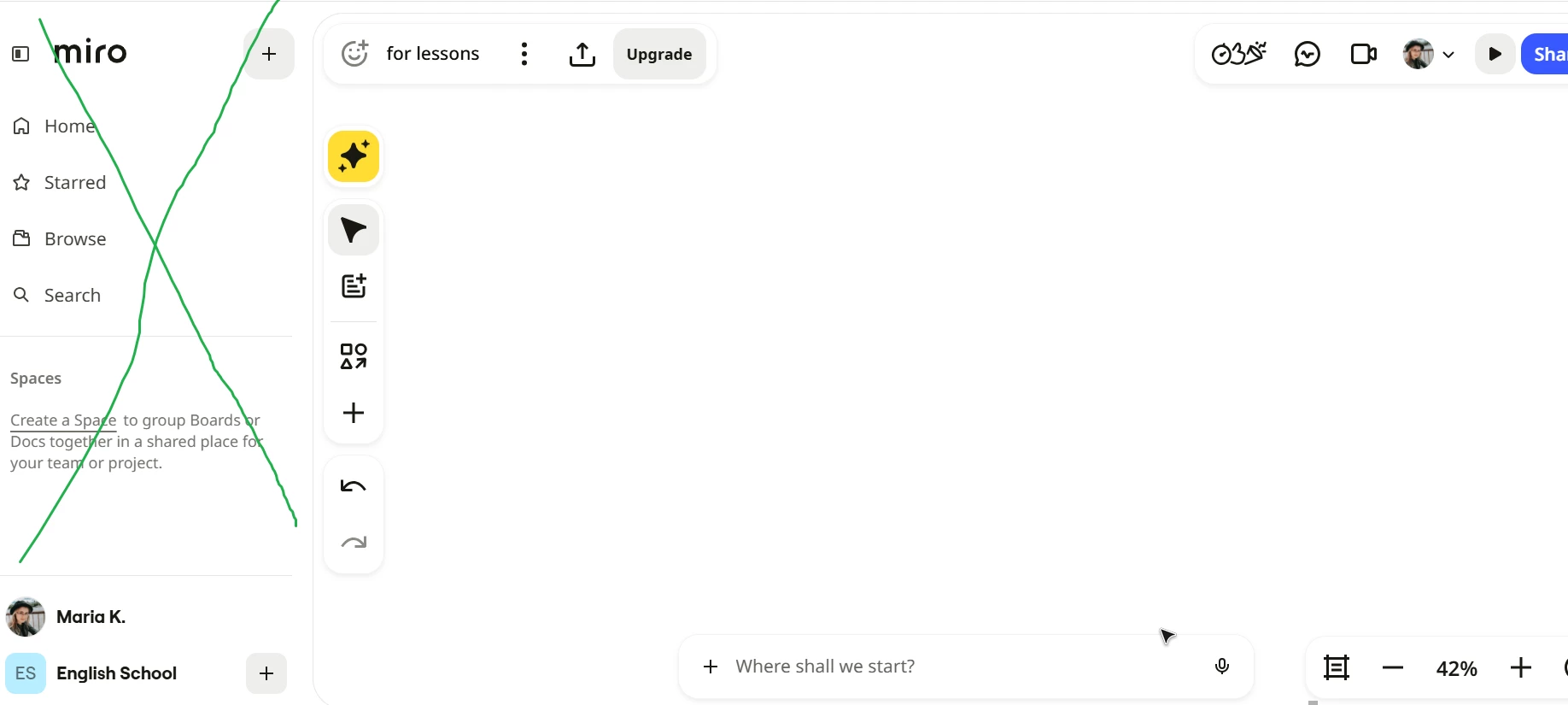
In the new Miro desktop version there is a new left side panel with a “Miro” heading that takes space from my board and so the window is smaller. I can’t see a way to hide it. Is there such an option? 

I marked this section that I’d like to hide with a green cross. 

Thank you!
 

2 replies

  • Author
  • Beginner
  • Nov 5, 2026 2:06 PM UTC

So I found the answer in another chat. I just don't know how to delete my question. 

The answer is here:

  There’s an icon like a mini rectangular shape on the left of the Miro logo, and if you click on it, the panel hides.


Robert Johnson
Forum|alt.badge.img+13
  • Volunteer Community Moderator
  • Nov 5, 2026 3:36 PM UTC

Tired of closing the Miro Spaces sidebar on every board? I built a free extension for that.

Boards inside a Space reopen the Spaces sidebar every time they load, even if you closed it last time. It's a small annoyance that adds up.

Remember Sidebar fixes it. Close the sidebar once and it stays closed. Open it yourself whenever you want and that works as usual.

  • Free Chrome and Edge extension (other Chromium browsers should work too)
  • One-click on/off switch in the toolbar
  • Runs only on miro.com and collects no data
  • Open source, so you or your IT team can read the code and build it yourself

Miro already remembers your choice on boards outside a Space. Inside a Space, it reopens the sidebar on load regardless. That's the part this fixes.

Known quirk: you may see the sidebar flash open for a moment before it closes. I'm looking into a cleaner fix.

Get it: https://chromewebstore.google.com/detail/remember-sidebar/hgedmmombbglbgbmfbebjanefbpbapgi 

Source: https://github.com/realrobertjohnson/remember-sidebar 

Feedback: https://forms.gle/MdcMbqMqPoieU3Lr7 

Not affiliated with or endorsed by Miro. Use at your own risk.