
Answered

How do I download a talktrack video?

  • June 19, 2026
  • 10 replies
  • 151 views

I am not seeing the option.

If it’s genuinely not there it’s kind of unbelievable.

Why make a video if I can’t download it?

This should be fixed ASAP

Best answer by Robert Johnson

@adeel So, mystery solved (thanks to a Miro PM).

You are likely an Enterprise subscription user and a Company Admin has disabled the downloading of Talktracks:
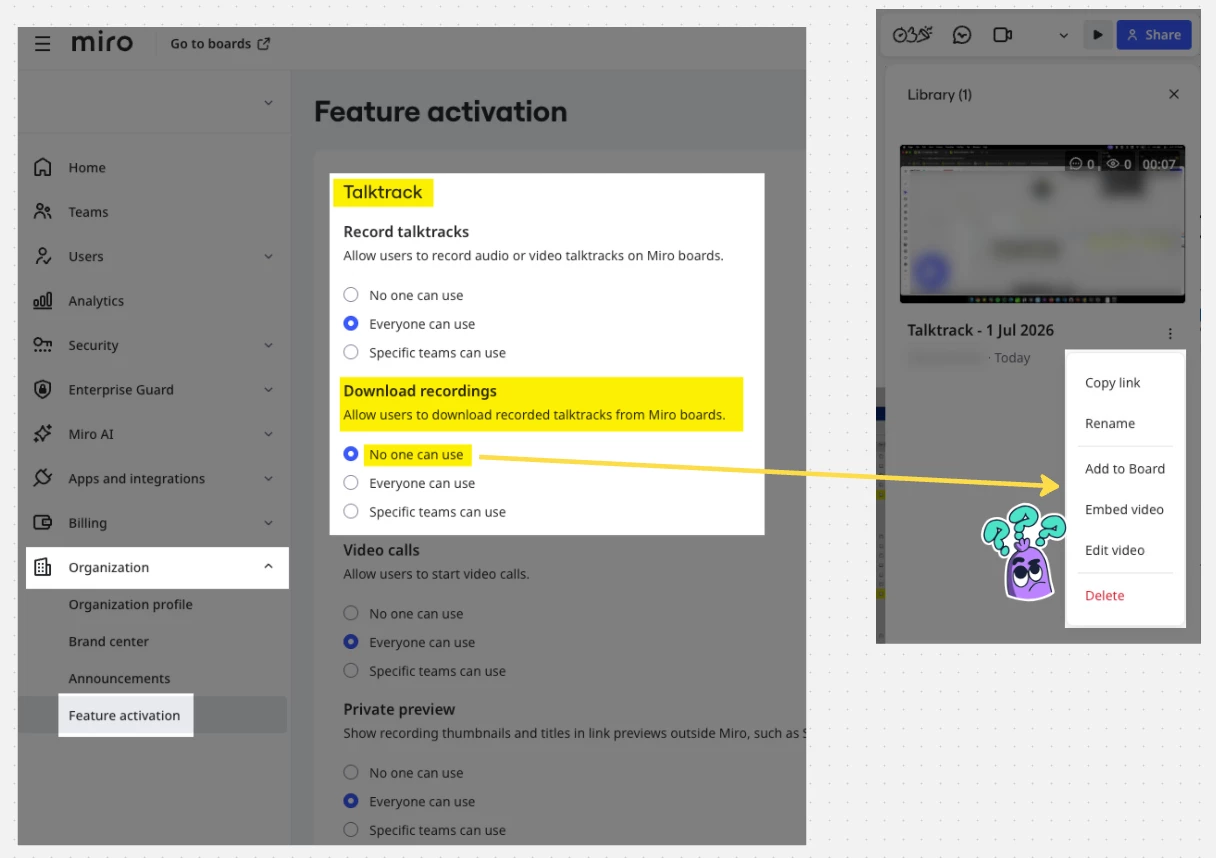
 

And after the setting is change from “no one”:
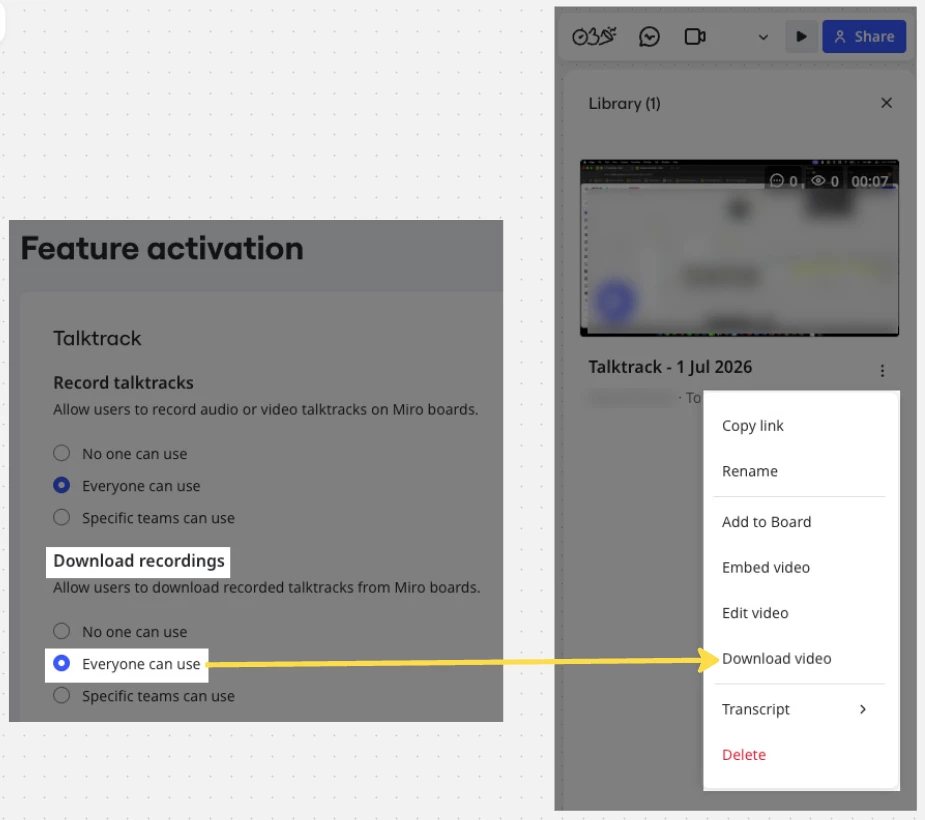
 

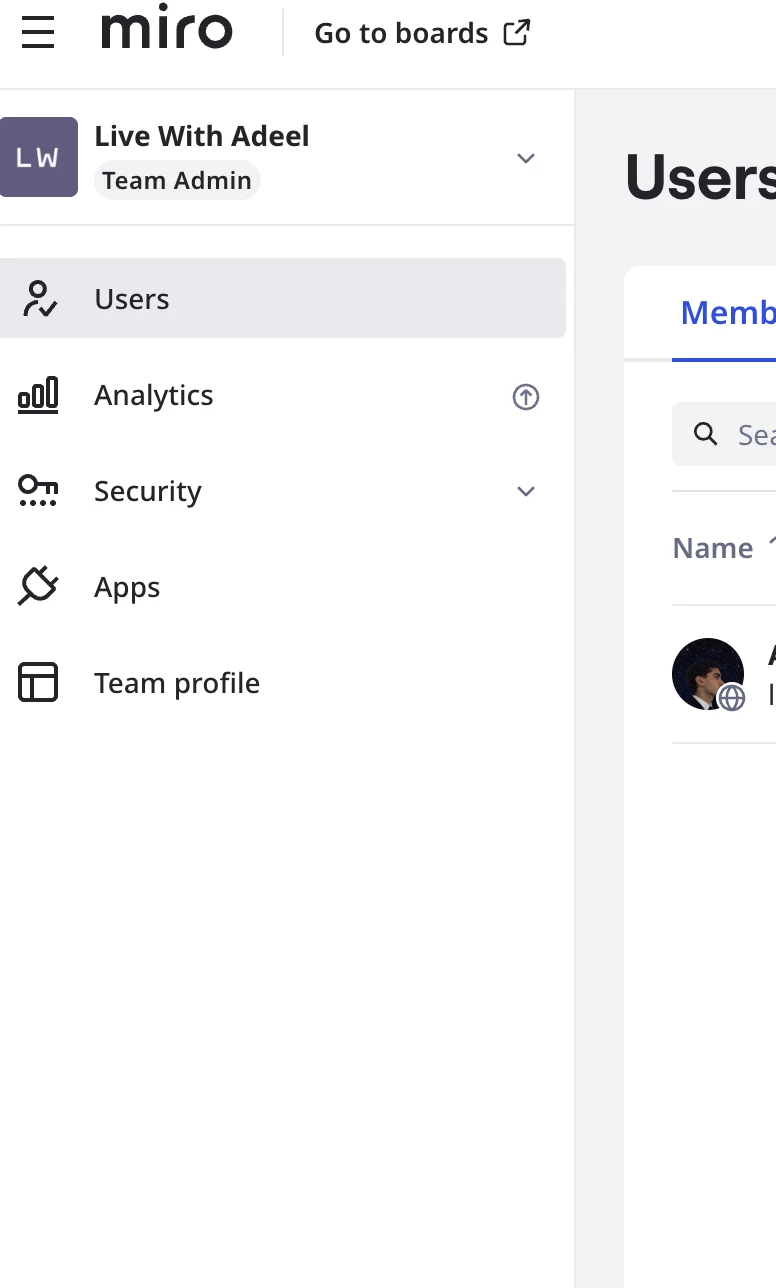
If you don’t know who your admin(s) are, you may be able to track one down by going into your profile settings, and then looking at user pages under the team (and then filtering by role for Company Admin). I don’t have screenshots for this, but here’s a link that will at least get you to your user profile page: https://miro.com/app/settings/user-profile/


10 replies

Eca
Mironeer
Forum|alt.badge.img+5
  • Mironeer
  • June 19, 2026

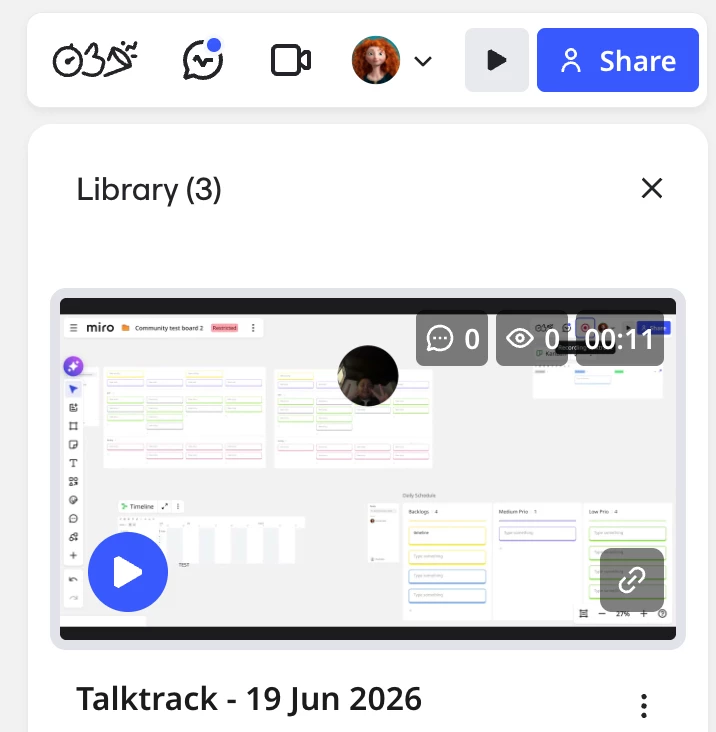
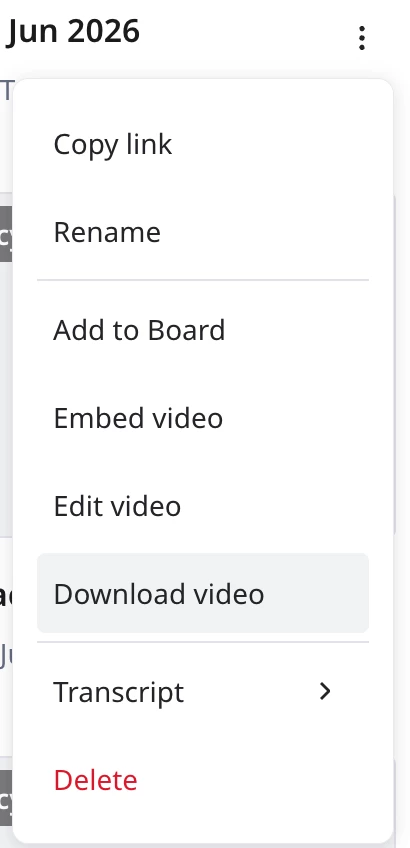
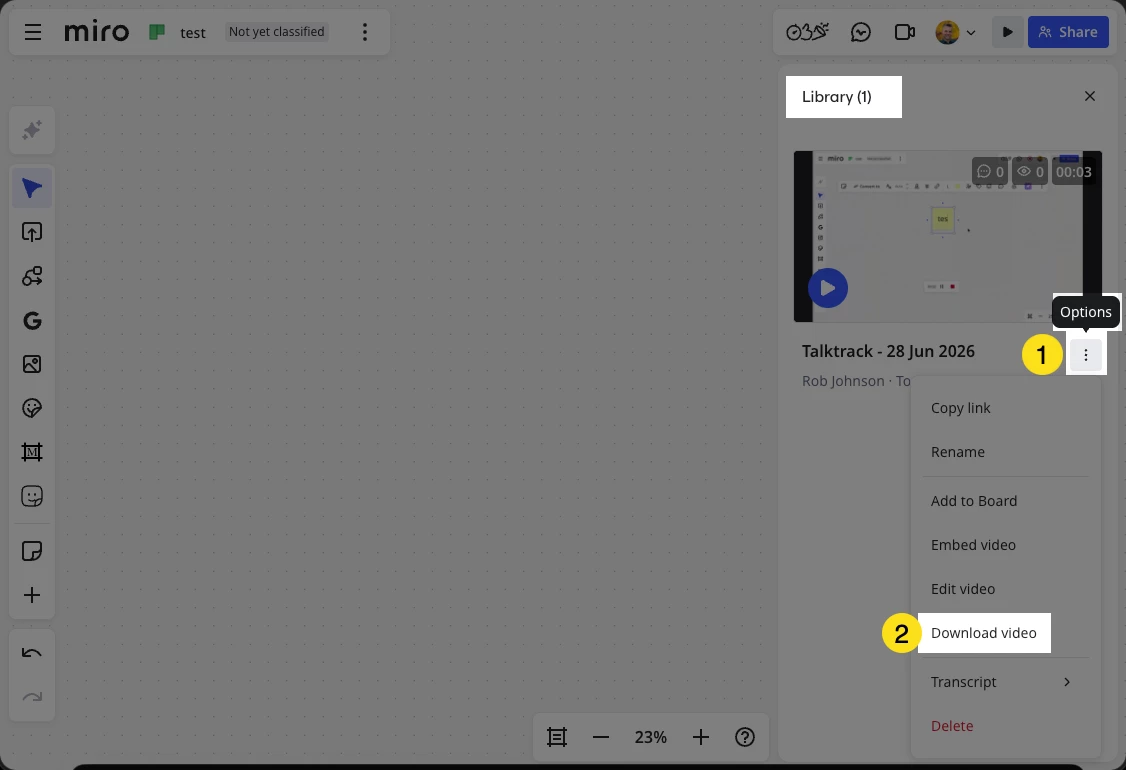
Hi ​@Roadopener thanks for reaching out! The Talktrack videos are downloadable in the Talktrack library:


Click 3 vertical dots

Let me know if you encounter any issues. 


  • June 26, 2026

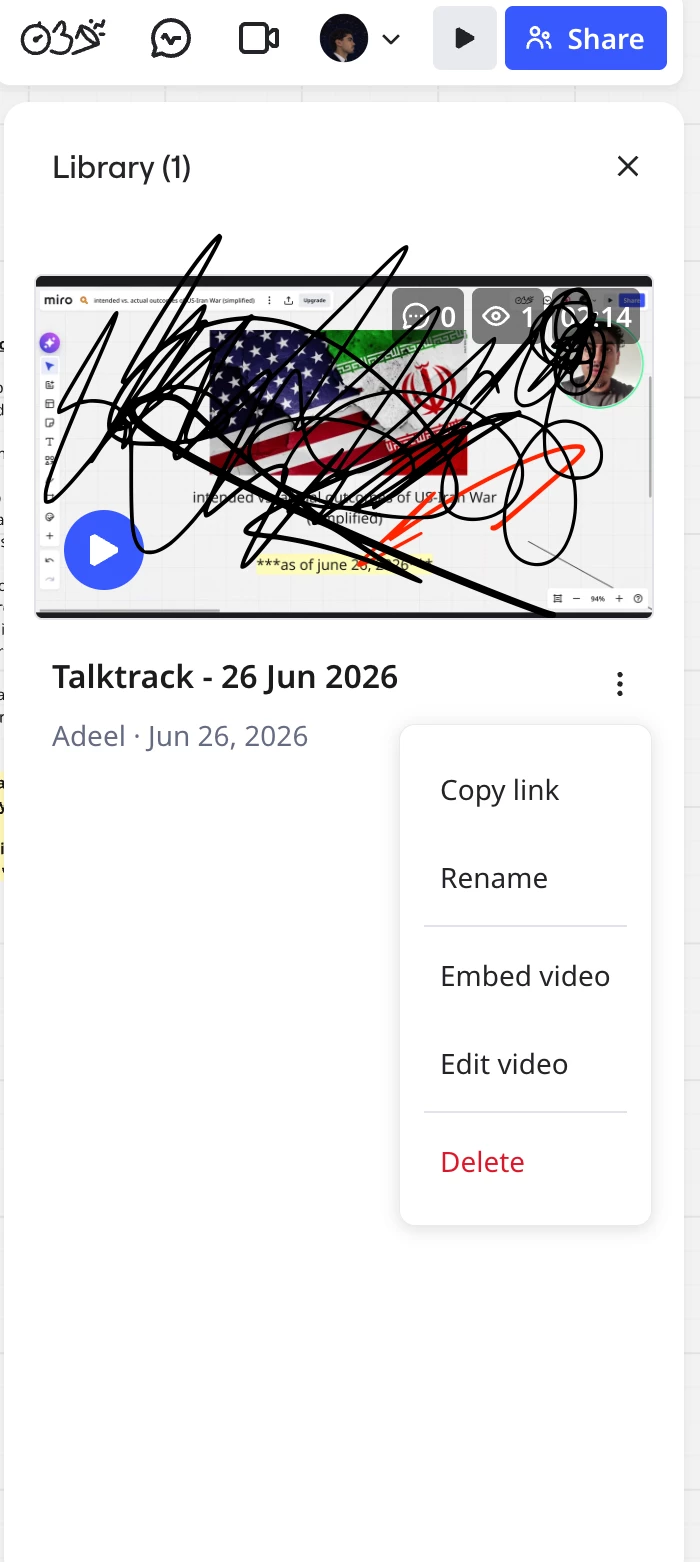
Hi! I am still unable to see the download option

can you help me with this? 


Robert Johnson
Forum|alt.badge.img+13
  • Volunteer Community Moderator
  • June 28, 2026

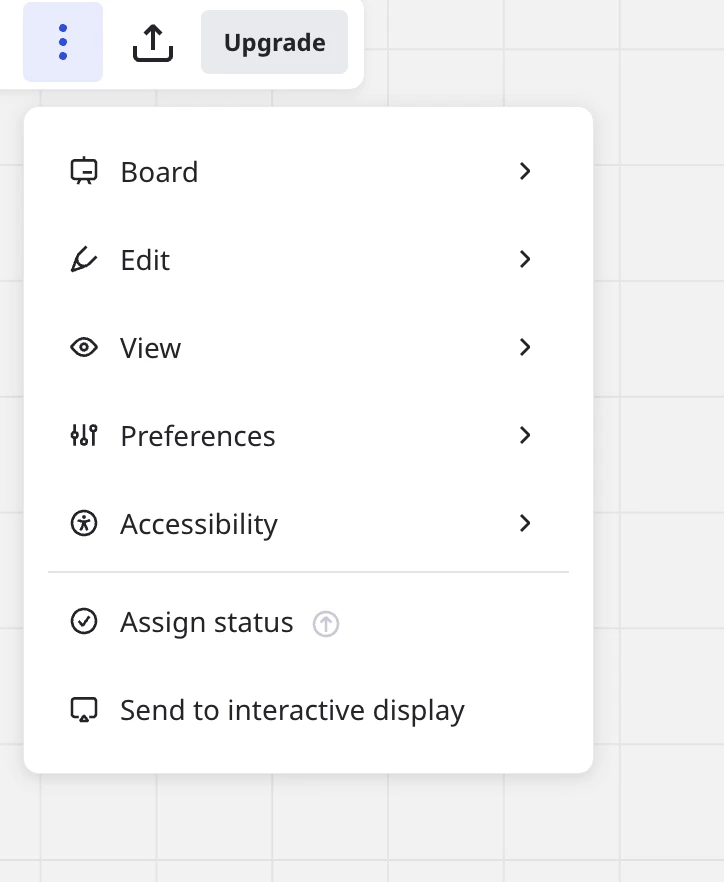
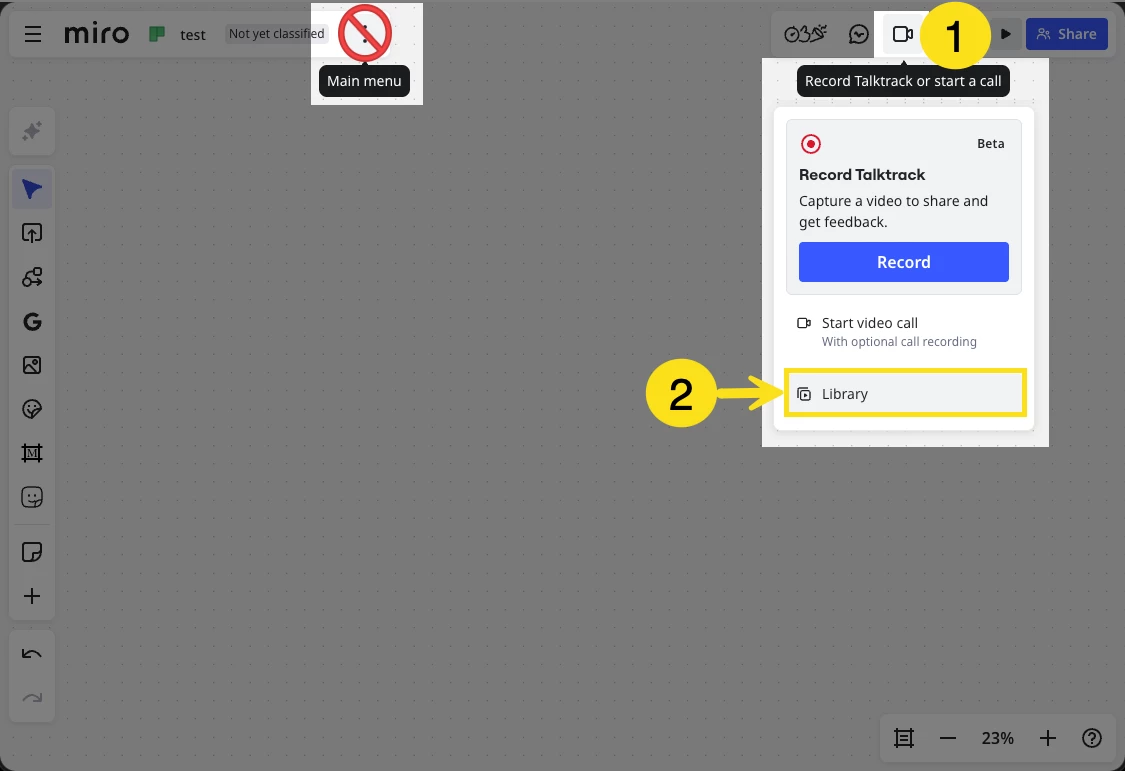
@adeel You are in the board main menu. You want to be in the Talktrack library:


And then:


  • June 30, 2026
I still cant see it? is it because i am on the free version of miro? 


  • June 30, 2026

i still cant see it


Robert Johnson
Forum|alt.badge.img+13
  • Volunteer Community Moderator
  • Answer
  • July 1, 2026

@adeel So, mystery solved (thanks to a Miro PM).

You are likely an Enterprise subscription user and a Company Admin has disabled the downloading of Talktracks:


And after the setting is change from “no one”:


If you don’t know who your admin(s) are, you may be able to track one down by going into your profile settings, and then looking at user pages under the team (and then filtering by role for Company Admin). I don’t have screenshots for this, but here’s a link that will at least get you to your user profile page: https://miro.com/app/settings/user-profile/


  • July 2, 2026

thank you for your help ​@Robert Johnson ! but this did not work. I am the admin and only team member in my organization. i could not even find the feature activations tab since it was not even there. :( 


  • July 2, 2026

how can I delete my miro account and miro community account? 


Robert Johnson
Forum|alt.badge.img+13
  • Volunteer Community Moderator
  • July 2, 2026

@adeel 

thank you for your help ​@Robert Johnson ! but this did not work. I am the admin and only team member in my organization. i could not even find the feature activations tab since it was not even there. :( 

I see now that you’re using the Free Plan. After a test using one of my Free Plan teams, I am also seeing there is no download option, which is unexpected since there is no mention of this limitation in the Talktrack help center article. I have opened my own support ticket to inquire about this and will update this post as I learn more — it may just be a bug, or it may be an undocumented limitation of the Free Plan.


how can I delete my miro account and miro community account? 

Do delete your Miro account, you can:

  1. go to https://miro.com/app/settings/user-profile/ 
  2. scroll down to:

If you wan to delete your Community account, I can submit a request for that on your behalf.


  • July 2, 2026

Ok got it! Thank you for the help Robert. I really appreciate you trying!! I will be deleting my account since I can not afford the premium membership. But I appreciate your help and the Miro software is amazing, it was just the talktrack situation that was slightly frustrating. 

Can you please submit a request to delete my community account? 


Thank you again for your help