

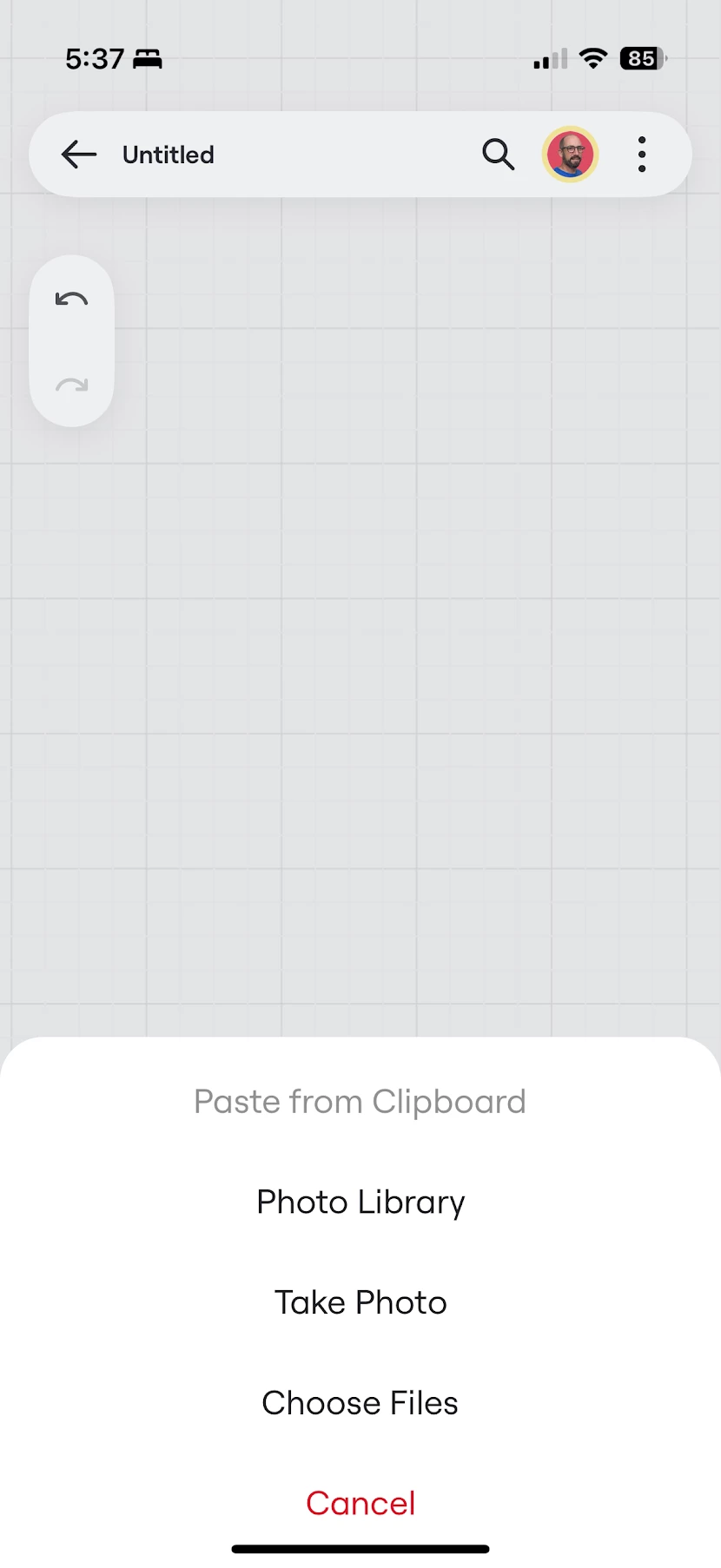
How can I past from Clipboard in iOS? Greyed Out

  • May 25, 2025
  • 1 reply
  • 31 views

I have the Mural free plan, and when I copy an image and go to paste it by selecting plus and then import, it is grayed out. Is this a bug or limitation of the free plan?


I really want to use this for scrapbooking ideas so my goal is to screenshot things from my phone and add them to a board.



1 reply

Eca
Mironeer
Forum|alt.badge.img+2
  • Mironeer
  • May 26, 2025

Hi ​@Mauronic
Thanks for reporting this issue.

You can paste images from the clipboard into a Miro board, but it's unclear whether pasting content copied from Mural specifically is supported. Since the Import option is grayed out for you, this may be either:

  • A limitation of the Mural free plan, or

  • A compatibility issue with clipboard data format from iOS or Mural.

To investigate further, I’m going to convert this post into a support ticket so our team can take a closer look. In the meantime, if you can try pasting a screenshot from your Photos app directly (rather than from Mural), let us know if that works.


Thanks again for bringing this to our attention!