Answer

How can I erase only a certain part of a figure?

  • March 10, 2021
  • 3 replies
  • 1639 views

Hi, I’m new to Miro.

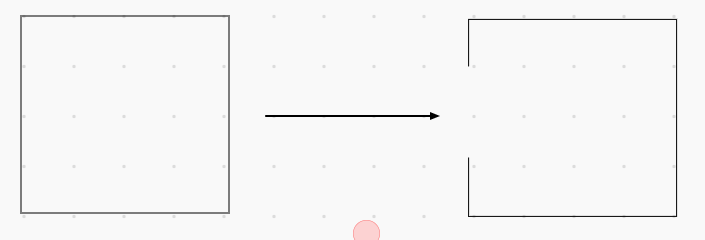
Previously I used Awwapp, I have a question, I could not find a way to erase only a fragment of a line or a figure as a Awwapp.  when the eraser touches the figure it is completely erased.  is there any way to delete without deleting the whole figure?

Attached image to explain:


Best answer by Robert Johnson

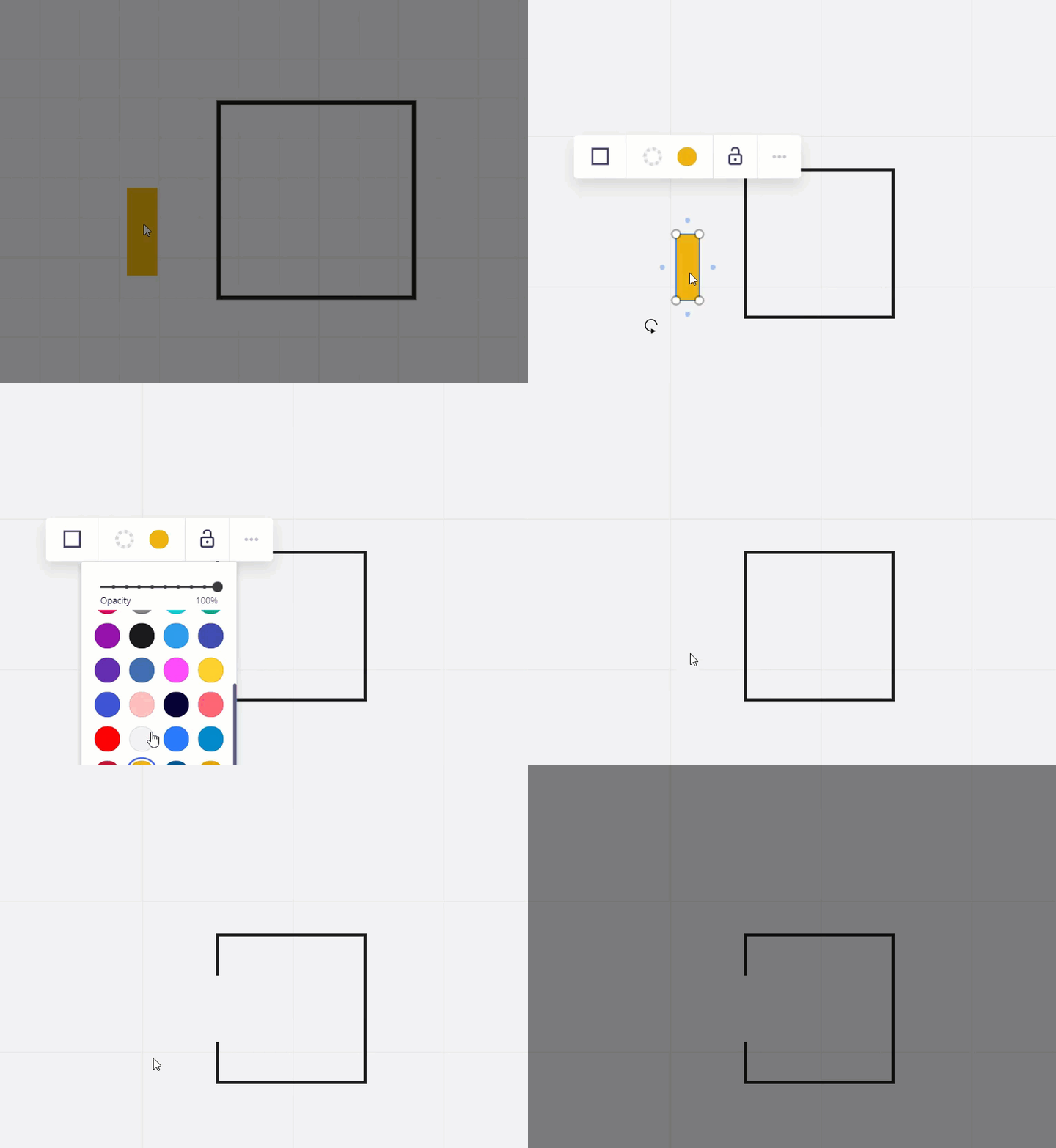
@BrandonViramontes - The only way I can see to do this would be to create another shape that is the same colour as the background you are using and then move that over top of part of the shape that you want to hide.

Example: The Miro board background colour is ##F2F2F2, so I added that as a custom colour to my palette, made a rectangle that colour, and dragged it over part of my other shape:


This topic has been closed for replies.

3 replies

Robert Johnson
Forum|alt.badge.img+13
  • Volunteer Community Moderator
  • Answer
  • March 10, 2021

@BrandonViramontes - The only way I can see to do this would be to create another shape that is the same colour as the background you are using and then move that over top of part of the shape that you want to hide.

Example: The Miro board background colour is ##F2F2F2, so I added that as a custom colour to my palette, made a rectangle that colour, and dragged it over part of my other shape:


I knew it wouldn't be as simple as erasing :sweat_smile:
Thanks for the advice @Robert Johnson !


Hi ​ ​@BrandonViramontes!

Your question related a popular Wish List request, and we’re happy to let you know that it’s now available in Miro!

We’ve introduced a new Precision Eraser that lets you erase just part of a pen line without removing the whole drawing. You’ll now find two eraser options on the toolbar:

  • Precision Eraser for erasing specific sections

  • Classic Eraser for removing the entire stroke in one go

For more details and how to use it, check out our Help Center Article.

We hope this gives you the control you were looking for. Thanks again for helping us make Miro better! 💛