Hide grid in App

  • December 15, 2021
  • 4 replies
  • 3018 views

Is there an option to hide the rectangular grid in the miro-App?

I do not mean the »snapping« nor »hiding frames« with content etc...

I only want go get rid of the appearance of this squared paper in presentation mode, which reminds me me of maths lessons in my school days…

thx, Fabian

4 replies

  • Author
  • Beginner
  • December 17, 2021

Does nobody knows an answer?


Kiron Bondale
Forum|alt.badge.img+7
  • Volunteer Community Moderator
  • December 17, 2021

@Fabian D. -

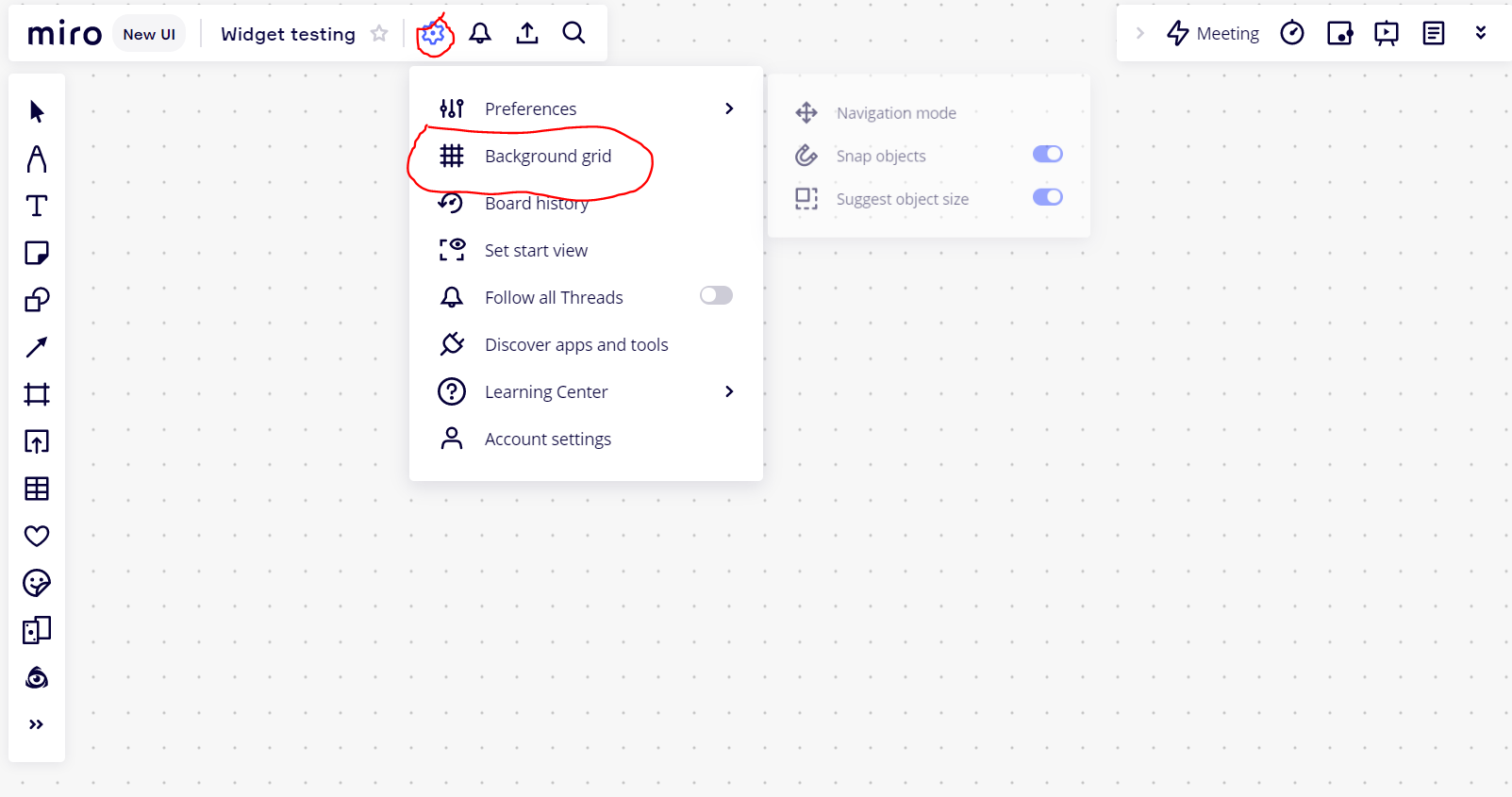
Do you mean in the browser app? If so, then this can be done through the settings menu (see below).

Kiron


Robert Johnson
Forum|alt.badge.img+13
  • Volunteer Community Moderator
  • December 17, 2021

Tip: The hotkey shortcut to toggle the gridlines on/off is by pressing the G key on your keyboard.

More shortcuts and hotkeys here:

https://help.miro.com/hc/en-us/articles/360017731033-Shortcuts-and-hotkeys


  • Author
  • Beginner
  • December 18, 2021

Perfect! Thank you both very much!

Sometimes you don’t see the wood for the trees…

I found the option similar in the app for iPad, where I was searching.