
I set up a free Miro account months ago to get to know it a bit. Mysteriously, I seem to have set up 2 users, even though I only meant to set it up for myself. I found this out when I was considering signing up for Consultant plan. when I went to upgrade to that plan, it told me I have 2 users? For the life of me, cannot figure out how to remove that 1 mysterious user, since I will be the sole account holder as single consultant. Thank you!

Answered
Have free account; am considering switching to consultant plan; mysteriously have 2 users, want to reduce to 1 only
Best answer by Kiron Bondale
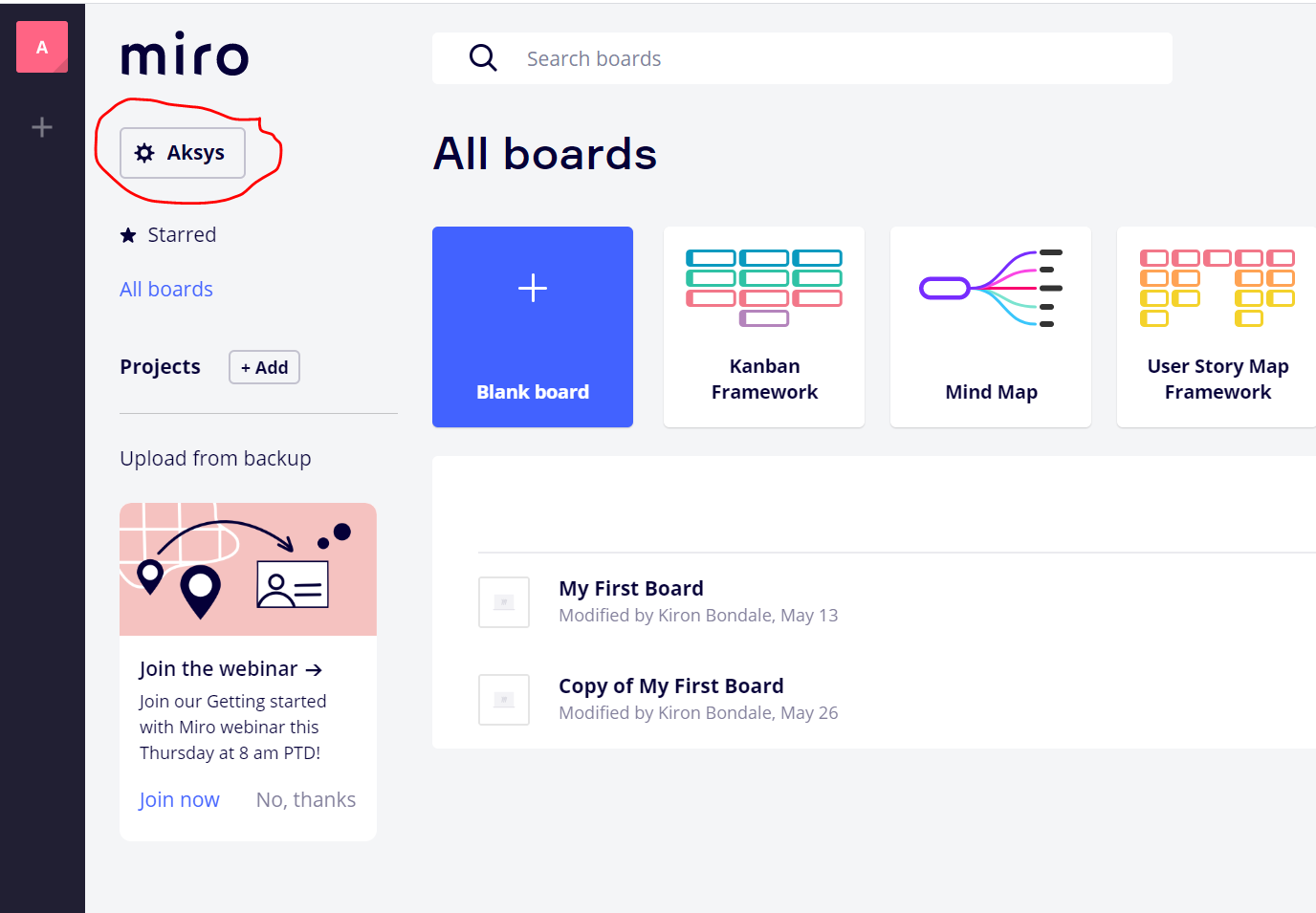
Click on the team settings gear icon here:
Then click on the Active users option to see the users associated with your free account:
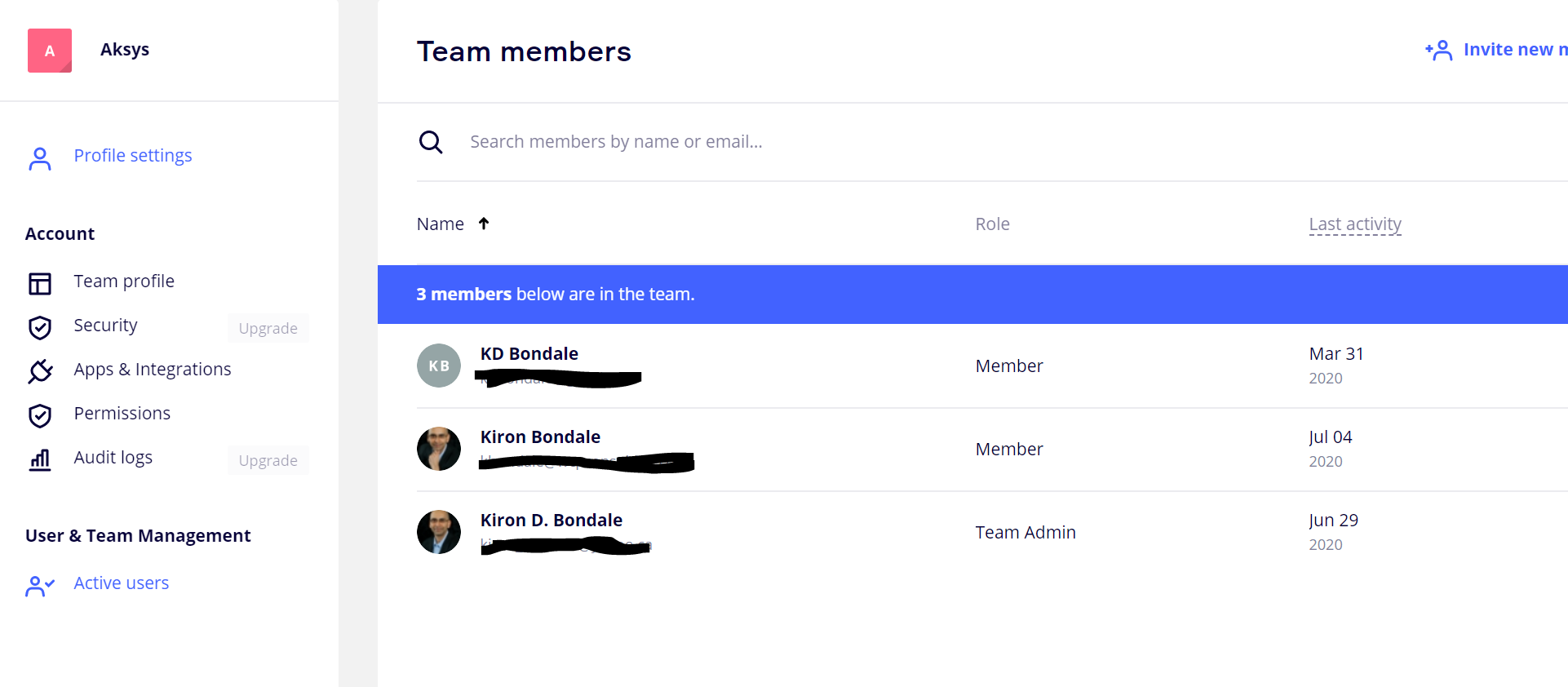
Then, using the “...” menu options at the far right of each team member’s record you can delete them.
Kiron


Log in to the community
No account yet? Create an account
Log in with your Miro account Login with Token
Enter your E-mail address. We'll send you an e-mail with instructions to reset your password.