Question

Group Key Command not working today

  • Nov 4, 2026 1:09 PM UTC
  • 5 replies
  • 26 views

Matthias

Noticed that the group keyboard shortcut (⌘ +Shift + G) is not working today.
Anybody else?

5 replies

Robert Johnson
Forum|alt.badge.img+13
  • Volunteer Community Moderator
  • Nov 4, 2026 3:00 PM UTC

Hey, ​@Matthias! That should be the ungroup shortcut. Cmd/ctrl + G is to group. 


Matthias
  • Author
  • Nov 4, 2026 3:37 PM UTC

Yes that’s right. Neither are working is my point.


Robert Johnson
Forum|alt.badge.img+13
  • Volunteer Community Moderator
  • Nov 4, 2026 6:29 PM UTC

I tried in a few browsers and the desktop app and it is working as expected for me, however, Miro very well could be experimenting with new features.

If signing out, signing back in, closing the browser, clearing the cache, etc., still doesn't resolve the issue, then I'd suggest reporting it to Miro support.

You can open a Miro support ticket by following these instructions:

https://help.miro.com/hc/en-us/articles/360020185799-How-to-contact-Miro-Support#h_01F010RXA0E1S9C0WFQYX75R6C

If you do open a ticket, if would be helpful for the rest of the Community if you could update this post with the outcome.


Matthias
  • Author
  • Nov 6, 2026 7:48 PM UTC

Folks here at our company,  using local client + on web report inconsistent behavior (at best) using group feature. This not just intermittment keyboard shortcut not working. Example. Ex. Currently, frame and content elements are not being grouped. 


Robert Johnson
Forum|alt.badge.img+13
  • Volunteer Community Moderator
  • Nov 6, 2026 8:52 PM UTC

Folks here at our company,  using local client + on web report inconsistent behavior (at best) using group feature. This not just intermittment keyboard shortcut not working. Example. Ex. Currently, frame and content elements are not being grouped. 

Has anyone opened a support ticket?

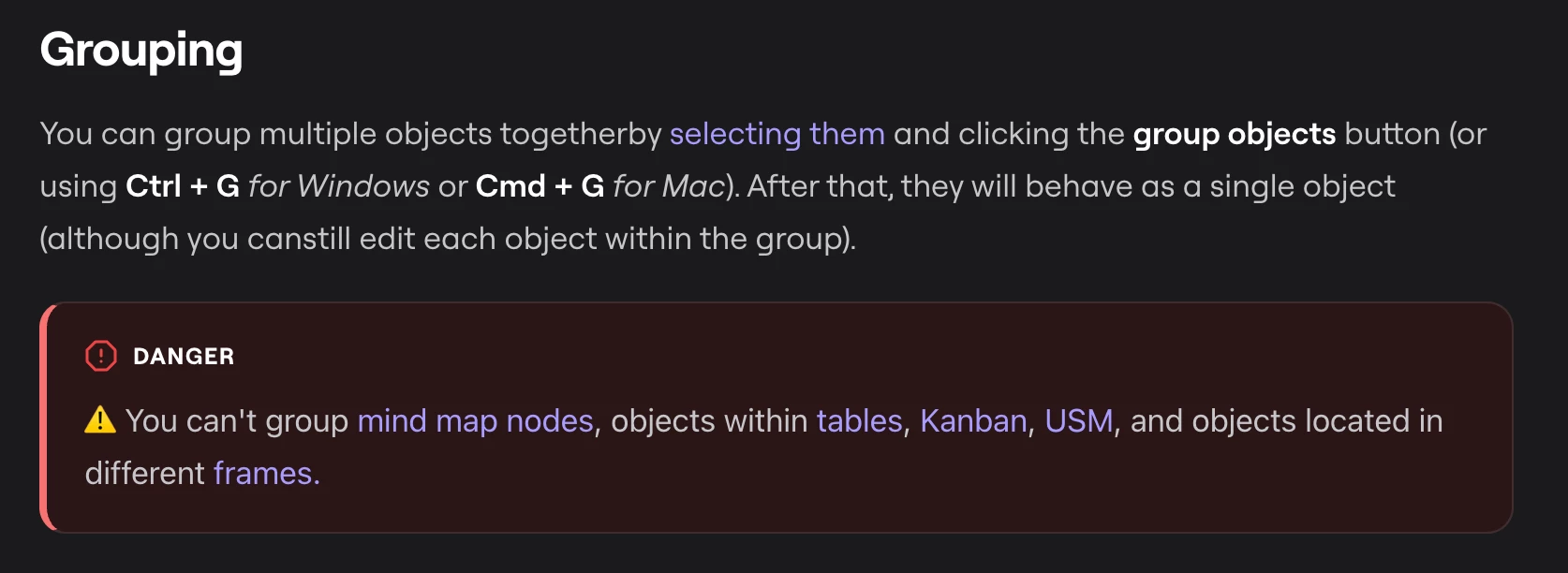
Is the grouping icon appearing on the selected object’s context menu, but is doing nothing when clicked? If it is not present at all, then perhaps one of these scenarios is blocking the action:


Source: https://help.miro.com/hc/en-us/articles/360017730973-Structuring-board-content