Question

Granting Editor access to the Visitors

  • August 19, 2026
  • 4 replies
  • 70 views

Hello, we have a Miro environment that has two teams (the Team names are TeamA and TeamB). 

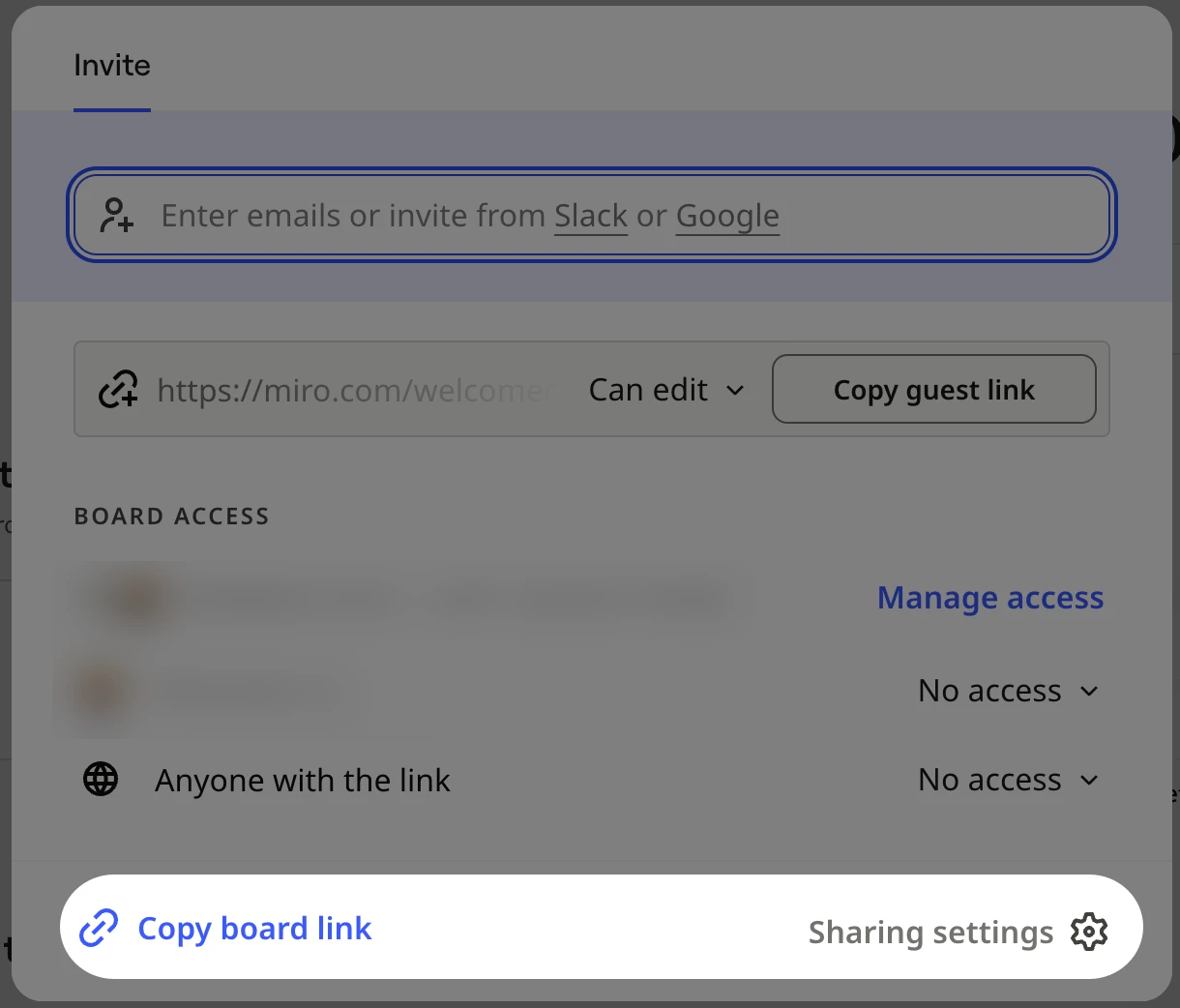
When the Miro board sits in TeamA, if I share the anonymous link for visitors to visit the board and make updates, I can set the guest role as Editor. If I move the Miro board to TeamB, when I view the access I can set for the anonymous link, the Editor option is not available.

For TeamB, I assume there is a Team setting that sets the access for the anonymous link. My colleague cannot find the settings (and I don’t have permissions to alter Team permissions, so I cannot view or help).

Can someone provide instructions or details on how to set the Team setting to allow anonymous link visitors the Editor role/access? I tried using Copilot for the answer, but according to our admin...those instructions didn’t work.


Thanks!

4 replies

Robert Johnson
Forum|alt.badge.img+13
  • Volunteer Community Moderator
  • August 19, 2026

@mwat7676 To clarify, Visitors and Guests are two separate features, but given your use of “anonymous” I’ll assume you are referring to the Visitors feature (i.e., Anyone with the link) — for example:

More on the differences in roles here:

https://help.miro.com/hc/en-us/articles/7045408248594-Visitors-guests-and-members


Public sharing differences between teams

Since you are seeing difference settings across teams in the same org, you are on the Enterprise plan and will need to have your Miro subscription Company Admin (the level above Team Admin) to adjust the team level settings — more on this here:

https://help.miro.com/hc/en-us/articles/360017730133-Sharing-policy-on-Enterprise-Plan#h_01EZFP6NDB1ZKPJYB9JZVMCBKW

Tip: Going to this link may get you to an All users page where you can filter by role to find who your Company Admin(s) is.


  • Author
  • Beginner
  • August 20, 2026

Hi ​@Robert Johnson, thank you for responding. According to our Company Admin, the Team setting “By public link: Anyone can view, comment, and edit” is selected.  Any other possibilities why you cannot select the “Editor” feature on the anonymous link access type?


Robert Johnson
Forum|alt.badge.img+13
  • Volunteer Community Moderator
  • August 20, 2026

@mwat7676 If Public sharing is set to Anyone can view, comment, and edit for the team where the board resides, and the Edit option is not present under Anyone with the link in the board’s Sharing settings, I would suggest that you (or your Company Admin) open a support ticket by following these instructions:

https://help.miro.com/hc/en-us/articles/360020185799-How-to-contact-Miro-Support#h_01F010RXA0E1S9C0WFQYX75R6C


  • Author
  • Beginner
  • August 21, 2026

Hi ​@Robert Johnson, thanks for responding. I will pass on the information to the Company Admin.