Given Edit Access to a board but not in Team so board cannot be accessed through the dashboard

  • March 10, 2026
  • 2 replies
  • 10 views

I am a student and my university has created a board and given me edit access. I can access the board via a link but I cannot find the board on the desktop dashboard as it doesn’t show boards of teams I am not a member of. Is there a way to view all boards I have edited/accessed without having them grouped by teams on desktop

2 replies

Eca
Mironeer
Forum|alt.badge.img+4
  • Mironeer
  • March 11, 2026

Hi ​@Tara Ogunyemi 

Thanks for reaching out! In Miro, boards are organized by teams/workspaces on the dashboard. If you only have access to a board via a shared link but are not a member of that team, the board will not appear in your main dashboard.

At the moment, there isn’t a way to display all boards you’ve accessed across different teams in one unified list. 


As a workaround, you can:

  • Bookmark the board link in your browser for quick access.

  • Add the board to your browser favorites or save the URL somewhere accessible.

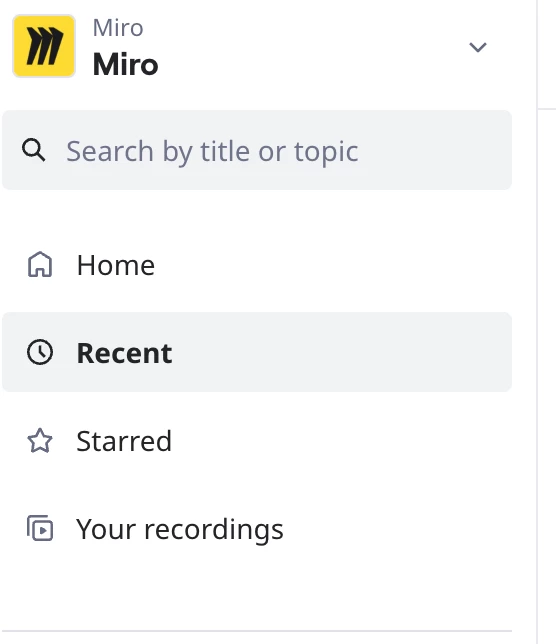
  • Check the Recent Tabs


  • Ask the board owner to invite you as a team member if appropriate, which would make the board visible in your dashboard.

Hope this helps!


Robert Johnson
Forum|alt.badge.img+13
  • Volunteer Community Moderator
  • March 12, 2026

@Tara Ogunyemi A quick note on:

Check the Recent Tabs

Similar to the Starred page, you will only see boards here if you are, at a minimum, a Guest on a board (more Visitors, guests and members here: https://help.miro.com/hc/en-us/articles/7045408248594-Visitors-guests-and-members).