
Forced to join unknown team

  • July 13, 2026
  • 3 replies
  • 50 views

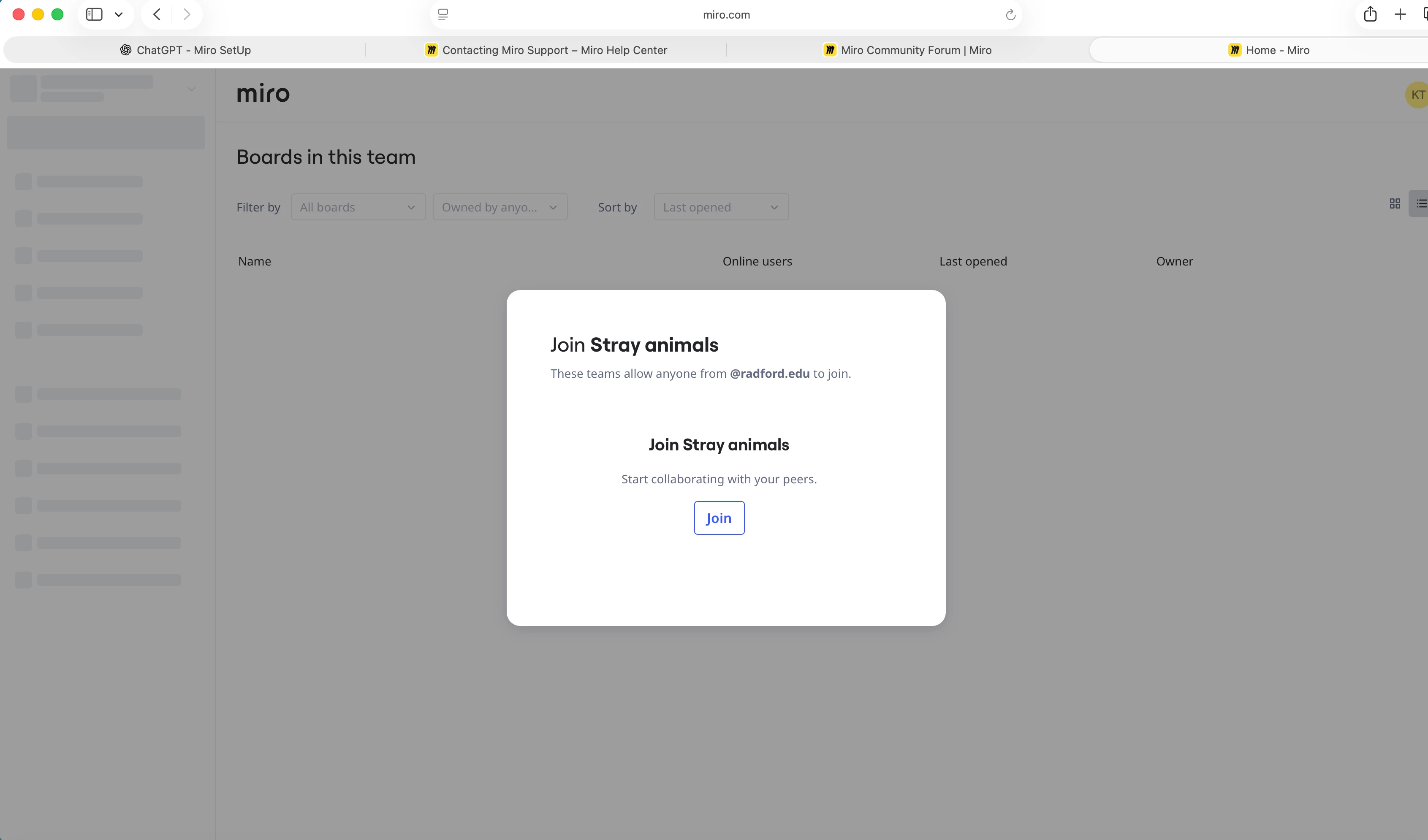
When I login to Miro a pop up comes up that says to join team but I do not know who this is and it will not let me dismiss this screen. I am a teacher and would like to set up my own teams. attached is a screenshot.

 

3 replies

Eca
Mironeer
Forum|alt.badge.img+5
  • Mironeer
  • July 14, 2026

Hi ​@ktpeterson1 thanks for reaching out! Based on what I can see on my end, that screen should also include an option to Create a team, not just Join a team. I will ask internally if this is an expected behavior or something else. I’ll get back to you once the team provide a response.


Eca
Mironeer
Forum|alt.badge.img+5
  • Mironeer
  • July 14, 2026

Hi ​@ktpeterson1

I've reviewed your case, and this will require our Support team to investigate further, as it appears to be related to your account’s settings configuration.

I'll go ahead and convert this into a support ticket so they can take a closer look. They may reach out if they need any additional information or ask you to complete a few steps to help resolve the issue.

Please keep an eye on your inbox for their follow-up. Thanks for your patience!


Robert Johnson
Forum|alt.badge.img+13
  • Volunteer Community Moderator
  • July 14, 2026

@ktpeterson1 / ​@Eca 

I'll share what I've seen happen (and experienced myself!) and what I think is going on.

If a Miro profile is added to an Enterprise subscription that blocks members from creating their own subscription, this is exactly what you'd see once two things are both true:

  1. you've been removed from all your other workspaces, AND
  2. none of the Enterprise subscription's workspaces are joinable on your own (they're all either private or require admin approval).

If Miro support confirms that's your situation, they'll likely direct you to contact a company admin of the subscription and request they both deactivate and remove you from it. You can probably see which subscription you belong to — and find a company admin on the Users page — from your profile settings:
https://miro.com/app/settings/user-profile/

If the admin won't comply, and you've never deleted your account before, there's a backup: you can force the disassociation by deleting your Miro profile and immediately recreating one with the same email. (Miro only allows this if you haven't previously deleted a profile tied to that address.)

Hopefully support can clarify and correct things for you, so the delete-and-recreate route is just a fallback.



