Answered

Changing Google Drive Account

  • November 4, 2020
  • 2 replies
  • 764 views

Hey Guys, 

 I connected my company google drive to Miro, but I would love to connect a different google account (private / student). How can I switch? Tried reinstalling the app, but I was still auto logged in to the wrong drive and could not find an option to switch between google accounts. 

Hope you guys can help me :)


Best wishes

 Moritz Posselt 

Best answer by Robert Johnson

@Moritz Posselt - Some steps to try:

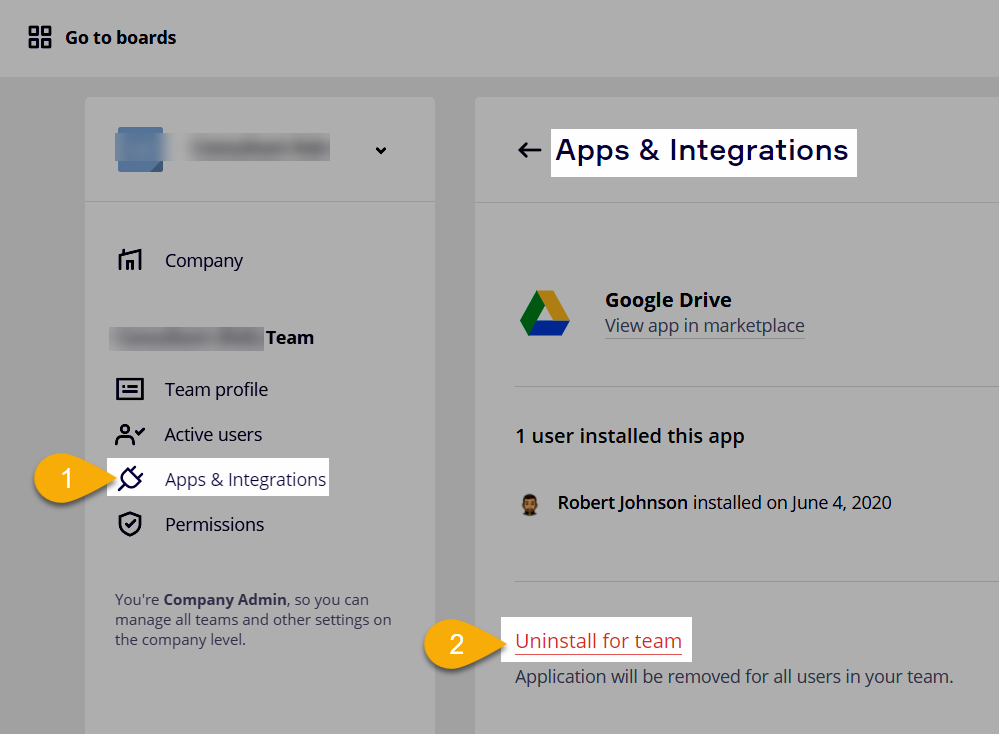
  1. Remove the app again from your Miro dashboard → Apps & Integrations page:


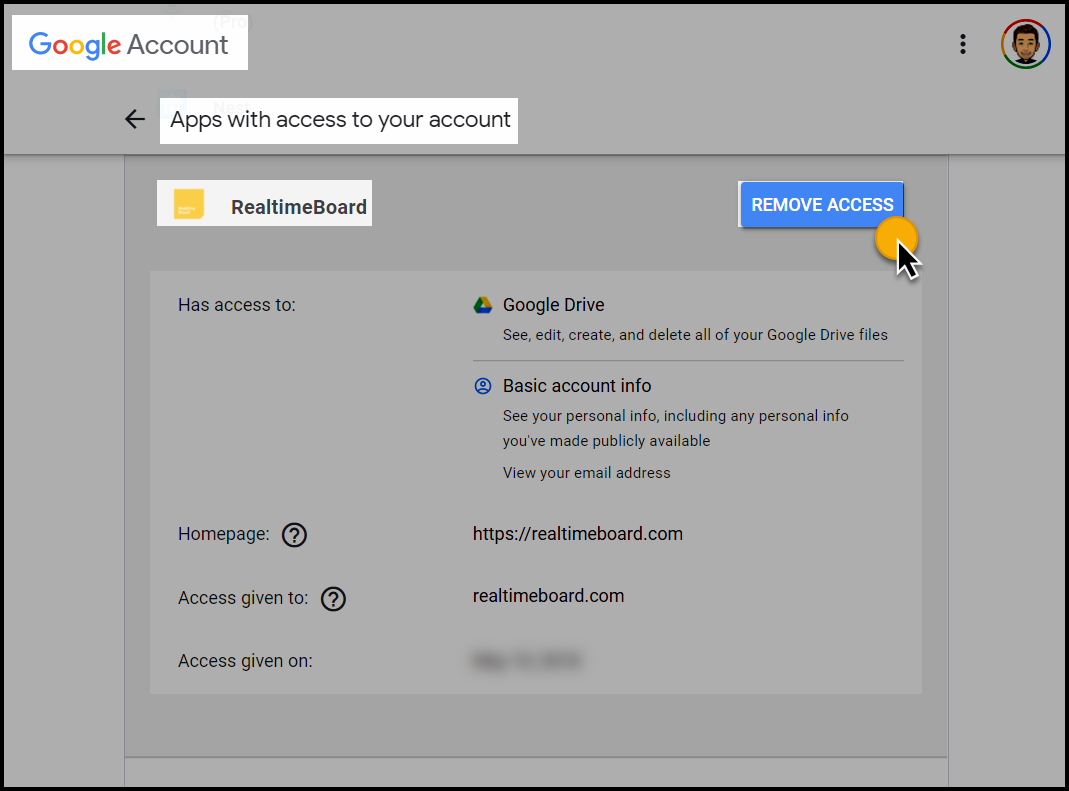
  2. Go to your Google Account → Security → Third-party apps with account access and REMOVE ACCESS for RealtimeBoard (what Miro used to be called)

     

  3. Sign out of Miro
  4. Close & re-open your browser
  5. Sign back into Miro
  6. Add the Google Drive app again.

Hopefully that will reset everything.

This topic has been closed for replies.

2 replies

Robert Johnson
Forum|alt.badge.img+13
  • Volunteer Community Moderator
  • Answer
  • November 4, 2020

@Moritz Posselt - Some steps to try:

  1. Remove the app again from your Miro dashboard → Apps & Integrations page:


  2. Go to your Google Account → Security → Third-party apps with account access and REMOVE ACCESS for RealtimeBoard (what Miro used to be called)
     

  3. Sign out of Miro
  4. Close & re-open your browser
  5. Sign back into Miro
  6. Add the Google Drive app again.

Hopefully that will reset everything.


Great, this did help! Many Thanks!