Answered

Change default Pen to Red - so frustrating

  • January 30, 2025
  • 3 replies
  • 84 views

Ugg this is driving me absolutely nuts.

About 90% of my use of miro is marking up screenshots for our app or customer support.

I need to set default color to RED for a board. Or just as my default color for all boards.

I set it to red and then when I come back to the board it reverts back to black.

Slamming my head against the wallhere



Best answer by Robert Johnson

@moonshot - You’re welcome!

Sadly, however, 99% of Miro objects do not retain user preferences (Text, Shape, Cards, Connection Lines, Sticky Notes, Frames, and everything else I can think of).

3 replies

Robert Johnson
Forum|alt.badge.img+13
  • Volunteer Community Moderator
  • January 30, 2025

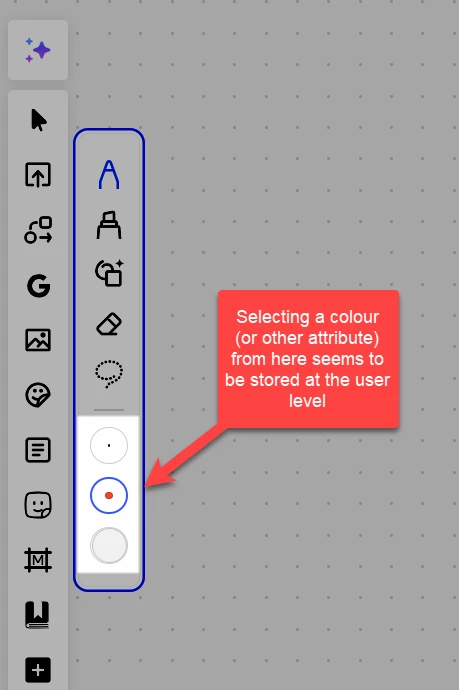
@moonshot - I hadn’t paid much attention to this before, but after some tests, I believe that setting attributes here will store them at the user level:


In action:


  • Author
  • Beginner
  • January 30, 2025

Super helpful! Thanks robert. So Pen tool will save the default color if you change it on the side panel. Rectangle or likely any shape color gets wiped out when you create a new board still AFAIK


Robert Johnson
Forum|alt.badge.img+13
  • Volunteer Community Moderator
  • Answer
  • January 30, 2025

@moonshot - You’re welcome!

Sadly, however, 99% of Miro objects do not retain user preferences (Text, Shape, Cards, Connection Lines, Sticky Notes, Frames, and everything else I can think of).