Cannot Create Miro Board despite Full License

  • May 25, 2026
  • 2 replies
  • 23 views

I am currently assigned a full Miro license; however, I am unable to create a new Miro board. When attempting to create a board, the option is either unavailable. Please investigate why I am unable to create boards under my account and advise on the necessary steps to resolve the issue.

2 replies

Eca
Mironeer
Forum|alt.badge.img+5
  • Mironeer
  • May 26, 2026

Hi ​@Harshad Kurrewar 

If you’ve already been assigned a full Miro license but still cannot create new boards, this could be related to: team/workspace permissions, board creation restrictions set by the Company Admin, or being in the wrong workspace/team.

A few things to check first:

  • Make sure you are creating the board inside the right licensed workspace/team

  • Try accessing the dashboard directly via: https://miro.com/app/dashboard/

  • Confirm whether the “Create board” option is greyed out, missing, or showing an error

  • Try another browser/incognito window

  • Check whether you can create boards in any other workspace tied to your account


If the issue continues, please share:

  • a screenshot of what you see when trying to create a board,

  • the exact error message (if any),

  • and whether this happens across all workspaces or only one specific team/workspace.


Robert Johnson
Forum|alt.badge.img+13
  • Volunteer Community Moderator
  • May 26, 2026

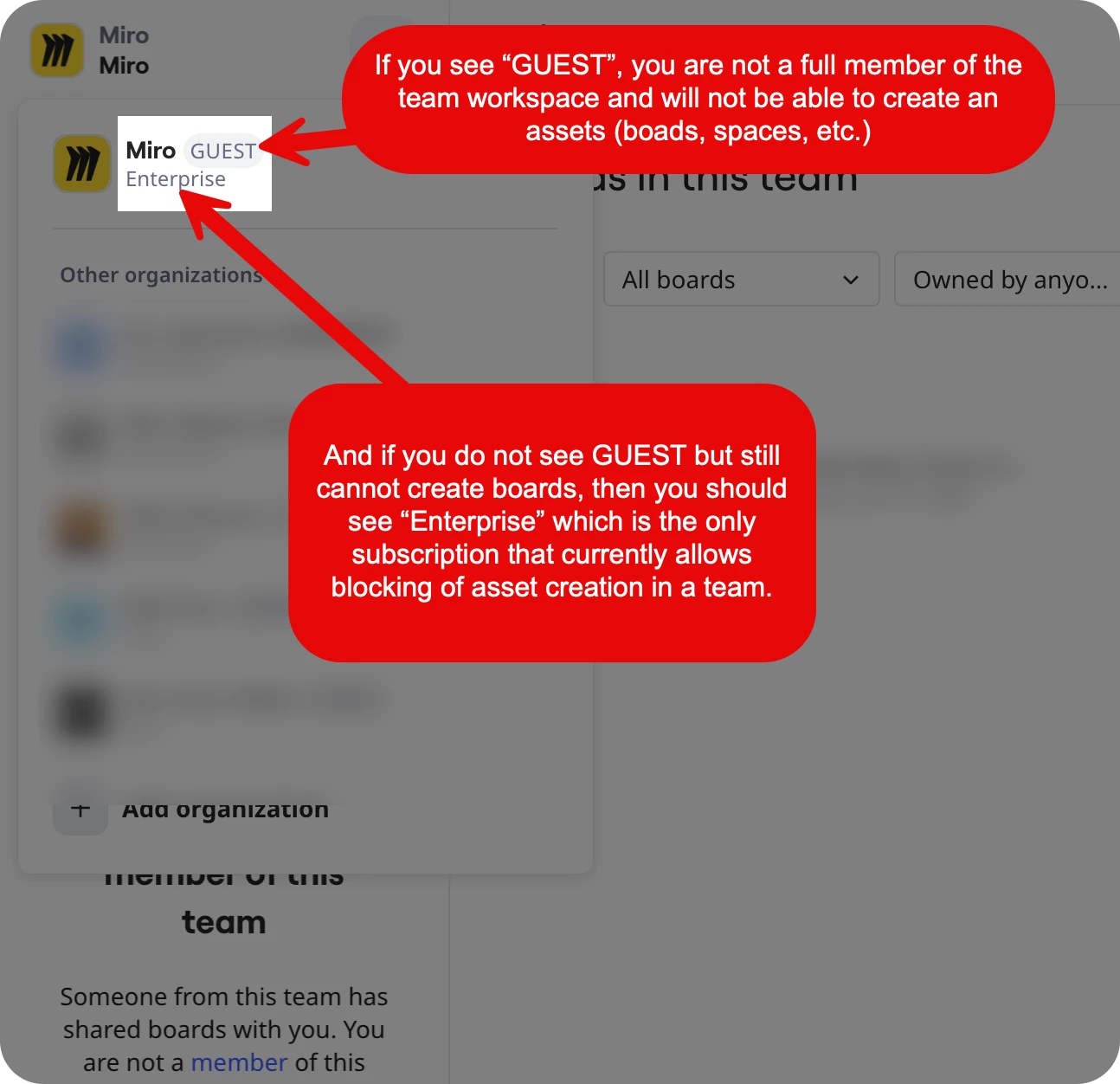
@Harshad Kurrewar To expand on ​@Eca‘s reply, I will assume that you do not have any create new board action — there should only be two scenarios where this is currently possible:

  1. You are a Guest of a one or more boards in a team workspace of which you are not a full member of.
  2. You are a member of a Miro Enterprise subscription and your admin has blocked asset creation for the workspace of which you are a fully licenced member of.

You should be seeing one (or both) of the following:


If you are a Guest, you will never be able to create boards in that workspace.

If you are not a Guest but are an Enterprise team member, you’ll need to contact your Miro subscription’s team or company admin.

More on Guest access here:

https://help.miro.com/hc/en-us/articles/7045408248594-Visitors-guests-and-members