Question

cancelling sharing

  • February 27, 2026
  • 3 replies
  • 17 views

Hi, does anyone know how to cancel sharing a board? I got an educational licence and apparently ran out of sharing capacity, so my students cannot complete their homework 🤦🏻‍♀️ Tried to delete a board from a previous course but did not work 🤷🏻‍♀️

3 replies

Eca
Mironeer
Forum|alt.badge.img+2
  • Mironeer
  • February 27, 2026

Hi ​@Alzbeta thanks for reaching out! 

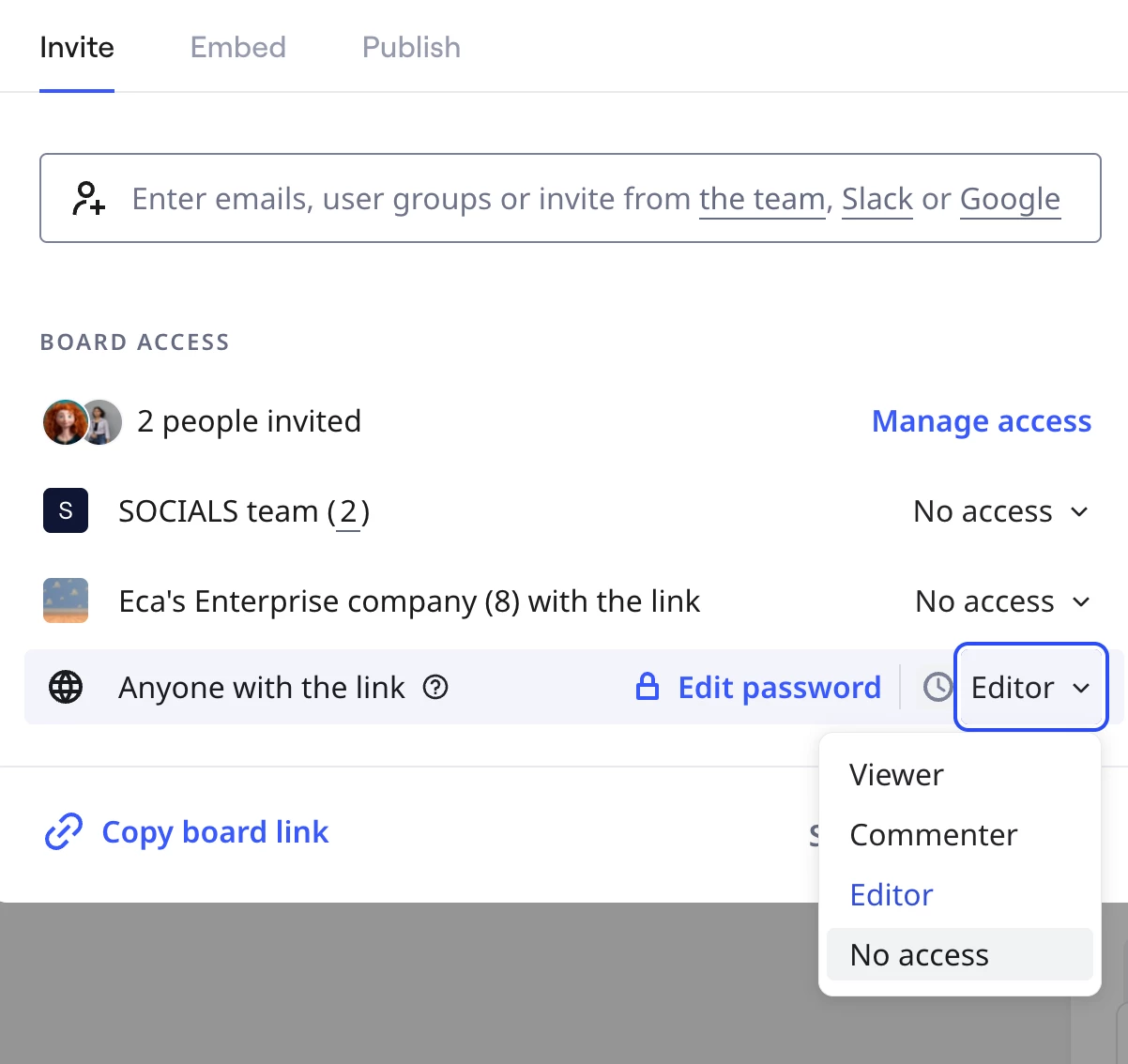
You can:

  • Open the board

  • Click Share (top right)

  • Remove individual users or disable public access (e.g., “Anyone with the link”)


  •  


  • Save changes


Hope this helps!


Robert Johnson
Forum|alt.badge.img+13
  • Volunteer Community Moderator
  • February 27, 2026

@Alzbeta 

I got an educational licence and apparently ran out of sharing capacity, so my students cannot complete their homework

I read this as you are our of licenses, so you cannot add new members (i.e., students) to your Education Plan.

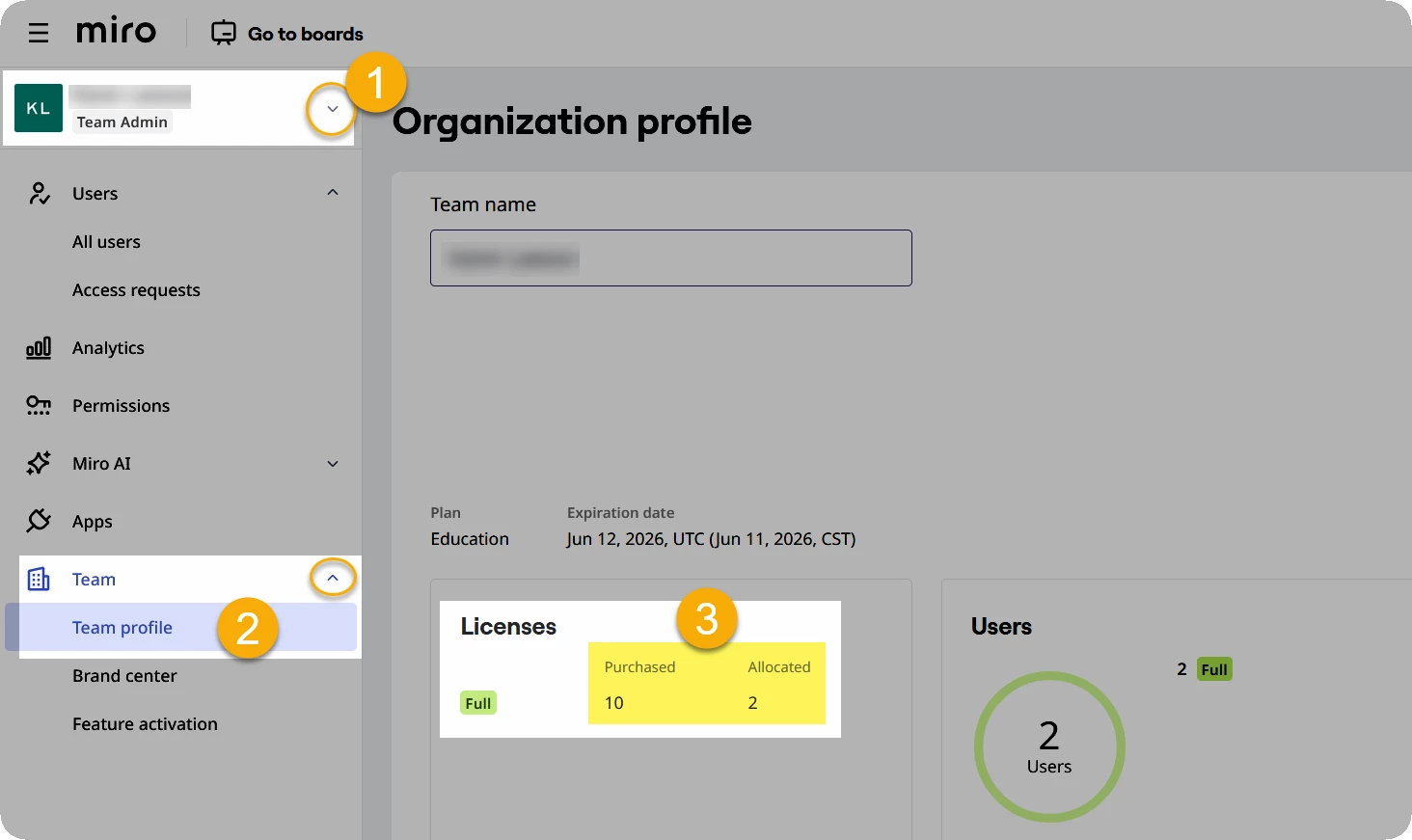
How may licenses are currently being consumed? You can check this by:

  1. Going to Profile settings - Miro
  2. On the left, select your team, and then go to Team → Team profile:


Regarding this:

Tried to delete a board from a previous course but did not work

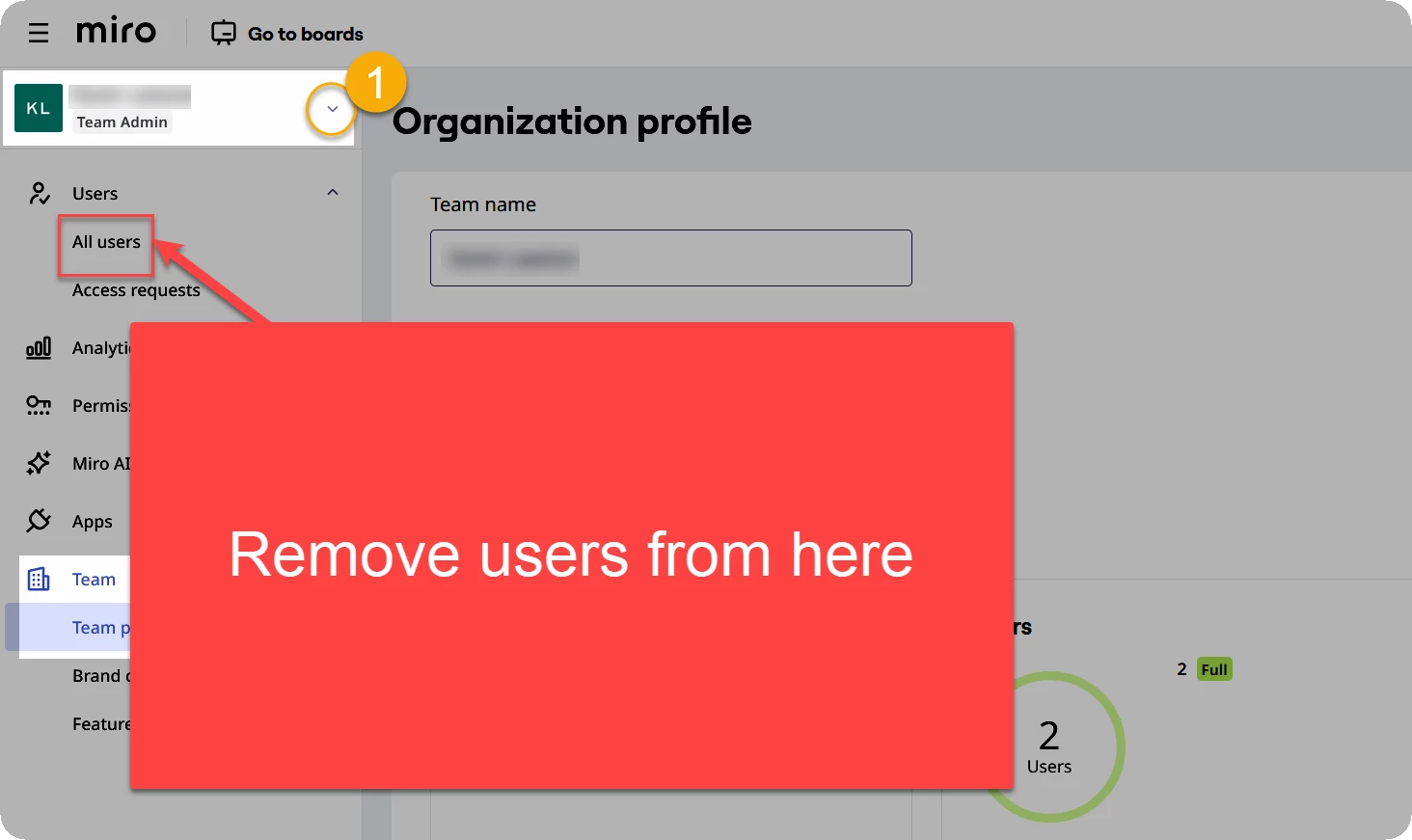
You cannot delete boards that you are not the owner of. You would need to remove the board owner. You can remove users from he All users page:


  • Author
  • New Here
  • February 27, 2026

Hi, Thank you! I was originally deleting accounts from the boards but with the helt of AI I finally got to this conslusion too. Thank you so much anyway! :)