Answered

Can't make any boards while full member on enterprise plan

  • August 5, 2026
  • 1 reply
  • 23 views

Hi guys, 


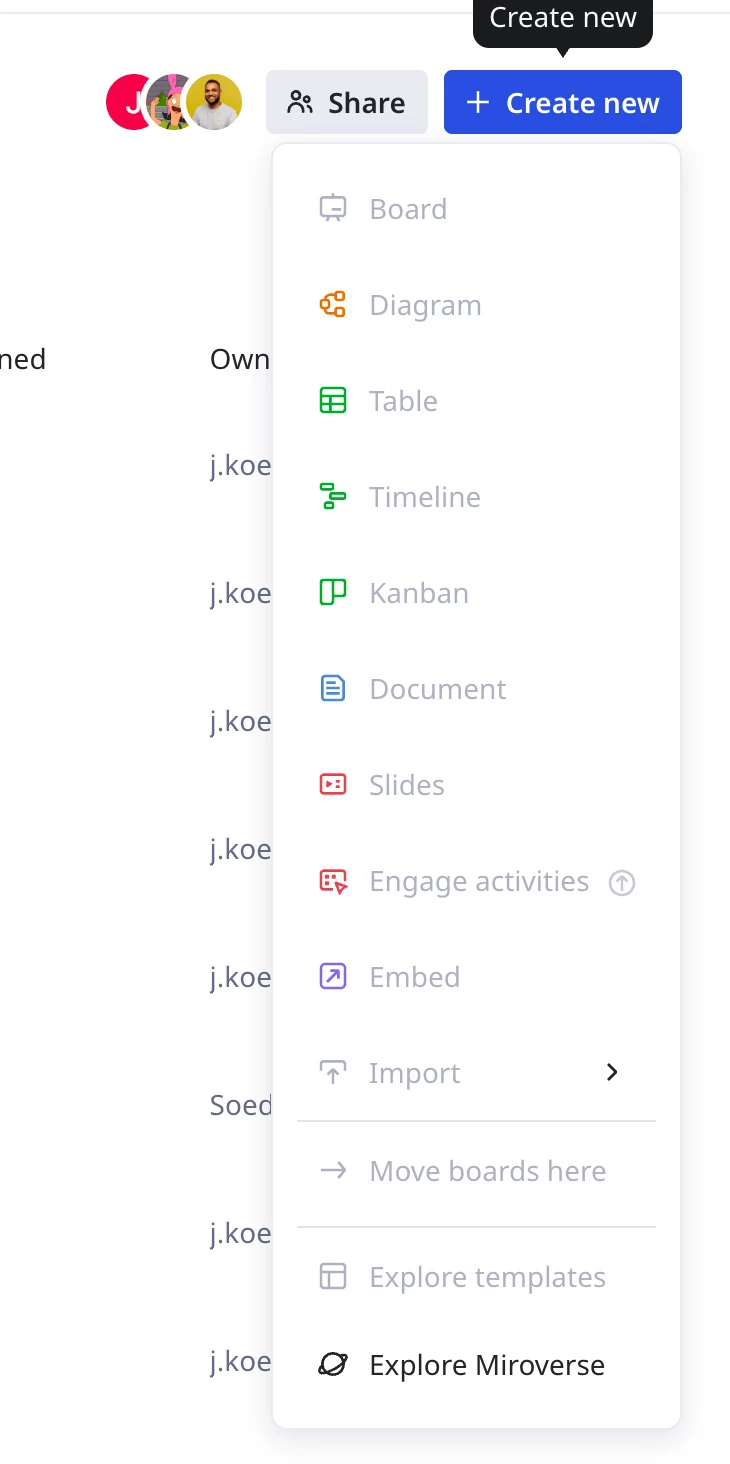
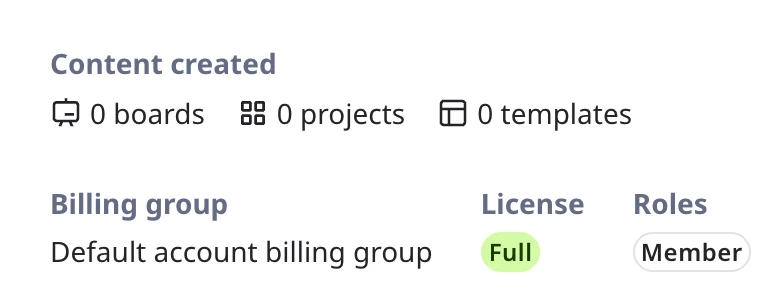
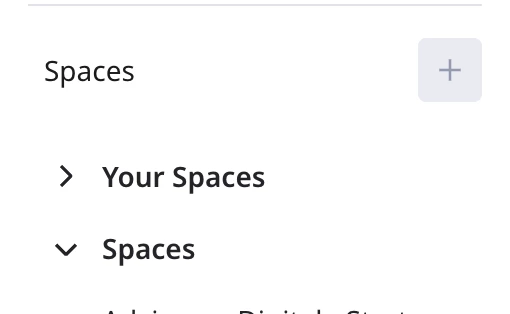
I am currently on an enterprise plan with the whole organisation (2000+ members) me and a few other colleagues have never had the access to add any boards or projects/spaces in our Miro teams. We are full team members with all access, but we can’t seem to make any boards etc. See the screenshot everything is just greyed out... What is the solution here? We can’t really seem to use miro in this way :(
 

Best answer by Robert Johnson

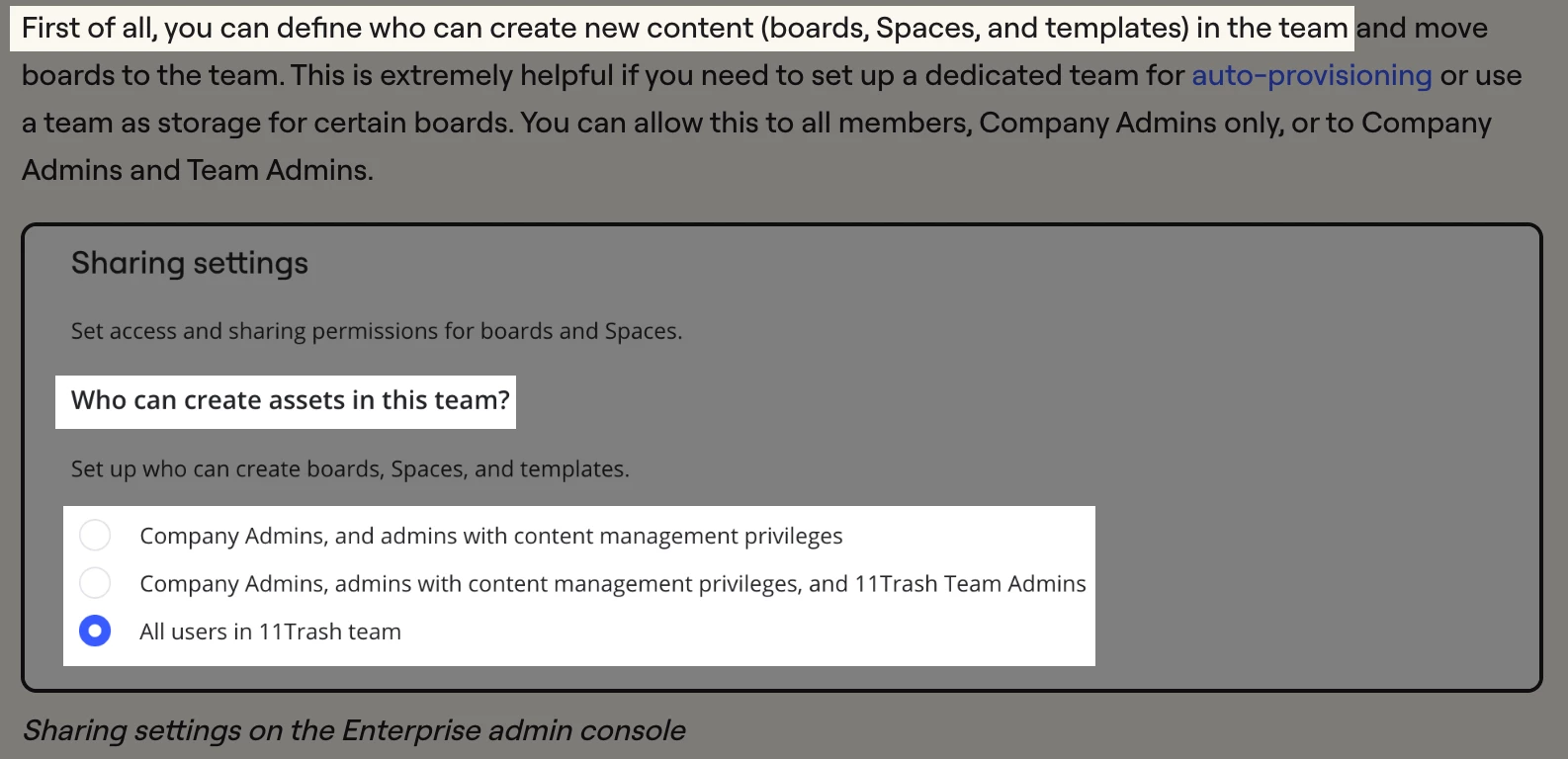
@L Van Klaveren What you are experiencing is 100% a valid set up in an Enterprise subscription where a company admin can configure a team so that only admins can create content in it, e.g., from the Team permissions on Enterprise plan help center article:


You should reach out to a company admin of your Enterprise subscription. You may be able to find an admin by looking at the team settings → Users page — you should be able to get to the backend settings by following this link: https://miro.com/app/settings/user-profile/

You may also want to utilize your internal IT/service desk.

You can also open a support ticket with Miro and they maybe able to identify the admins for you:

https://help.miro.com/hc/en-us/articles/360020185799-Contacting-Miro-Support#h_01F010RXA0E1S9C0WFQYX75R6C


1 reply

Robert Johnson
Forum|alt.badge.img+13
  • Volunteer Community Moderator
  • Answer
  • August 6, 2026

@L Van Klaveren What you are experiencing is 100% a valid set up in an Enterprise subscription where a company admin can configure a team so that only admins can create content in it, e.g., from the Team permissions on Enterprise plan help center article:


You should reach out to a company admin of your Enterprise subscription. You may be able to find an admin by looking at the team settings → Users page — you should be able to get to the backend settings by following this link: https://miro.com/app/settings/user-profile/

You may also want to utilize your internal IT/service desk.

You can also open a support ticket with Miro and they maybe able to identify the admins for you:

https://help.miro.com/hc/en-us/articles/360020185799-Contacting-Miro-Support#h_01F010RXA0E1S9C0WFQYX75R6C