
Board Unresponsive After Using AI Timeline Feature

  • February 3, 2026
  • 2 replies
  • 31 views

Hi Miro Team,

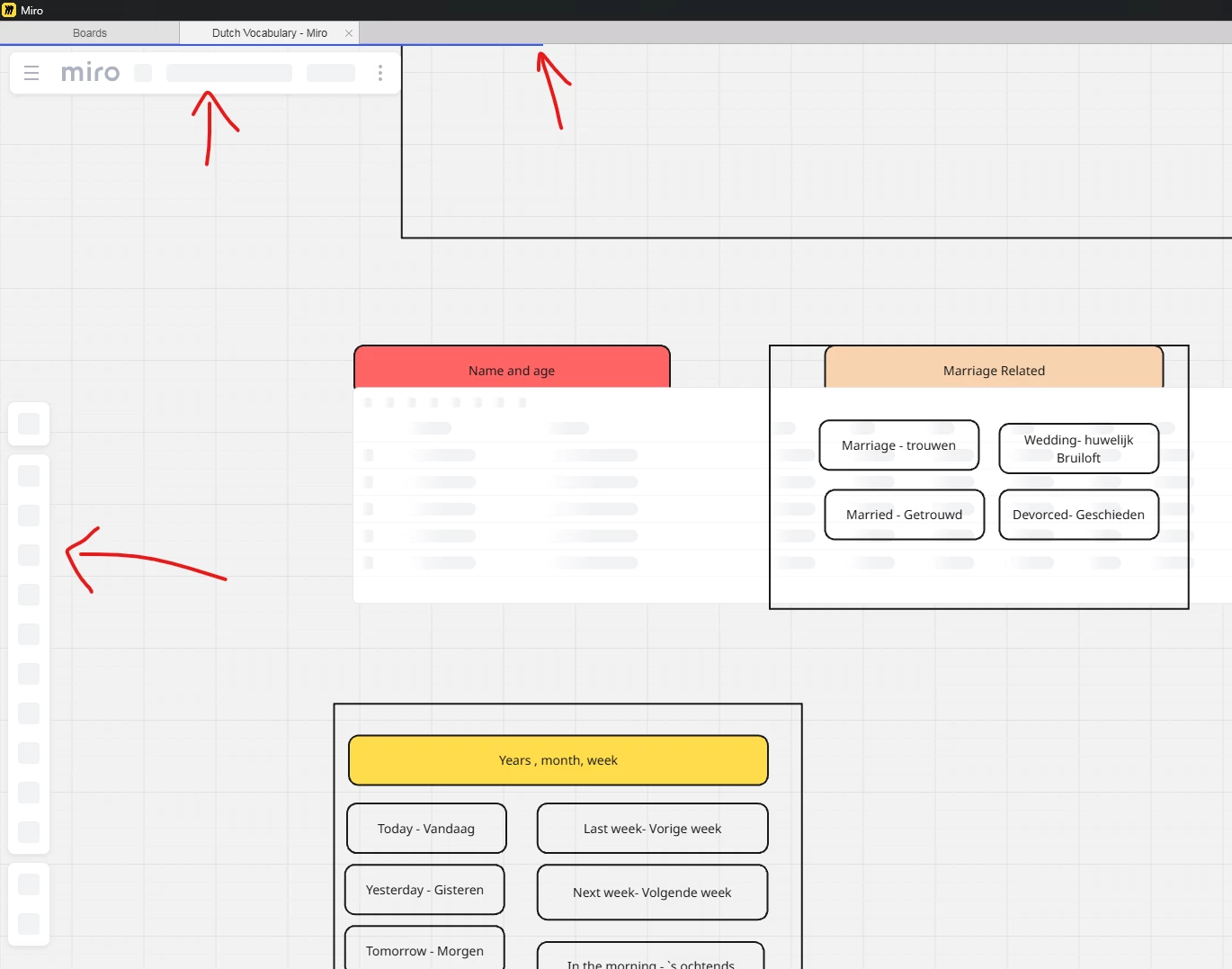
I am reaching out regarding a critical issue with one of my boards. While attempting to use the new AI Timeline feature, the board became completely unresponsive and has remained stuck in a "loading" or "frozen" state ever since.

Issue Description: I initiated the Timeline tool and provided the requested details in the chat session. Once I clicked "OK" and the generation process began, the board crashed. Now, whenever I attempt to open this specific board, it freezes immediately.

Troubleshooting already performed:

  • Cleared browser cache and cookies.

  • Attempted access via Incognito/Private mode.

  • Attempted access via the Miro Desktop App and the Mobile App.

  • Verified that other boards are working correctly (the issue is isolated to this specific board).

  • Duplicated the board and tried, new board also getting stuck

This board contains over a month of critical work. It appears the AI-generated object has caused a rendering loop that prevents the board from loading.

Request: Could you please investigate this board server-side? If possible, I would like to roll back the board to a previous version (prior to the timeline generation) so I can recover my data.

I read your comment 

But this issue is real and its is happening.


2 replies

  • Author
  • Beginner
  • February 3, 2026

Few Screenshots to support the issue:

Miro App: 

Internet Explorer Browser:


  • Author
  • Beginner
  • February 4, 2026

Hi Miro Team,

I am reaching out regarding a critical issue with one of my boards. While attempting to use the new AI Timeline feature, the board became completely unresponsive and has remained stuck in a "loading" or "frozen" state ever since.

Issue Description: I initiated the Timeline tool and provided the requested details in the chat session. Once I clicked "OK" and the generation process began, the board crashed. Now, whenever I attempt to open this specific board, it freezes immediately.

Troubleshooting already performed:

  • Cleared browser cache and cookies.

  • Attempted access via Incognito/Private mode.

  • Attempted access via the Miro Desktop App and the Mobile App.

  • Verified that other boards are working correctly (the issue is isolated to this specific board).

  • Duplicated the board and tried, new board also getting stuck

This board contains over a month of critical work. It appears the AI-generated object has caused a rendering loop that prevents the board from loading.

Request: Could you please investigate this board server-side? If possible, I would like to roll back the board to a previous version (prior to the timeline generation) so I can recover my data.

I read your comment 

But this issue is real and its is happening.



@Eca  Can you please revert my changes did on 02/02/2026 from my board “Dutch Vocabulary” to previous date, this will fix my issue
