Best way to chat with a remote member on a board?

  • January 12, 2026
  • 3 replies
  • 17 views

I just had a brief collaborative session with a remote colleague on a board. We were working on a diagram.

We used text boxes to ask questions and explain our ideas. It seemed counterintuitive to work this way as it created a mess.

Have I missed a chat feature or any other way to have this quickfire discussion on the board? Or is a Teams call at the same time the best way forward?


3 replies

Eca
Mironeer
Forum|alt.badge.img+2
  • Mironeer
  • January 12, 2026

Hi ​@Dean Rowntree, thanks for reaching out!


You’re not missing anything obvious, using text boxes for quick back-and-forth can get messy.


Here are a few built-in options in Miro that usually work better for “quickfire” collaboration:

Comments

  • Select any object (or area) and add a comment instead of a text box.

  • Comments stay threaded, can be resolved, and don’t clutter the canvas.

  • You can @mention your colleague to grab their attention.

  • Works well if you’re reacting to specific parts of the diagram.

Miro Talktrack

  • If one of you needs to explain thinking rather than chat back and forth, Talktrack lets you record a short walkthrough tied to the board.

  • Better for explanation than rapid discussion, but keeps context intact.

Live collaboration + cursor following

  • When you’re both on the board at the same time, you can:

    • Follow each other’s cursors

    • Use Reactions (thumbs up, emojis) for lightweight feedback

Teams and Zoom

For fast brainstorming or debate, a Teams/Zoom call alongside Miro is still the smoothest option. Many teams pair:

  • Voice/video for discussion

  • Miro for visual thinking and decision capture


Hope this helps!


Robert Johnson
Forum|alt.badge.img+13
  • Volunteer Community Moderator
  • January 12, 2026

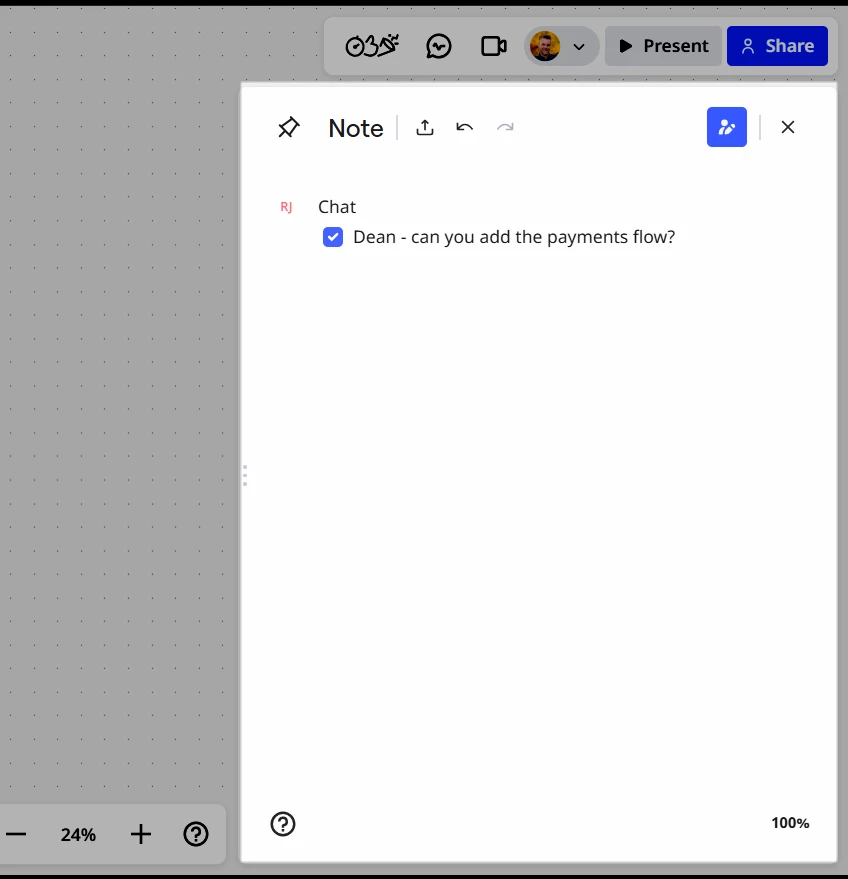
@Dean Rowntree Another option is the visual notes panel. What I like about this is that it is docked/pinned, so it’s always on screen. And, you can create checkboxes to assigned each other tasks, e.g., type [] + space and ask your team mate to do something - their checking the box signals it is done.

For example:


  • Author
  • Beginner
  • January 13, 2026

@Eca ​@Robert Johnson thank you for the suggestions! The comment and note features are probably the most useful and I’ll be sure to try those out next time.