
Answered

Backups restore

  • October 23, 2024
  • 3 replies
  • 183 views

Hi there!
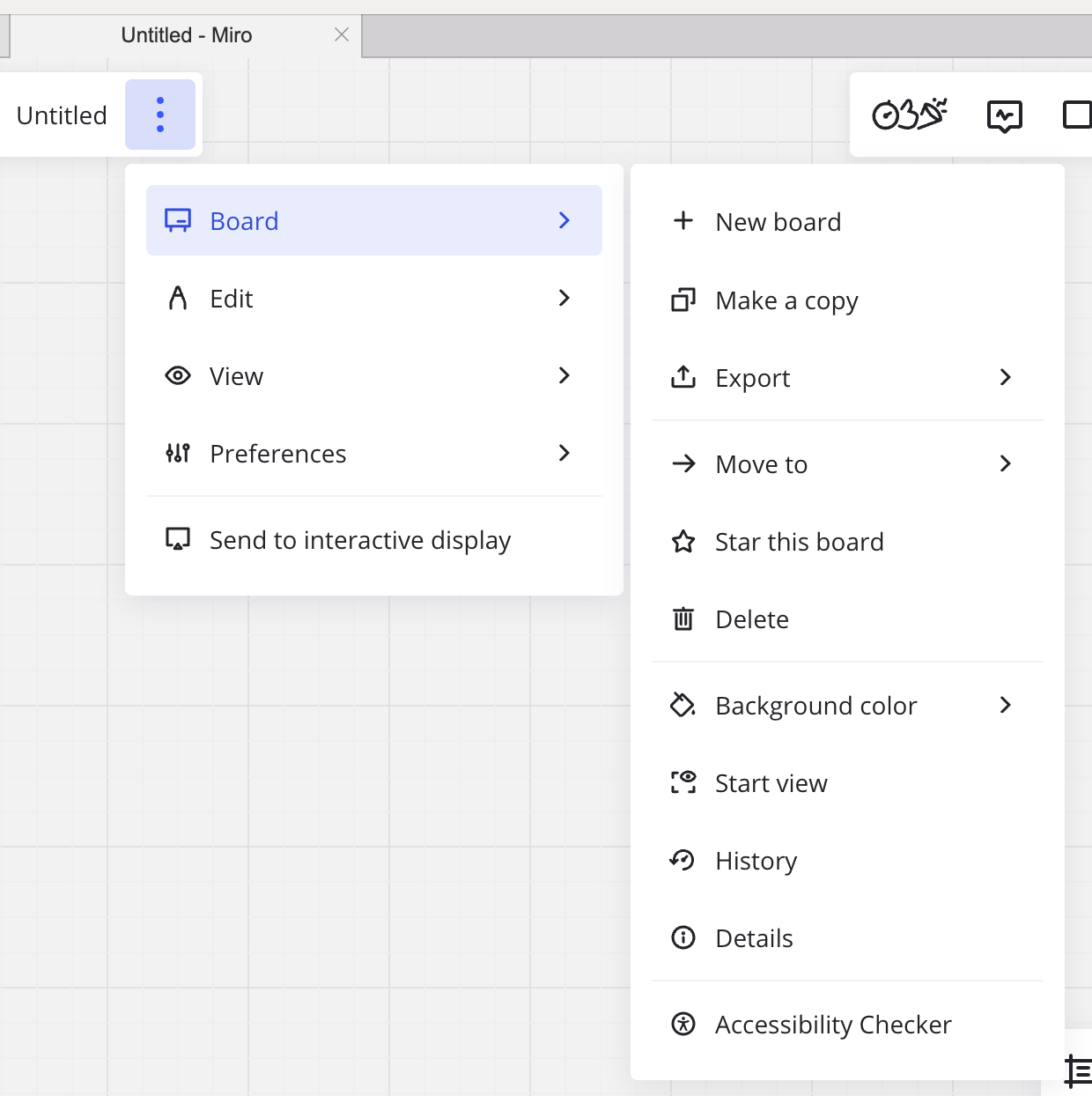
Does anyone know how to restore a backup? I have looked through all the materials I fond but I still cannot see the button "Import" albeit I have paid account :(

 

Best answer by Eca

Hi @Iride,


Thanks for reaching out!


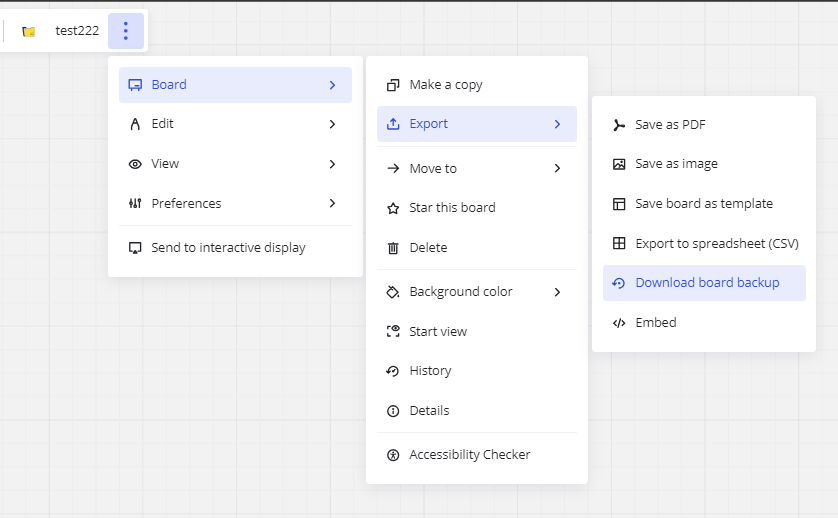
Kindly check if backup button is found when the export dropdown is clicked. Please check the screenshot below:
 

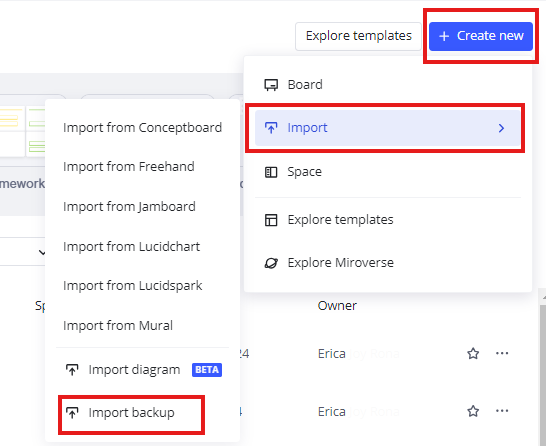
To restore the board backup, check the screenshot below:
 

Hope this helps!

3 replies

Eca
Mironeer
Forum|alt.badge.img+2
  • Mironeer
  • Answer
  • October 23, 2024

Hi @Iride,


Thanks for reaching out!


Kindly check if backup button is found when the export dropdown is clicked. Please check the screenshot below:


To restore the board backup, check the screenshot below:


Hope this helps!


  • Author
  • New Here
  • October 23, 2024

Hi @Eca ,

thank you so much for your answer. 

This button for downloading backup. But I’m trying to find “import” button. I’ve already done the backup and trying to restore it. 


Eca
Mironeer
Forum|alt.badge.img+2
  • Mironeer
  • October 24, 2024

Hi @Iride,


Thanks for pointing it out!


Restoring the backup file by importing it should be done on the dashboard, not within the board. I included the steps on how to import the board backup in my 1st reply. Please refer to the screenshot provided.


Thanks for your patience!
