Answered

AI credits

  • November 4, 2024
  • 6 replies
  • 125 views

I can’t activate AI credits to remove background from pictures? How can I fix that? 

Best answer by ElvaMiro

Hi @Alina Babaeva 

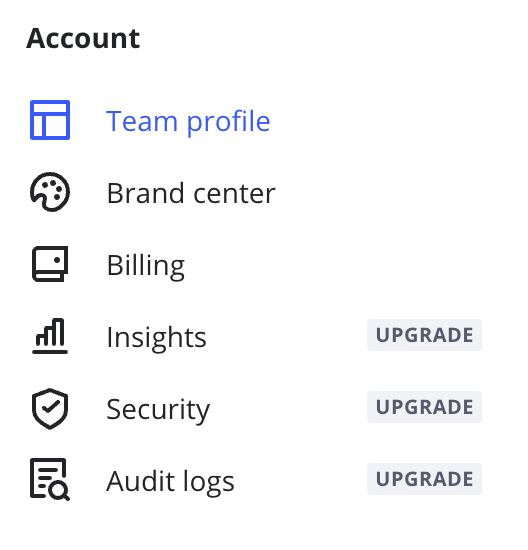
In Starter and Business plans, you’ll find the AI Credits section on your Billing settings page that will show your credit usage and the number of credits left.

More details about AI Credits are in this article: https://help.miro.com/hc/en-us/articles/19756209116178-Miro-AI-Credits-and-AI-Add-On

Hope this helps.

6 replies

ElvaMiro
Mironeer
Forum|alt.badge.img+2
  • Mironeer
  • November 4, 2024

hi @Alina Babaeva 

Is it possible that you’ve used up all your AI credits? Different actions can use up AI credits (More here: https://help.miro.com/hc/en-us/articles/20970362792210-Miro-AI-overview).


Each account gets a certain amount of credits, and if you use them up, you have to upgrade for more. Details here: https://help.miro.com/hc/en-us/articles/19756209116178-Miro-AI-Credits-and-AI-Add-On


  • Author
  • Beginner
  • November 4, 2024

Unfortunately, that’s not about it( I don’t even have this tool to remove background on my account, so I’d like to add it somehow 


Robert Johnson
Forum|alt.badge.img+13
  • Volunteer Community Moderator
  • November 4, 2024

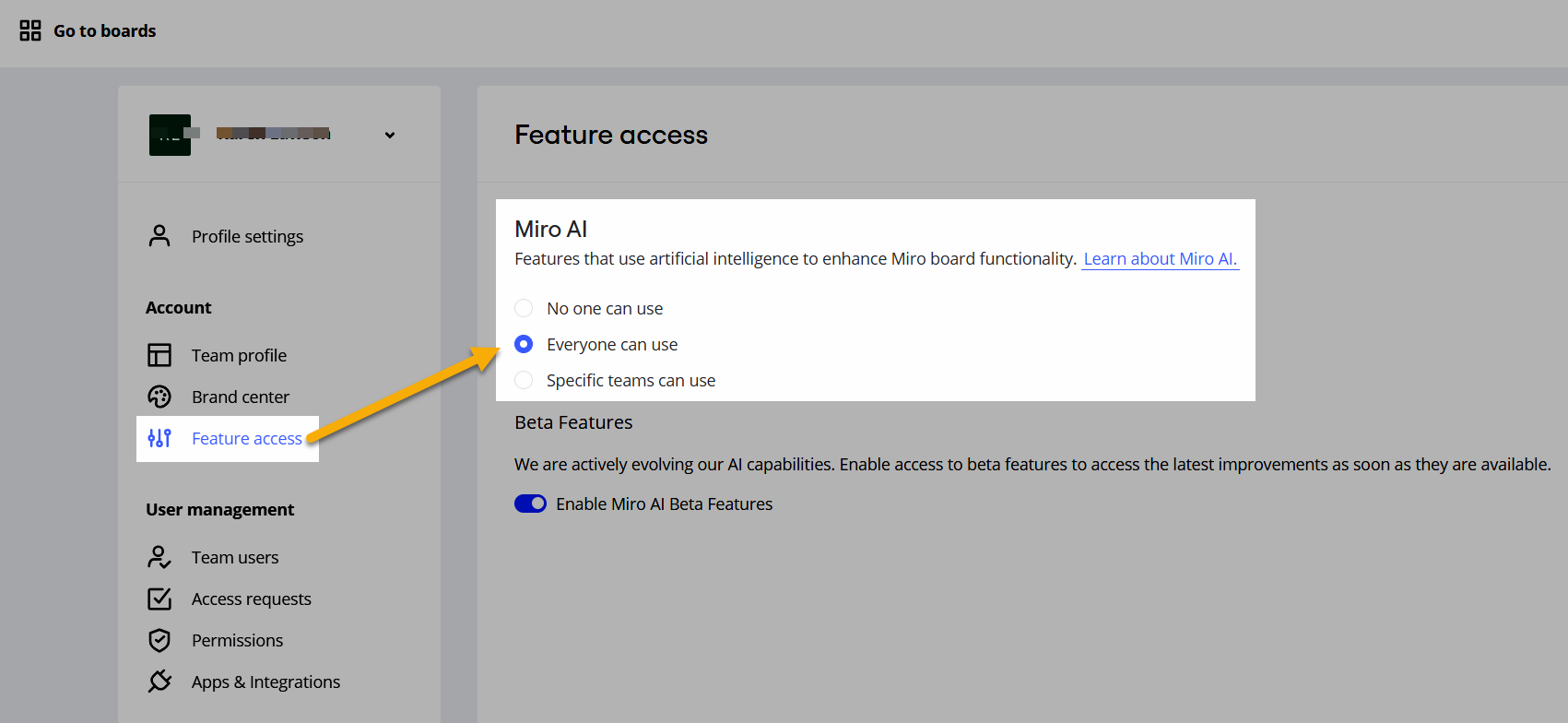
@Alina Babaeva - If you are using the Education Plan, you may need to enable Miro AI under Feature access:


  • Author
  • Beginner
  • November 5, 2024


  • Author
  • Beginner
  • November 5, 2024

I used to have educational plan, but I switched it to starter in summer. I don’t have any options like these in my settings (


ElvaMiro
Mironeer
Forum|alt.badge.img+2
  • Mironeer
  • Answer
  • November 5, 2024

Hi @Alina Babaeva 

In Starter and Business plans, you’ll find the AI Credits section on your Billing settings page that will show your credit usage and the number of credits left.

More details about AI Credits are in this article: https://help.miro.com/hc/en-us/articles/19756209116178-Miro-AI-Credits-and-AI-Add-On

Hope this helps.