

Question

After cancelling business plan trial, I can't choose the free plan.

  • June 5, 2026
  • 1 reply
  • 9 views

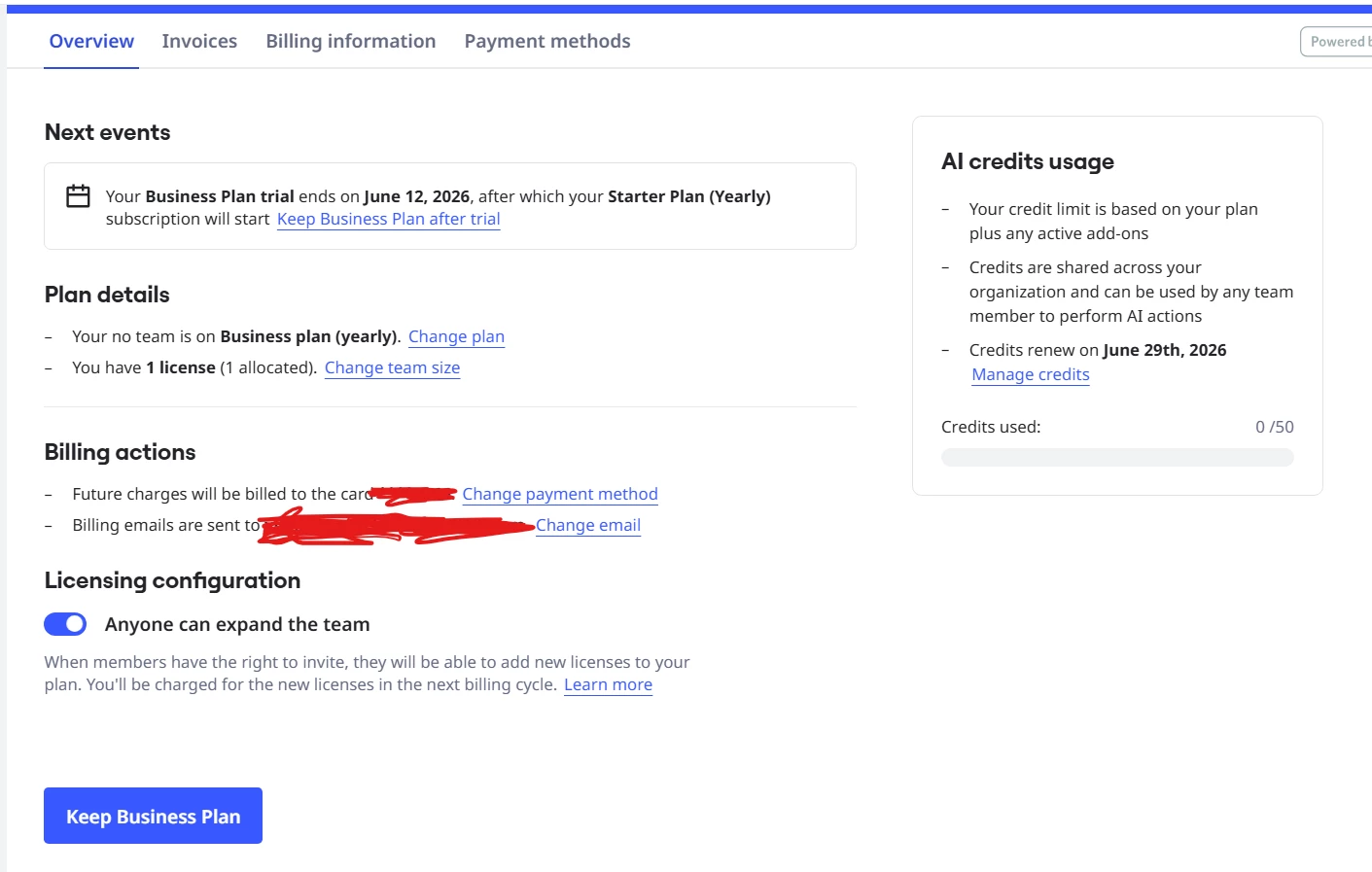
I am currently on a Business trial from a Free plan. I want to revert back to the Free plan, so I clicked the cancel trial button. However, it is said that my plan will automatically be reverted to Starter plan after the trial period. How do i downgrade to free plan?


1 reply

Eca
Mironeer
Forum|alt.badge.img+5
  • Mironeer
  • June 5, 2026

Hi ​@violin monica thanks for reaching out!

To cancel and revert to your Free plan after the trial period expires, follow these steps:

  1. In the top-right click your profile avatar, then click Profile settings | Settings.
  2. Go to Billing.
  3. In the Licensing configuration section, click Cancel trial.
  4. Click Continue.
  5. Select Cancel trial, then click Cancel subscription.
  6. Select a reason for cancelling the Business plan trial.
  7. Click Cancel trial.
    A message shows confirming that you have cancelled your Business trial. You can continue to use Business features until the trial period expires.

After cancelling the trial, your account will expire and your account enters a view-only mode. To reactivate your account after the trial ends, choose a paid plan or revert to your Free plan in the pricing page when you log into Miro after the trial ends.

NOTE: If you do not cancel during the trial period, then your subscription transitions automatically to the Business plan with charges reflected on your next invoice.
