Answered

Adding onto Process template

  • Mar 9, 2021 9:56 PM UTC
  • 4 replies
  • 388 views

I started creating the storyboard for a course I am designing using a process map template, but I can’t figure out how to add more stages- I will need quite a lot.


Thank you!

cindi

Best answer by Robert Johnson
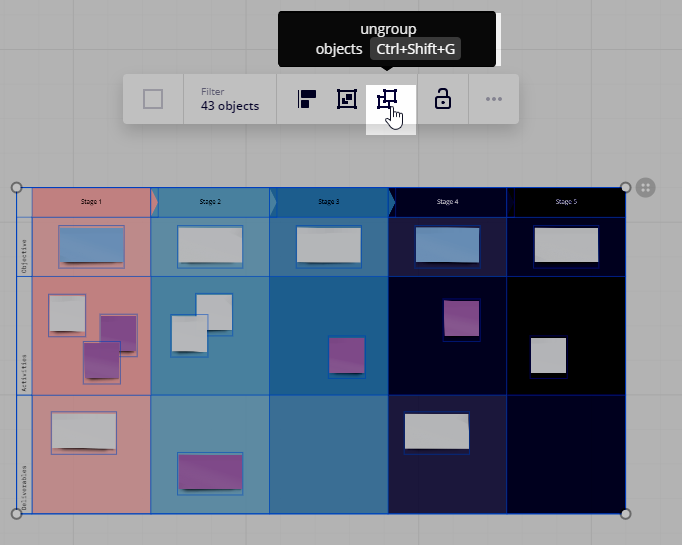
@CindiA - You need to ungroup objects first:


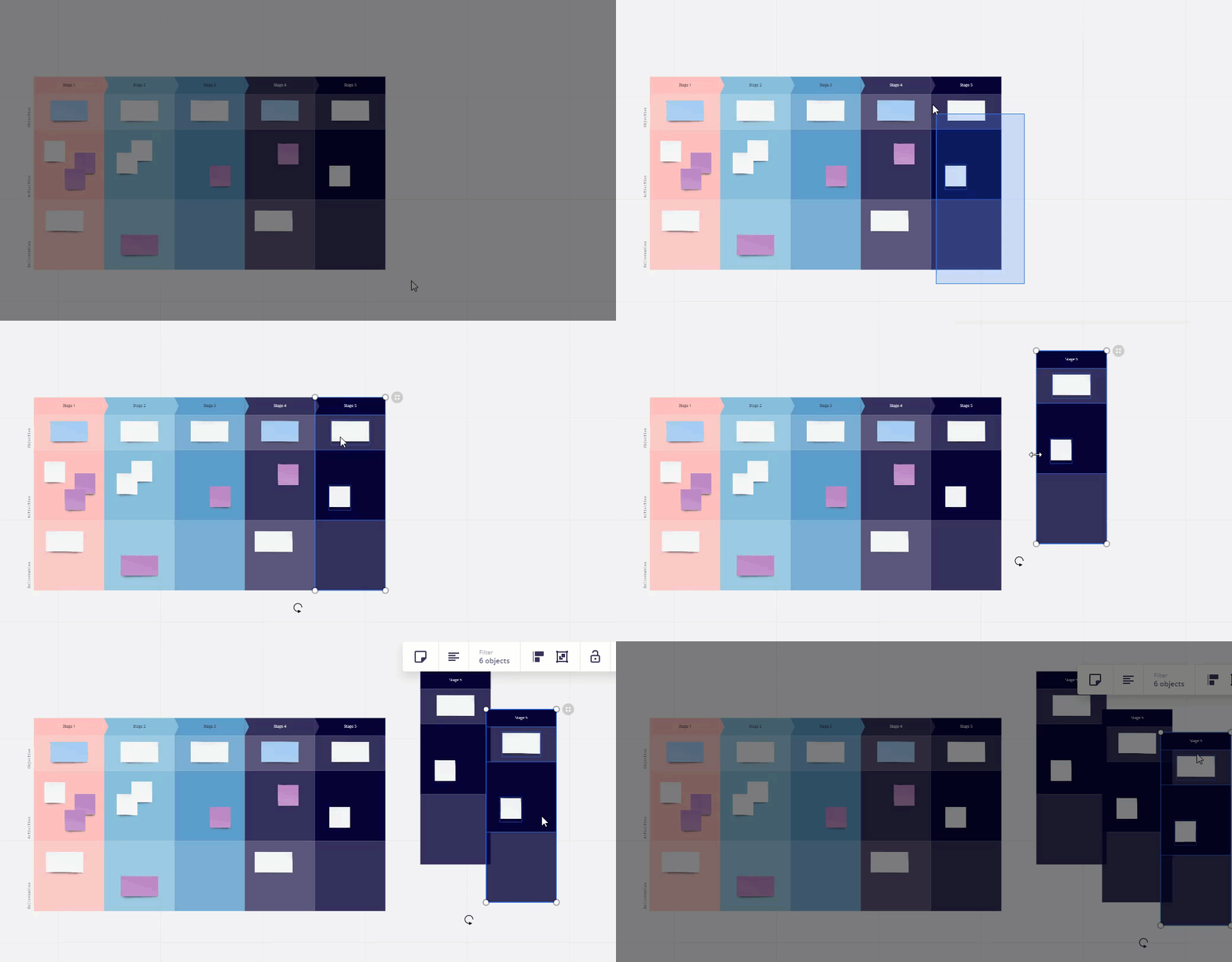
Then you can select some objects and copy and paste them:
 

I would suggest watching (and following along with) this video to learn even more about Miro, even if you watch the video at 1.25x speed :)


View original

4 replies

Robert Johnson
Forum|alt.badge.img+13
  • Volunteer Community Moderator
  • Mar 9, 2021 10:08 PM UTC

@CindiA - You mention “Process template” in the title and then “storyboard”, so I’m know sure which template you are referring to. However, the process is usually the same for all of Miro’s templates. The objects are “grouped’, so you will need to “ungroup” them. Next, you can select and then copy-and-paste what you need using Ctrl/Cmd+C/V.

In this example,

  1. I added the Storyboard template to a board.
  2. Then I selected the top-right object and used the Ungroup option from the context menu.
  3. Then I selected an entire column using Shift+drag.
  4. Once selected, I used Ctrl+C and the Ctrl+V to copy and paste a new column.


  • Author
  • Beginner
  • Mar 10, 2021 1:47 PM UTC


Thank you, Robert! I am using the process template (I’m just using it to think out a storyboard). I tried copy and paste, and whenever I try to select just a column, it copies the entire board- but without the top banner (the arrowed ones), and then it is difficult to line up with the previous sections that I have  created. Maybe I just need to switch to a different template before I get too far in :).


Robert Johnson
Forum|alt.badge.img+13
  • Volunteer Community Moderator
  • Answer
  • Mar 10, 2021 1:54 PM UTC

@CindiA - You need to ungroup objects first:


Then you can select some objects and copy and paste them:


I would suggest watching (and following along with) this video to learn even more about Miro, even if you watch the video at 1.25x speed :)


  • Author
  • Beginner
  • Mar 10, 2021 2:20 PM UTC

THANK YOU!!!