access the miro board dashboard in a new tab, instead of leaving the board I am currently on

  • Jul 13, 2022 10:04 PM UTC
  • 4 replies
  • 282 views

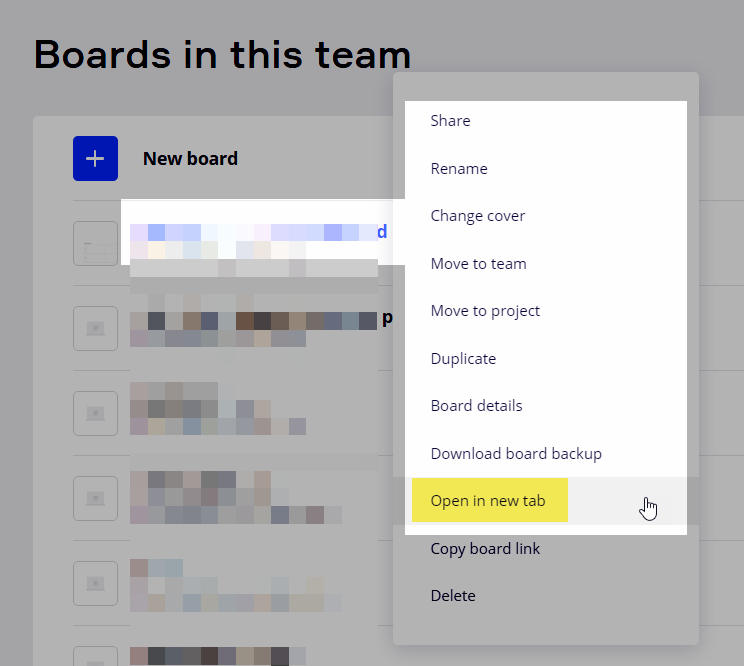
When I am on a board, I cannot right click MIRO in the upper left corner and open it in the new tab. You can click/right click on a board and get a menu that says open in new tab. I want to open the boards dashboard from within a board to a new tab instead of leaving the current board I am working on.

4 replies

Robert Johnson
Forum|alt.badge.img+13
  • Volunteer Community Moderator
  • Jul 14, 2022 1:30 AM UTC

@Michael Saxbury - From my PC (laptop, Windows 11, Chrome browser) I have found that holding Ctrl while left clicking on the Miro logo opens the dashboard in a new tab.


awesome thx!


Brandon Lee
Forum|alt.badge.img+1
  • Experienced Community Member
  • Jul 18, 2022 4:09 PM UTC

Alternatively you can try the Desktop App as the Home Page (Dashboard) is always open… however constant Ctrl + r is required to Refresh View.


Robert Johnson
Forum|alt.badge.img+13
  • Volunteer Community Moderator
  • Aug 31, 2022 7:35 PM UTC

Baby steps: You can now open a board in a new tab from the dashboard (at least I think this is new...):