Answered

A lot of icons are missing in the library Iconfinder

  • November 7, 2025
  • 5 replies
  • 305 views

I've given up searching for existing conversations about this issue, so I'm creating a separate post.

As a teacher, I wanted to make educational game boards again, but discovered that the icon library selection has been significantly reduced — no animals, festive icons, nature elements, water objects, or many other categories that were previously available.

The absence of these elements drastically reduces my productivity. I used to create engaging game boards for my students in just 30 minutes, but now I'm forced to find images elsewhere, remove backgrounds manually, extending the process to several days. Teachers are already overburdened, so why make our work even more challenging, especially for educational accounts?

I'm willing to switch to alternative platforms if the previous library isn't restored. Does Miro have any plans to bring back the full icon collection for educational users?

Best answer by Robert Johnson

@Анастасия Коваленко I merged your post into this one.

There has been no communication from Miro that I’m aware of, but it looks like Freepik acquired Iconfinder — here’s a post about this on Reddit:

https://www.reddit.com/r/graphic_design/comments/1ocueeg/iconfinder_is_closing_seeking_commercialsafe/

The above post states:

UX designer & software developer here, Iconfinder was my go-to for years for academic-use & commercial-safe vector icons. So far it doesn't seem like this is a migration to their sister site, as much as a complete shutdown. Their parent, Freepik, is all-in on genAI, which is a no-go.


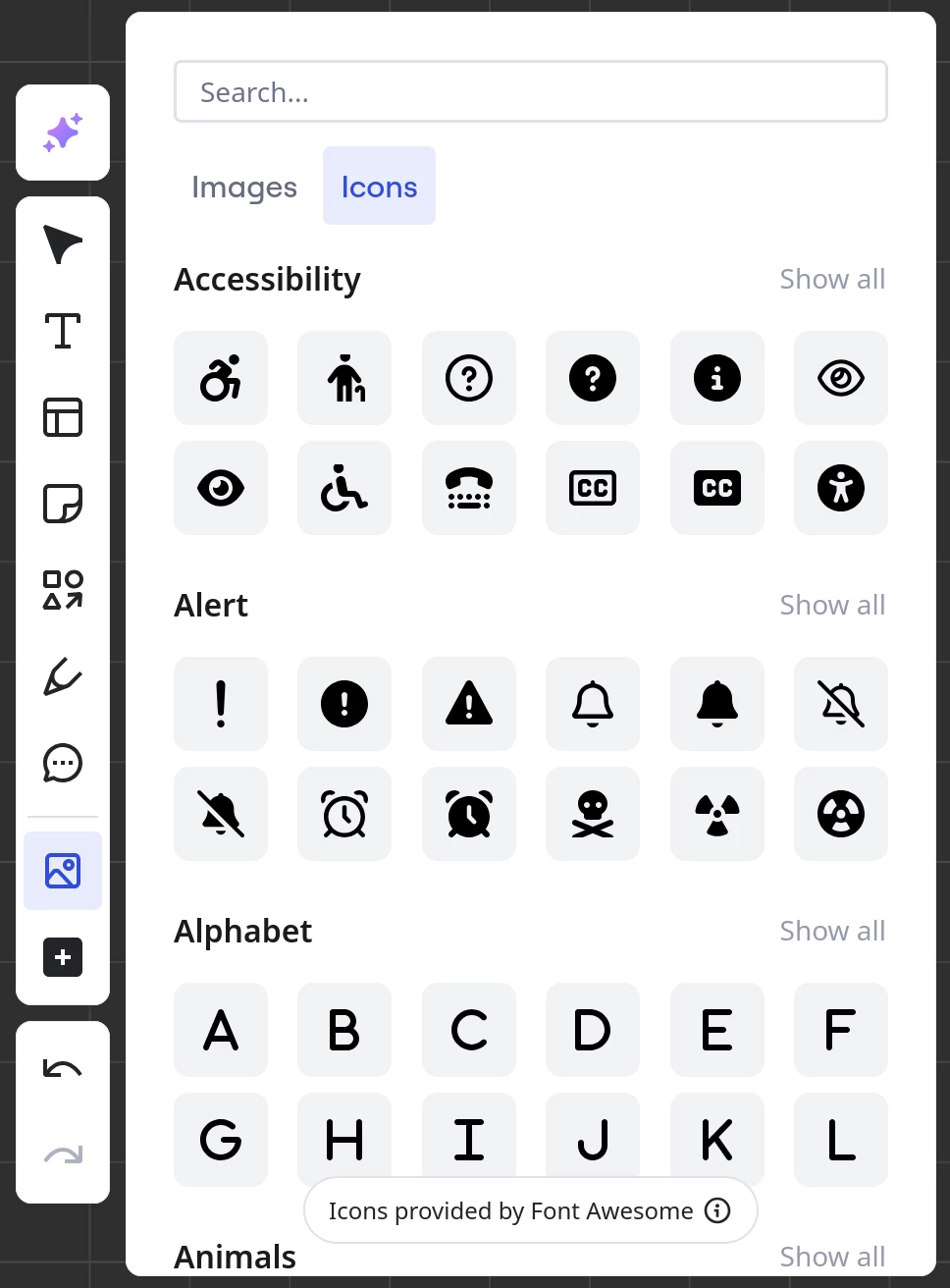
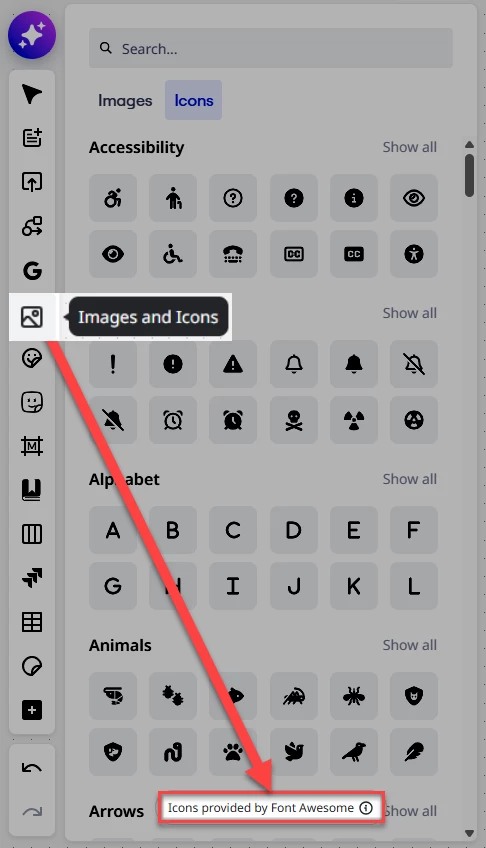
From looking at Miro’s Images and Icons app, it looks like they switched to Font Awesome:

The link from the above screenshot’s “i” info icon:

https://fontawesome.com/license/free

And it looks like this is not bundled with Unsplash app, which is now called: Images & Icons: Unsplash:

https://miro.com/marketplace/unsplash/

To test this, I removed the Iconfinder app from one of my Miro teams, but left Unsplash and it the Images & Icon app still had both the Images and Icons tabs.

Bottom-line: It looks like Iconfinder is no more in Miro (or at all) and Font Awesome (free version) is the replacement.

Further support of all of this can be found in Miro’s Images and Icons help center article (search for “fontawesome”):

https://help.miro.com/hc/en-us/articles/16631693545490-Images-and-Icons

And… the Iconfinder page in the Miro Marketplace is now 404:

https://miro.com/marketplace/3074457346182612610/


Confirmation from Miro

@Eca Perhaps someone at Miro can confirm all of this?

A note for the HC team: The Images and Icons article references “Fontawesome” — I believe it should be “Font Awesome”.

5 replies

Eca
Mironeer
Forum|alt.badge.img+2
  • Mironeer
  • November 7, 2025

Hi ​@Elizaveta Shalimova, thanks for reaching out!


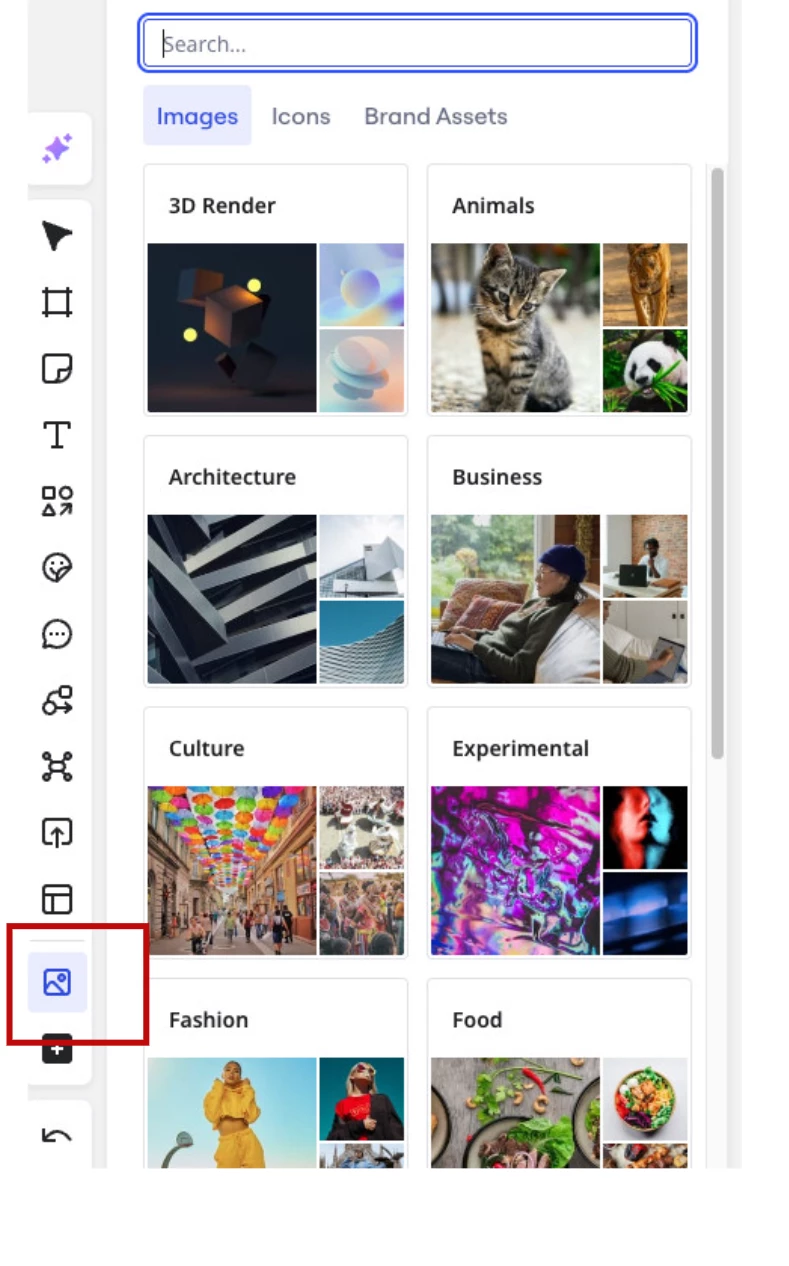
Are you referring to the icon selection under Images and Icons, like the one shown in this screenshot below?
 

This will help us confirm if the issue is with the built-in Miro image and icon library or if something else is missing from your view.


 ​@Eca  Thank you for your reply, but you seem to have misunderstood my concern. I'm contacting you about the significant reduction in Miro's entire image and icon library.

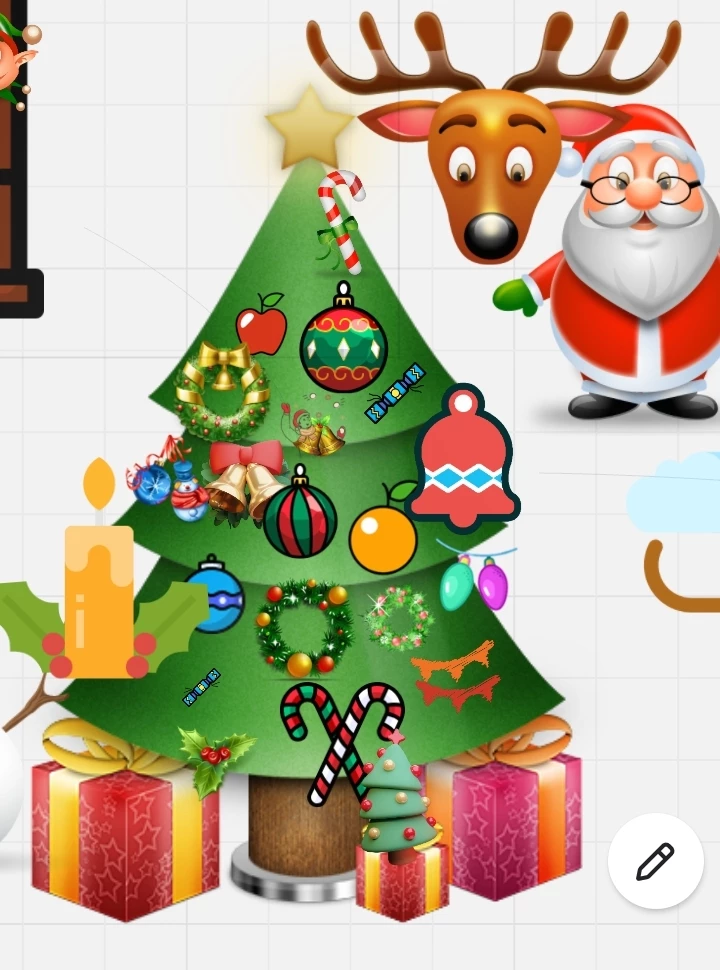
Previously, the library contained a wide variety of categories: holiday icons (Christmas/New Year as shown in the screenshot), cartoon animals, various box designs, household items, and many other non-business elements.After the update, the library now primarily contains business icons only, losing most of its previous diversity. I would like to know:1. Is it possible to regain access to the entire previous library with all its categories?2. If not, do you plan to restore these removed categories in the future?3. Is there any alternative way to access these missing elements that I previously relied on?Thank you for your assistance. 


  • New Here
  • December 3, 2025

@Eca 

bleak and sad


This has a profound impact on my workflow as well, as I am a visual tinkerer and the multitude of icons of all shapes, colours and styles was one of the most powerful tools miro.com offered.
I get the focus on swappable and colourable icons, but the soul of it all is missing and I am hoping for a Christmas miracle to see the iconography as seen in ​@Elizaveta Shalimova’s picture return. 


Forum|alt.badge.img

I’ve ben using Miro since 2019
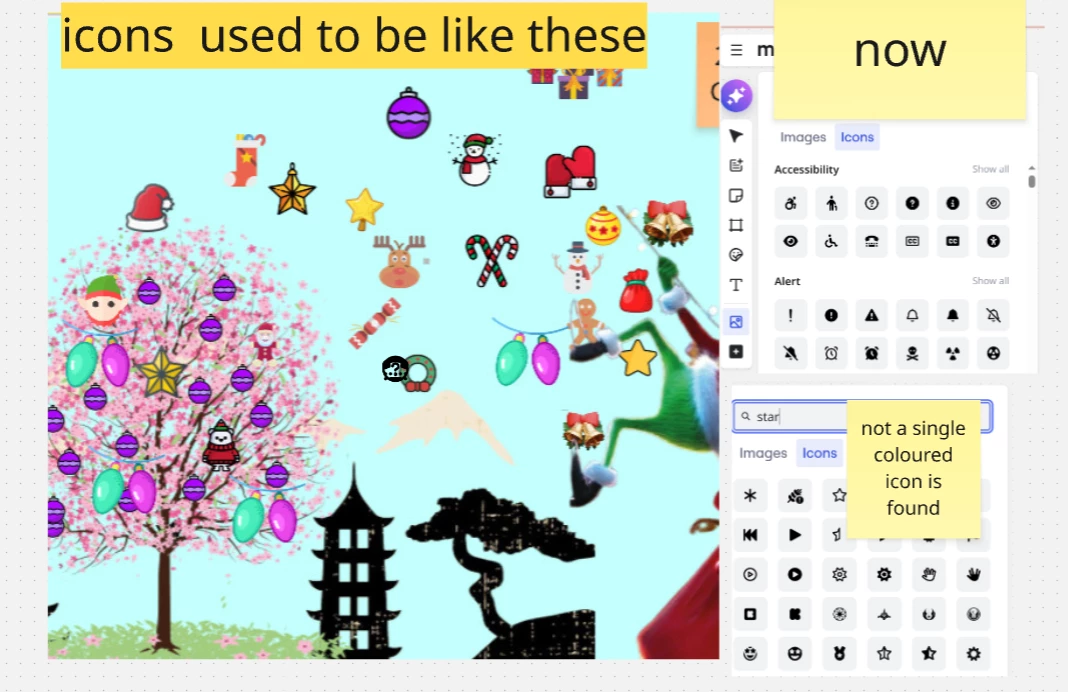
Now i am facing the problem with icon finder - all the variety of coloured  icons are gone - there are just black and white ones. How could I have coloured version back?


Robert Johnson
Forum|alt.badge.img+13
  • Volunteer Community Moderator
  • Answer
  • January 11, 2026

@Анастасия Коваленко I merged your post into this one.

There has been no communication from Miro that I’m aware of, but it looks like Freepik acquired Iconfinder — here’s a post about this on Reddit:

https://www.reddit.com/r/graphic_design/comments/1ocueeg/iconfinder_is_closing_seeking_commercialsafe/

The above post states:

UX designer & software developer here, Iconfinder was my go-to for years for academic-use & commercial-safe vector icons. So far it doesn't seem like this is a migration to their sister site, as much as a complete shutdown. Their parent, Freepik, is all-in on genAI, which is a no-go.


From looking at Miro’s Images and Icons app, it looks like they switched to Font Awesome:

The link from the above screenshot’s “i” info icon:

https://fontawesome.com/license/free

And it looks like this is not bundled with Unsplash app, which is now called: Images & Icons: Unsplash:

https://miro.com/marketplace/unsplash/

To test this, I removed the Iconfinder app from one of my Miro teams, but left Unsplash and it the Images & Icon app still had both the Images and Icons tabs.

Bottom-line: It looks like Iconfinder is no more in Miro (or at all) and Font Awesome (free version) is the replacement.

Further support of all of this can be found in Miro’s Images and Icons help center article (search for “fontawesome”):

https://help.miro.com/hc/en-us/articles/16631693545490-Images-and-Icons

And… the Iconfinder page in the Miro Marketplace is now 404:

https://miro.com/marketplace/3074457346182612610/


Confirmation from Miro

@Eca Perhaps someone at Miro can confirm all of this?

A note for the HC team: The Images and Icons article references “Fontawesome” — I believe it should be “Font Awesome”.