
When pasting markdown in a miro doc on a miro board, the code blocks are always formatted as inline code (eg as if it was ``) instead of code blocks (fenced blocks ```). It be great if it could parse and paste those correctly saving me the time to go back and have to re-format it myself.
For context, I use this to paste notes from cursor into miro, so it's a key part of my workflow, and it's adding a lot of drag.
to reproduce
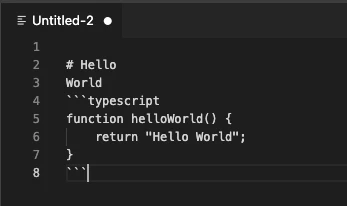
copy the content of a markdon file - example here and in screenshot
----
# Hello
World
```typescript
function helloWorld() {
return "Hello World";
}
```
----
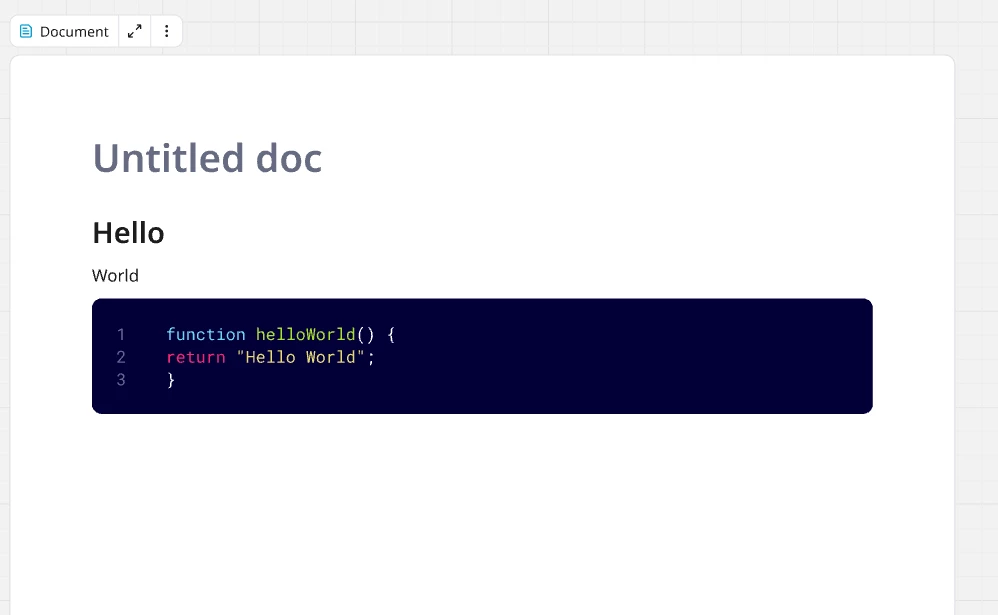
When you paste into a document in miro and it shows as inline code and not a code block - see other screenshot here.

ideally it would look like this instead
To clarify - this issue is when copying the rendered markdown preview in cursor (as a way to keep the formatting) - if copy the raw markdown file then it just pastes the raw markdown text without formatting.


