cancel subscription

  • January 3, 2026
  • 1 reply
  • 16 views

Forum|alt.badge.img

I would like to cancel my subscription but it seems to not be anywhere on your website on how to do it which is really quite poor on your part. How do I go about this please?

1 reply

Eca
Mironeer
Forum|alt.badge.img+2
  • Mironeer
  • January 5, 2026

HI ​@georgecanfield10

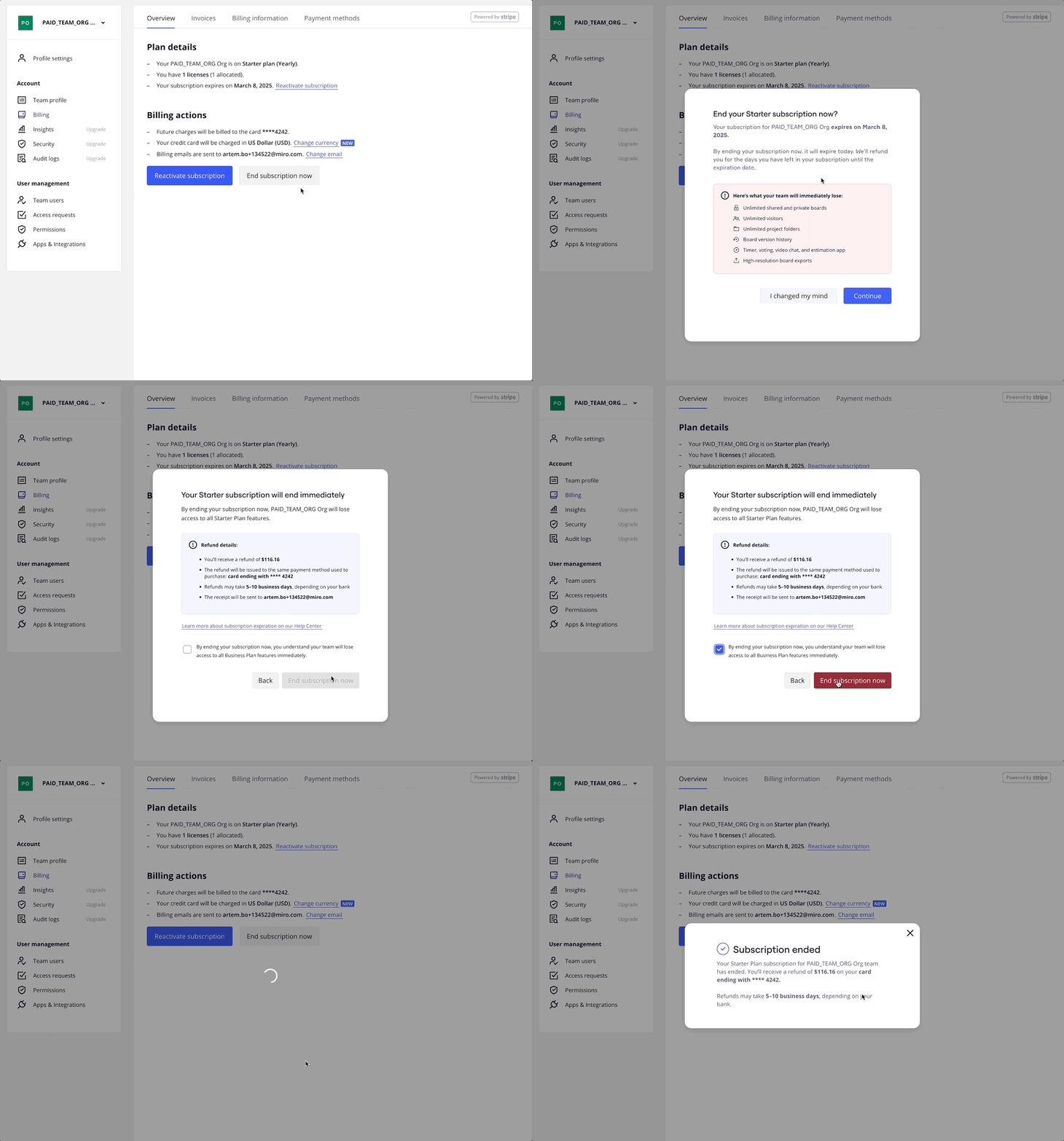
  1. Ensure you have switched to the team associated with the subscription you want to cancel.
  2. From your Miro dashboard, click your profile avatar in the top-right corner.
  3. Select Admin console | Settings.
  4. On the left sidebar, click Billing.
  5. In the Billing actions section, click Cancel subscription
    A dialog box appears.
  6. Click Continue to cancel.
     

If you encounter any issues cancelling, please let me know.