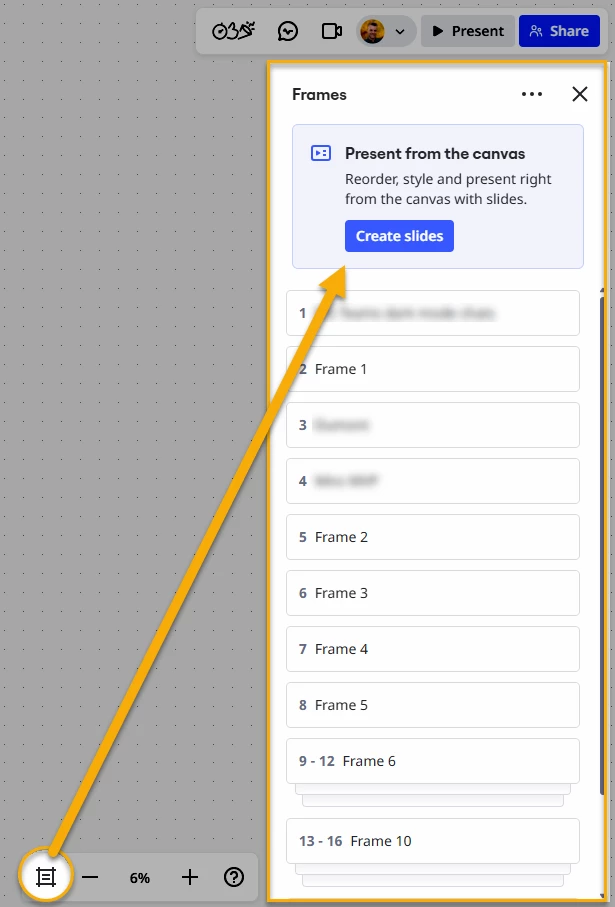
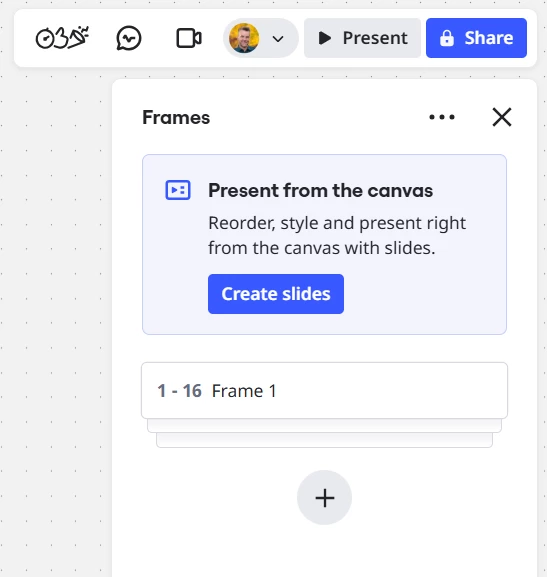
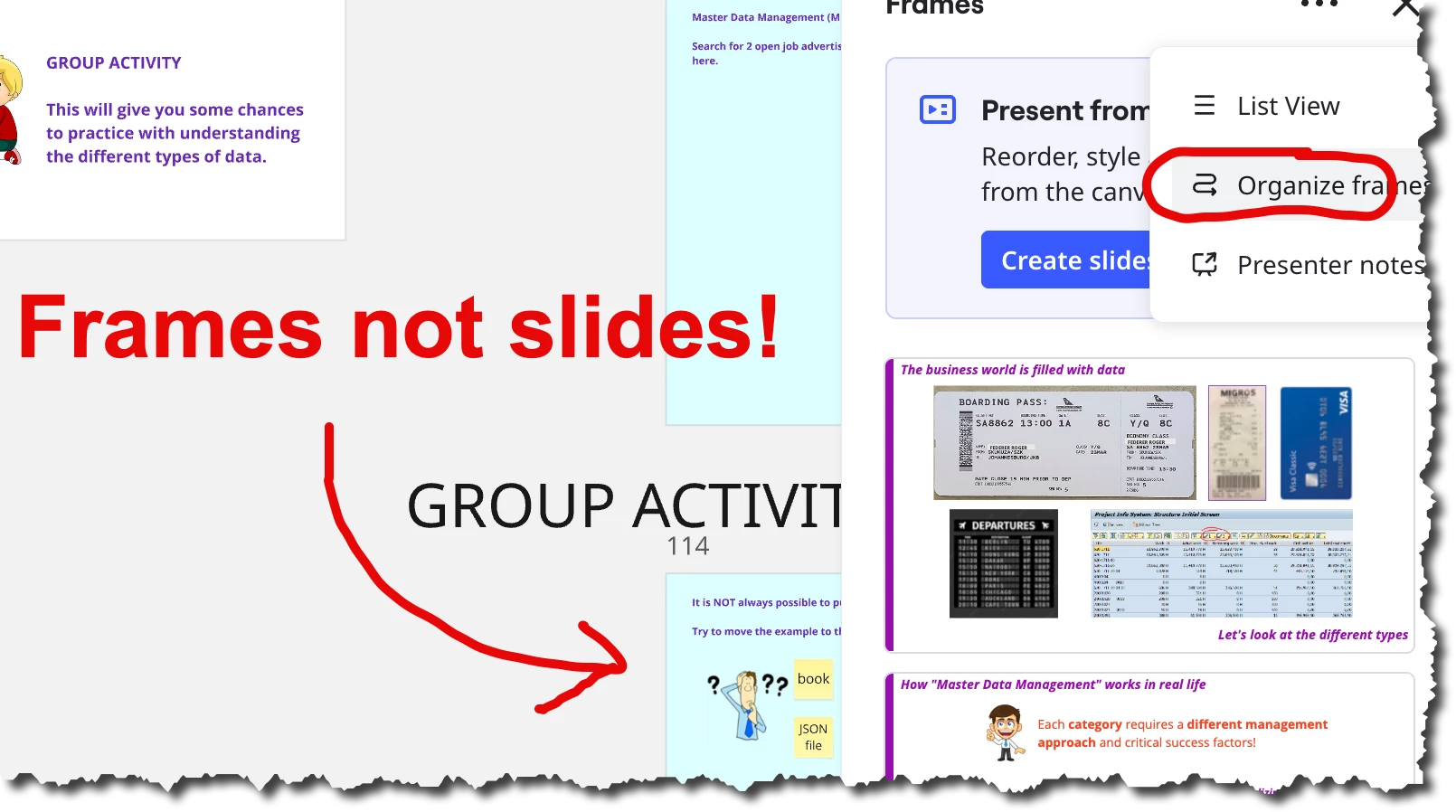
There used to be a ‘Re-organize Frames’ button that automatically sorted the frame sequence based on their positions, but now it’s gone. Help!

- Home
- Community overview
- Questions & Ideas
- Ask the Community
- Organize Frames action missing from frames list panel

Organize Frames action missing from frames list panel
- November 28, 2025
- 17 replies
- 218 views
17 replies
- Volunteer Community Moderator
- November 28, 2025
I will ask the support team and will report back here.
BTW, if you are using a paid Miro subscription, you can open a Miro support ticket by following these instructions:
Context for all readers:
This is the feature being discussed:
https://help.miro.com/hc/en-us/articles/360018261813-Frames#01H7YR4H1DZ1WY2ZNAV8HZEGC8
- Active Contributor
- November 29, 2025
If organize frame is gone - NOT GOOD.
How praytell are we to output a PDF file consisting of multiple frames?
- Author
- Beginner
- November 29, 2025
Hi
I don't have access to the support portal on the educational plan, so I'm sharing my feedback here.
I rely heavily on Miro's frame feature for my thesis, which has grown into a 200+ page book sample. Since the removal of the "Re-organize Frames" button, I've had to manually rearrange hundreds of pages individually to maintain proper sequencing - this is particularly challenging as I frequently insert new frames and need to organize them based on their physical layout on the board.
I understand the need to maintain a clean interface and prevent accidental clicks, but I'm wondering if the team might consider restoring this functionality with some adjustments. Perhaps the "Re-organize Frames" feature could be reintroduced with a confirmation step to prevent misclicks, or integrated into the presenter view where it would remain accessible while being less prominent.
Thank you for your time and consideration. Miro remains essential to my research, and I hope a balanced solution can be found that serves both usability needs and advanced workflows.
- Active Contributor
- November 30, 2025
Hi
I think that is the use case that many of us have.
Recently, Miro has been pushing “Slides” - which I believe probably would be a good solution for a reasonable number of similarly sized frames smashed together closely.
In my case, I do exactly what you do - but I also have teaching exercises, and frames are the ideal way for me to print them out for student reference. Here the frames are slightly different sizes and shapes. It is not a “slide” mode, to be looked at one after the other - but rather a “do” mode where my students work through the board. But then . . . at the end . . . would like a nice PDF that shows their results. So I absolutely need the frames separated from each other - with objects and text between them. Slides won’t cut it.
I’ve got an app that arranges frames nicely (spaces them out horizontally and vertically) to make them look pretty on the page - probably I will now see if I can modify that also to create a new logical order to the frames - but I am not sure if Miro offers that capability in their APIs.
So . . I am in the same boat as you!
Cheers, Ken
- Volunteer Community Moderator
- November 30, 2025
Perhaps we’ll find out after all that this is just a bug and the Organize frames option will reappear.
As
This could be supported by the fact that I am now noticing a feature nudge in the frames list panel that is promoting the use of Slides:

So, let’s talk more about Slides.
With Slides,
- you wouldn’t have to worry about re-organizing the frames list as they would always export to PDF in the order they appear in the Slides container.
- they would always be contained in a larger object, so you could drag them all around at once (frames cannot be bound to other frames, i.e. no frames in frames).
- You could give the Slides container a name
However, there are downsides. For example, if you had a Slides container with 16 frames — oh yeah, a “slide” is actually a frame — you would see a collapsed accordion-style list of the frames, which you cannot currently click on one-by-one to pan to an individual slide/frame:

However, while in the Slides focus mode, you could select individual slides/frames for viewing:

And if you like things to look symmetrical, Slides does this by default.
When I think about structured navigation in Miro, the only (core) option at this time is the frame list panel, which is limited to frames. I suspect (and hope) that there are larger changes coming around navigation, e.g., navigating between formats while in focus mode and a table-of-contents-style panel where I could direct users to any object or location on the board.
- Volunteer Community Moderator
- November 30, 2025
Pre-requisite: MultiFrame app — available on the Miro Marketplace.
Summary
Rather than reordering frames in the frames in the frames panel, recreating all frames in order they appear on the board (top to bottom, left to right) which results in the frames being in the frames panel, which will result in their exporting to PDF in the same order.
And don't worry, you won't need to creating each frame manually — MultiFrame's got your back.
Here's how it could be done:
- Anchor object — You'll need a lesser common object to filter on, to create frames around. The Document object (not a Miro doc, but a PDF or Word doc). Think of these blank PDFs as a placeholder for your frames. You'll use these as the objects for MultiFrame to frame.
- When it comes time to reorder frames, select all of the frames and filter on Frames.
- Delete the Frames.
- Select all of the same group of items.
- Filter on Document.
- Launch MultiFrame and frame the selected documents.
I will DM you a link to a Loom video I created using the above steps.
- New Here
- December 1, 2025
Hi
Recently, I “lost” the function “arrange frames”!
If i have a lot of frames and I’m shifting them around, i’d like to sort them at the end to make sure, the sequence is logic when presented.
Until now, i selected “frames → three dots → arrange frames”.
Now, this last command is missing!!
Does anybody know, how i can sort frames now?!
Thanks a lot
- Beginner
- December 1, 2025
Losing this feature is a massive disappointment. Has anyone raised this as a ticket? I would upvote for this to be reinstated.
- Volunteer Community Moderator
- December 1, 2025
I’m sorry to be the bearer of bad news, but I have received the following response from the support team:
Thanks for reaching out and addressing your question regarding the missing option to organize frames.
We forwarded it to the Product team, who confirmed that the removal was intentional, and they'd work on removing the mention of it in the Help Center shortly.
Next Steps
I’ve followed up on the response above to kindly ask that:
- The support team share this post with the appropriate product team.
- A member of the product team, as PMs have done previously, share some insight into why this feature was removed.
Hopefully we’ll hear something shortly. For now, please continue to share how/why this feature was useful.
- Active Contributor
- December 1, 2025
Hi
Hopefully we’ll hear something shortly. For now, please continue to share how/why this feature was useful.
Because of the reference to SLIDES on that panel, my guess is that the Miro product people think that frames are somehow used for slides.
While frames CAN be used for slides, they ARE used for any situations in which we want to export the results of a collaboration to PDF.
If it is truly the case that Miro has a strategic position “frames are for slides only” then this seems a bit in conflict with the strategic idea of Miro as a collaboration space. Sometimes you need PDFs to export the results of your collaboration.
(Of course, the SW developer in me says that perhaps a logical ordering of frames causes problems for them on the back-end side - they do have a few bugs such as lines and arrows - so perhaps it’s not a strategic decision but a software engineering one?)
THANKS for the information! I have to say, with a product that has 100 Mio users - not bad that we can get details like this!
- Volunteer Community Moderator
- December 2, 2025
Hi
Recently, I “lost” the function “arrange frames”!
If i have a lot of frames and I’m shifting them around, i’d like to sort them at the end to make sure, the sequence is logic when presented.
Until now, i selected “frames → three dots → arrange frames”.
Now, this last command is missing!!
Does anybody know, how i can sort frames now?!
Thanks a lot
As an alternative, you may want to explore using the Slides feature.
- Author
- Beginner
- December 3, 2025
Hi
Thanks for introducing the slide feature and the MultiFrame app — it’s always fun exploring new functions and apps in Miro.
I created a slide and dragged my 200 frames into it. Earlier I ran into some formatting issues because the slide was shrinking the content inside each frame, but after adjusting the size of the initial slide to match my frames, everything worked smoothly.
At this point, the slide feature works perfectly for me. It recognizes frame positions, updates the sequence when I move things around, and offers the same presenting and exporting functions I was using with frames before. I’m happy with the slides even without a re-organize option.
Cheers.
- New Here
- December 4, 2025
Hi,
Unfortunatly this way of working now breaks for me. And it happened during giving a training this Monday, adjusting some slides last minutes screwed up ordering and presentation mode became useless. I feel this is unacceptable for at least my type of work that I suddenly find out.
I have all my frames for a training ordered and is a mix between slides and presentations.
Usually I would export them to PDF after ordering that. So people have an artifact after the training and collaboration. Which now does not work.
Slides won’t help me here, because the collaboration parts are not the size of slides. Also importing them into slides will break lines that are created.
I would expect that if something get's removed there would be a good alternative, which there isn't now.
Now using miro for training seems very useless to me and might need to look for alternatives. Or I need to spend hours finding a new way of working. Perhaps I rather spend time looking for alternatives and migrate to there.
Hope they will bring it back.
- Beginner
- December 5, 2025
This is an absolute disaster. Auto-arranging of frames is critical for using Miro frames to make presentations (e.g. in my teaching). It’s not just about exporting the pdf, though that’s also important. If the concern is about accidentally rearranging, then restrict this feature to the board owner and add a confirmation dialogue. But please bring it back!
- Volunteer Community Moderator
- December 5, 2025
** UPDATE **
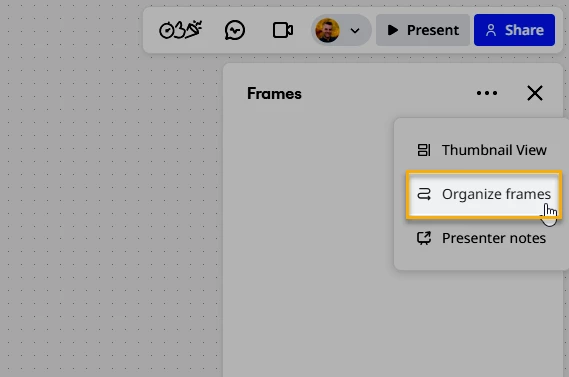
As of Friday, December 5 @ 4:10 PM CST UTD-6, the Organize frames action is back for me:

Enter your E-mail address. We'll send you an e-mail with instructions to reset your password.
Scanning file for viruses.
Sorry, we're still checking this file's contents to make sure it's safe to download. Please try again in a few minutes.
OKThis file cannot be downloaded
Sorry, our virus scanner detected that this file isn't safe to download.
OK