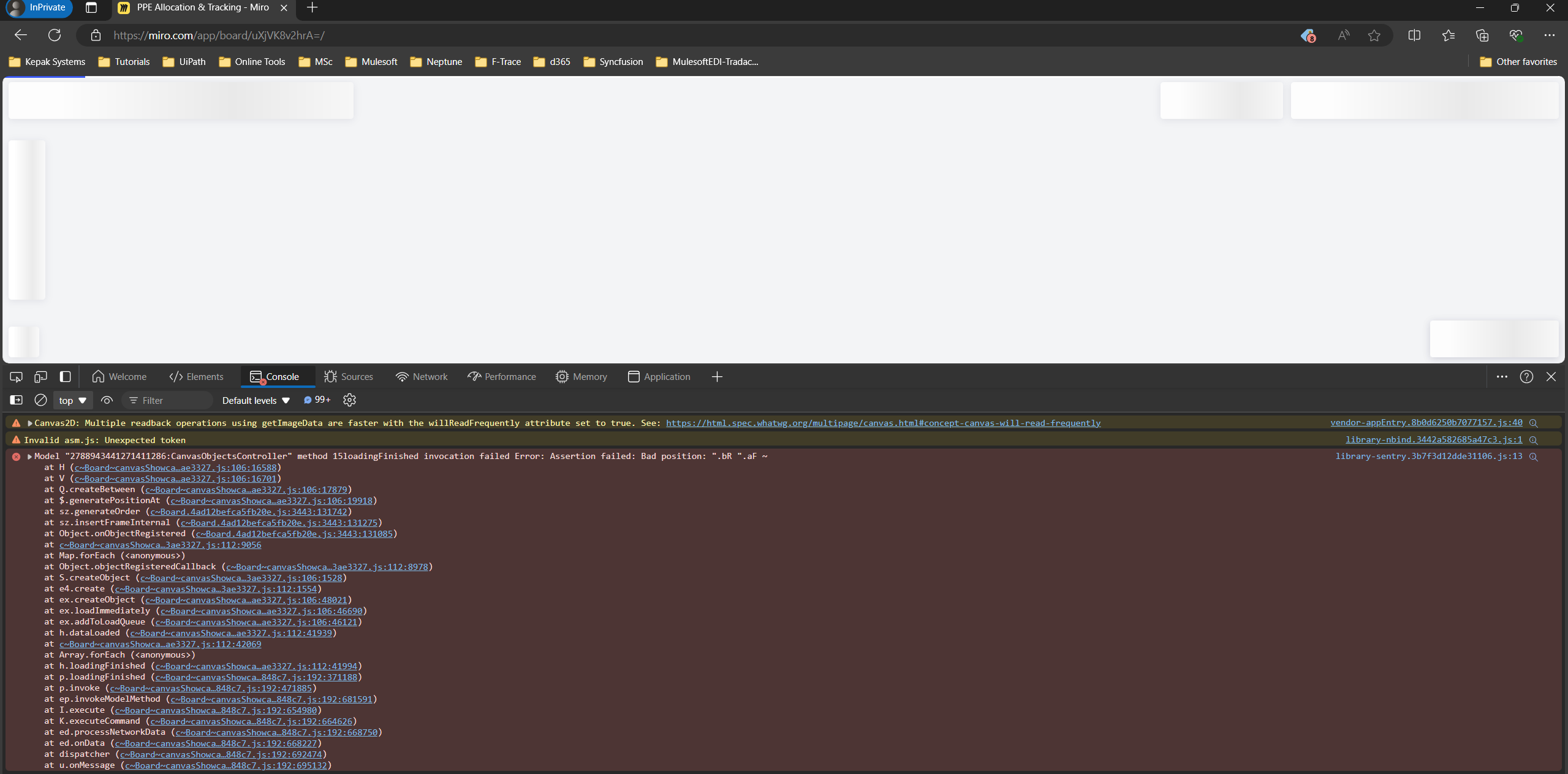
I have been experiencing for last days my boards not loading. I can see all my boards, but whenever I click to load any of them, the page got stuck and does not load it. It worked fie last week for couple of times.
Now I am using Edge browser and also, tried with incognito without any success.
I am using web browser version and, when I checked console under developer options I got the following error message:
Any help is much appreciated.
Thanks
Kleber
Best answer by Eca
Hi @Kleber Bueno
Thanks for bringing this up!
I recommend trying the following troubleshooting steps, which can often resolve loading problems:
Sometimes, switching to another browser can help. If you haven't tried this yet, it's worth a shot.
Since you’ve already tried this without success, you might want to ensure that you also clear your browser cache.
If you're using a VPN, try toggling it off and on again. Sometimes, VPNs can interfere with loading.
Ensure your network connection is stable and meets the minimum bandwidth requirement of 8 Mb/s. If possible, try connecting to a different network.
If you're using Miro in a work environment, there might be firewalls or proxies affecting your connection. You might want to check with your IT department to ensure Miro is allowlisted or provide a bypass.
If none of these steps resolve the issue, I recommend submitting a support request and including your browser console logs to help the support team diagnose the problem more effectively. You can find more detailed instructions here.
I hope this helps, and please feel free to update us on how things go!
If you're using a VPN, try toggling it off and on again. Sometimes, VPNs can interfere with loading.
Ensure your network connection is stable and meets the minimum bandwidth requirement of 8 Mb/s. If possible, try connecting to a different network.
If you're using Miro in a work environment, there might be firewalls or proxies affecting your connection. You might want to check with your IT department to ensure Miro is allowlisted or provide a bypass.
If none of these steps resolve the issue, I recommend submitting a support request and including your browser console logs to help the support team diagnose the problem more effectively. You can find more detailed instructions here.
I hope this helps, and please feel free to update us on how things go!