Drop-down button

  • September 4, 2022
  • 5 replies
  • 5337 views

Hi,

My board should have a drop-down button with two options, but I can't find how to do it.

5 replies

Kiron Bondale
Forum|alt.badge.img+7
  • Volunteer Community Moderator
  • September 4, 2022

@Ivana Nitzan -

can you provide more details - what function are your referring to and which options are you expecting to see?

Kiron


  • Author
  • New Here
  • September 4, 2022

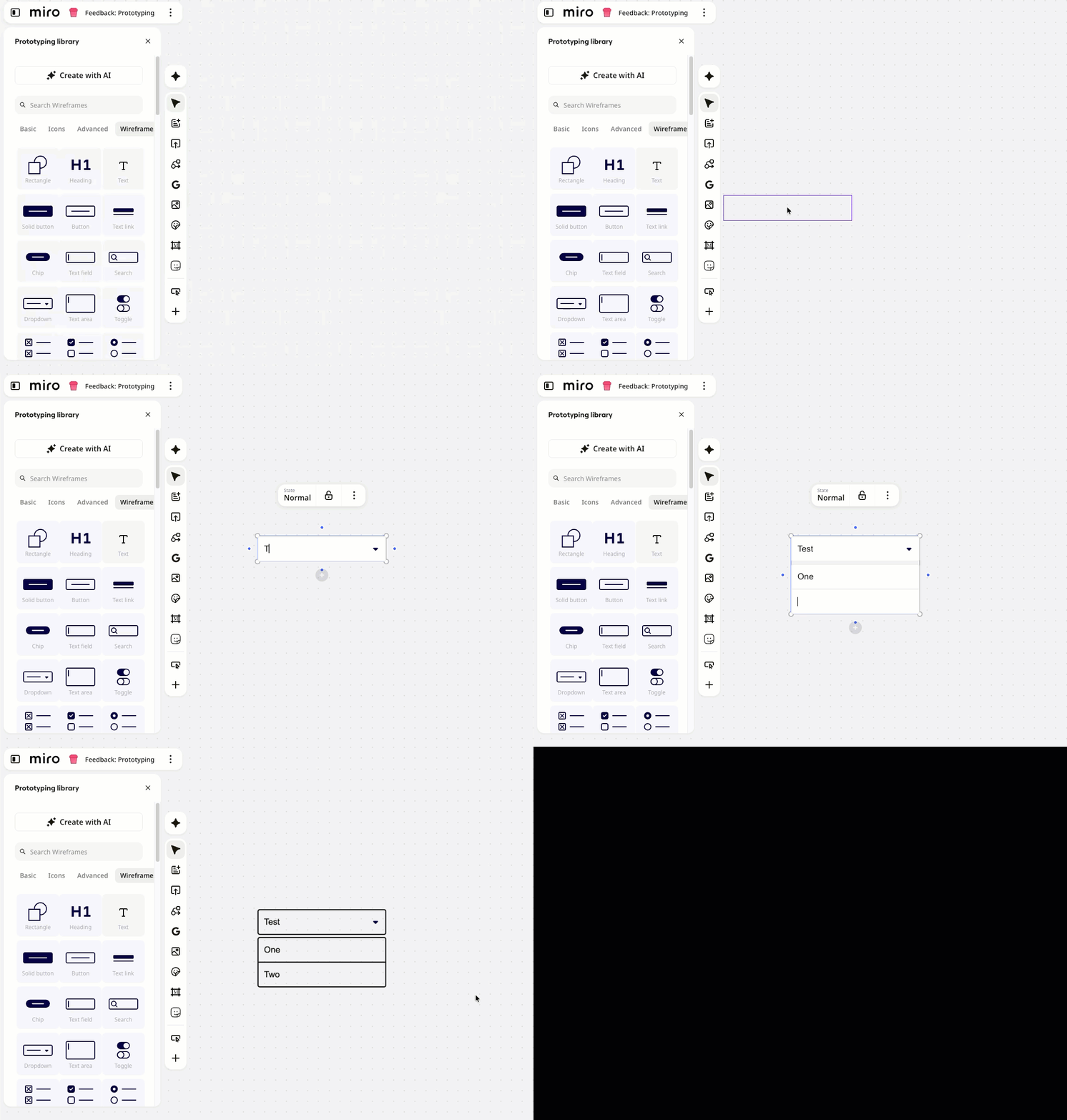
The attached image shows a drop-down button I want to create in Miro.  


Robert Johnson
Forum|alt.badge.img+13
  • Volunteer Community Moderator
  • September 4, 2022

@Ivana Nitzan - Objects/controls similar to the one you have shown can be found in the Wireframe Library app:

https://miro.com/marketplace/wireframes/

NOTE: Miro’s wireframe objects are not interactive, e.g., they will not “drop down”.


@Ivana Nitzan - Objects/controls similar to the one you have shown can be found in the Wireframe Library app:

https://miro.com/marketplace/wireframes/

NOTE: Miro’s wireframe objects are not interactive, e.g., they will not “drop down”.

I don’t understand. The user asked where he could find a drop-down feature, you told him where it was and then said that that wasn’t the feature he is asking about. It sounds like there is no ability in Miro to create a basic drop-down menu?


Robert Johnson
Forum|alt.badge.img+13
  • Volunteer Community Moderator
  • September 13, 2026

@Ivana Nitzan - Objects/controls similar to the one you have shown can be found in the Wireframe Library app:

https://miro.com/marketplace/wireframes/

NOTE: Miro’s wireframe objects are not interactive, e.g., they will not “drop down”.

I don’t understand. The user asked where he could find a drop-down feature, you told him where it was and then said that that wasn’t the feature he is asking about. It sounds like there is no ability in Miro to create a basic drop-down menu?

There is a very basic dropdown object in the Prototyping library → wireframe objects: