Answered

The Elephant in the Room

  • February 12, 2021
  • 6 replies
  • 344 views

I am setting up a workshop and i thought of a concept of people being able to state the things they think are obvious on a kind of ‘Park it here’ space on the event workshop board. I thought of the concept of ‘the elephant in the room’ and would like to create a grey elephant shaped space on the board where participants can put such ideas. 

I think this would involve creating an irregular (elephant shaped) space and infilling it in pale grey 

I have had a play with the functions and can't see a way of doing it. 

Does anyone know if it is possible and if so how. 

Best answer by Kiron Bondale

@Julia Holding -

Why not just copy & paste the image of an elephant into the board and have folks drop their sticky notes on top of it?

Kiron

This topic has been closed for replies.

6 replies

Kiron Bondale
Forum|alt.badge.img+7
  • Volunteer Community Moderator
  • Answer
  • February 12, 2021

@Julia Holding -

Why not just copy & paste the image of an elephant into the board and have folks drop their sticky notes on top of it?

Kiron


  • Author
  • Beginner
  • February 12, 2021

I wasn't aware you could stick notes over images ! - I will have a go Thanks :smiley:


Robert Johnson
Forum|alt.badge.img+13
  • Volunteer Community Moderator
  • February 12, 2021

I love it @Kiron Bondale! (And I will be using it :wink: )

@Julia Holding - I used the Google image search for “elephant in the room” and found this:

And if the sticky notes happen to be going “behind” the image, you can Bring them to the front:


  • Author
  • Beginner
  • February 12, 2021

Brilliant - I love it!


Kiron Bondale
Forum|alt.badge.img+7
  • Volunteer Community Moderator
  • February 12, 2021

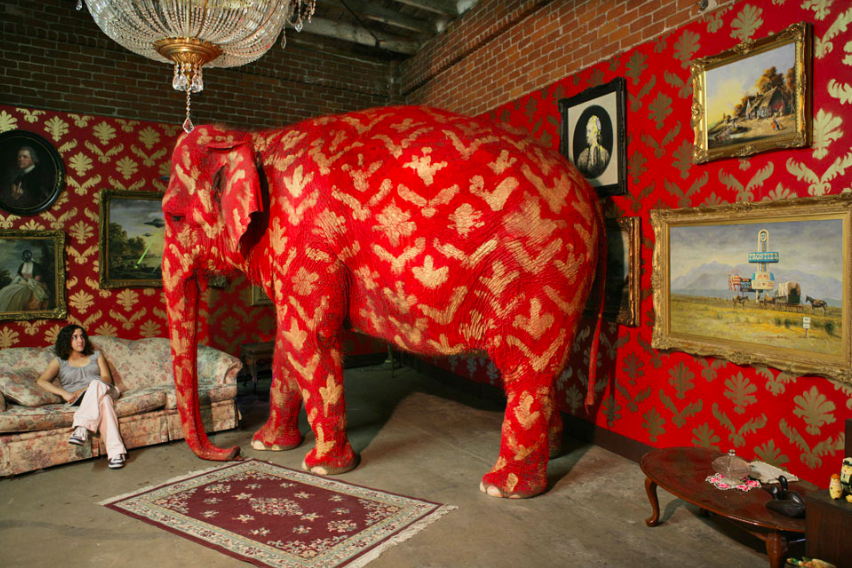
This is my favorite version of the image - I’ve used it a few times in past presentations. I love the way the elephant blends into the decor :joy: !


  • Author
  • Beginner
  • February 12, 2021

:joy: Love it!