
Sitemap Template - how do I extend each level

  • July 19, 2022
  • 2 replies
  • 302 views

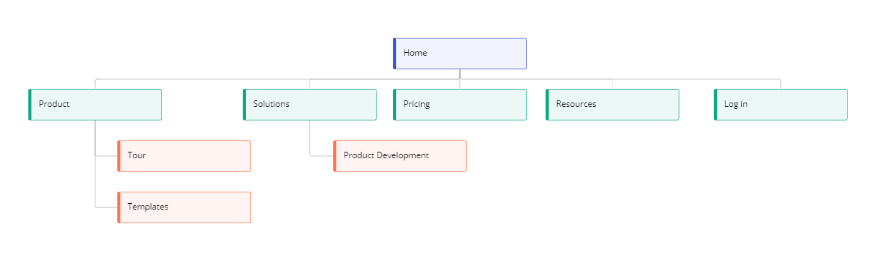
If you open a blank sitemap template, it gives you a template with 5 entries at Level 2 (the green shapes). Is there any easy way of extending this so that there are say 8 entries at Level 2? 
 

2 replies

Forum|alt.badge.img
  • Mironeer
  • July 21, 2022

Hi @Danny Golding 👋
Thanks for the question!
I’m afraid that the only way to extend the second level is to add the new blocks manually - you can duplicate the existing green blocks via Ctrl/Cmd+D and then add the connector lines.

If you have any suggestions on how we could improve the Sitemap template, please feel free to submit them to our Wish List 🙂


  • Author
  • Beginner
  • July 21, 2022

Thanks @Helga

What would resolve the issue is if there was a tree connector which could be used for all sorts of hierarchical diagrams - sitemaps, org charts, etc. 

I think this has been asked for before, but I’ll submit another suggestion.

