

Answered

Access revoked - New Account - Admin - First Board

  • March 24, 2021
  • 3 replies
  • 608 views

I just set-up a new account, i’m the only team member and admin. Went to create a board and when it loads I get, “Access Revoked” Sharing settings for this board have changed.”

I checked my cookies. I checked the forum. I checked I’m the only active user. I checked my credentials are correct. I deleted the board and open another one and repeated across multiple types of boards.

No luck. Every time I get, “Access Revoked” Sharing settings for this board have changed.”

It has to be something simple but I can’t figure it out. 

Any recommendations?
Best answer by Robert Johnson

@Joe Martinez - Open a Miro support ticket.

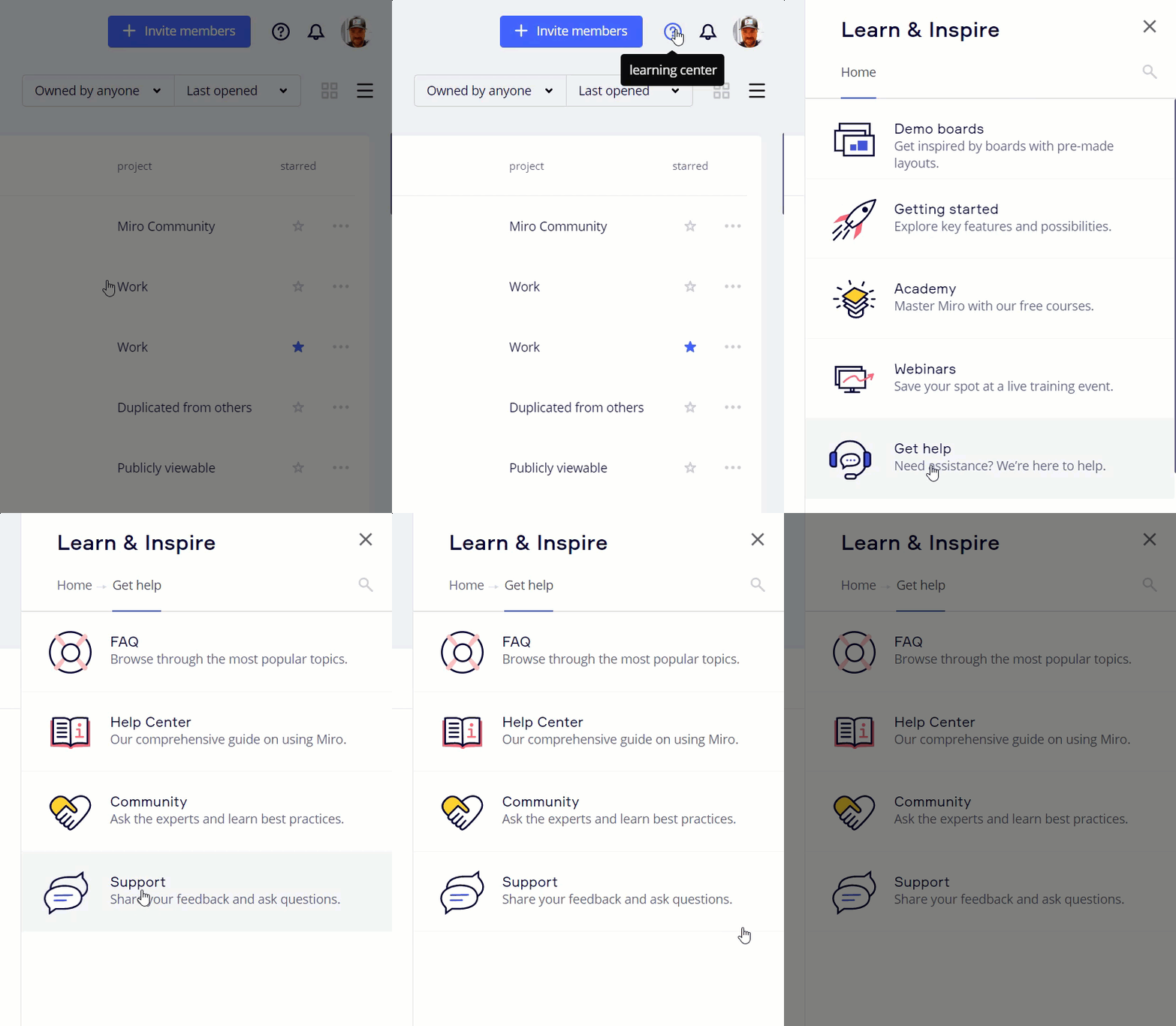
The support form is here: learning center → Get help → Support

More information on contacting Miro Support can be found in the How to Contact Miro Support Help Center article:

https://help.miro.com/hc/en-us/articles/360020185799-How-to-Contact-Miro-Support

This topic has been closed for replies.

3 replies

Robert Johnson
Forum|alt.badge.img+13
  • Volunteer Community Moderator
  • Answer
  • March 24, 2021

@Joe Martinez - Open a Miro support ticket.

The support form is here: learning center → Get help → Support

More information on contacting Miro Support can be found in the How to Contact Miro Support Help Center article:

https://help.miro.com/hc/en-us/articles/360020185799-How-to-Contact-Miro-Support


  • Author
  • Beginner
  • March 25, 2021

Thank you.


  • Author
  • Beginner
  • March 31, 2021

The issue has now been fixed.

  1. tried using a different browser - no luck
  2. tried using a browser in incognito - no luck
  3. changed browser setting > Privacy & Security > Cookies and other site data > changed from block all cookies.

Thank you Miro Support and recommending I raise a ticket, Robert! ✌🏻

