Answered

"OneDrive authentication failed"

  • February 17, 2021
  • 1 reply
  • 317 views

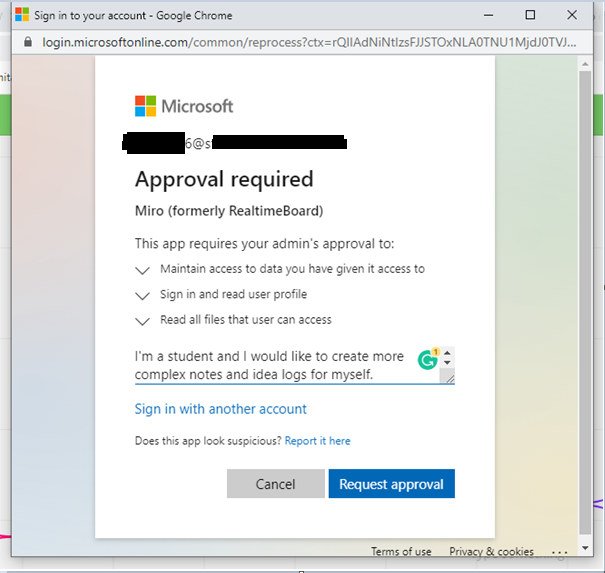
After I downloaded the OneDrive pluging and wanted to open it, this window popped up.

I pressed Request Approval then this popped up:
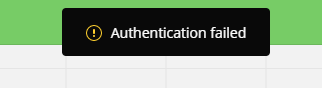
Kind of clueless what to do now.

Best answer by Robert Johnson

@Sophia Tabor - That message looks to be Microsoft telling you that the admin of your Microsoft/OneDrive account that your email address (*6@s*.whatever) needs to approve the connecting of the “Miro (formerly RealtimeBoard)” to your OneDrive.

You will need to reach out to whomever administers your email/Microsoft account. You mentioned you are a student, so this is likely someone in your educational institution’s IT department.

In the mean time, I would just suggest that you link to any of your OneDrive files using a regular link, just like you would when adding any link to a Miro board. You can read more about this in Internal and External Linking Help Center article.

This topic has been closed for replies.

1 reply

Robert Johnson
Forum|alt.badge.img+13
  • Volunteer Community Moderator
  • Answer
  • February 17, 2021

@Sophia Tabor - That message looks to be Microsoft telling you that the admin of your Microsoft/OneDrive account that your email address (*6@s*.whatever) needs to approve the connecting of the “Miro (formerly RealtimeBoard)” to your OneDrive.

You will need to reach out to whomever administers your email/Microsoft account. You mentioned you are a student, so this is likely someone in your educational institution’s IT department.

In the mean time, I would just suggest that you link to any of your OneDrive files using a regular link, just like you would when adding any link to a Miro board. You can read more about this in Internal and External Linking Help Center article.

